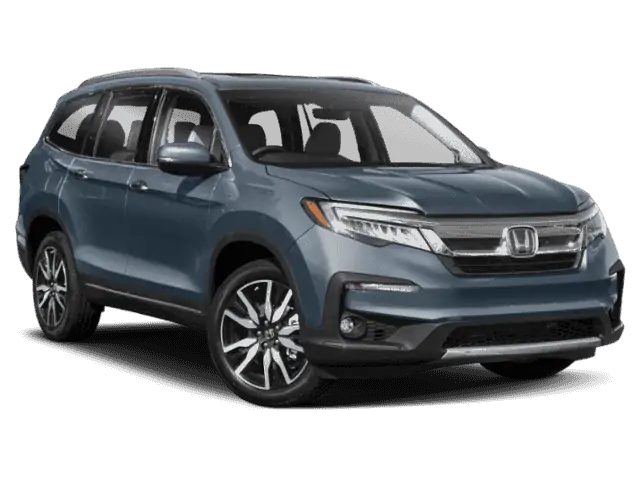
July 28, 2020 NHTSA CAMPAIGN NUMBER: 20V439000
Instrument Panel Software Incorrect/FMVSS 101/111
Operating a vehicle without a functioning instrument panel or rearview camera display increases the risk of a crash.
NHTSA Campaign Number: 20V439
Manufacturer Honda (American Honda Motor Co.)
Components ELECTRICAL SYSTEM, BACK OVER PREVENTION
Potential Number of Units Affected 607,784
Summary
Honda (American Honda Motor Co.) is recalling certain 2018-2020 Odyssey, 2019-2020 Passport, and 2019-2021 Pilot vehicles. Incorrect instrument panel control module software can cause the instrument panel to not display critical information, such as engine oil pressure, speedometer, and gear selector position until the next ignition cycle. Additionally, it can prevent the rearview camera image from displaying. As such, these vehicles fail to comply with the requirements of Federal Motor Vehicle Safety Standard (FMVSS) numbers 101, “Control and Displays” and 111, “Rearview Mirrors.”
Remedy
Honda will notify owners, and dealers will reprogram the instrument panel control module software, free of charge. The recall began September 23, 2020. Owners may contact Honda customer service at 1-888-234-2138. Honda’s number for this recall is T89.
Notes
Owners may also contact the National Highway Traffic Safety Administration Vehicle Safety Hotline at 1-888-327-4236 (TTY 1-800-424-9153), or go to www.safercar.gov.
Check if your Honda has a Recall
Service Bulletin
A20-047
March 26, 2021
Version 5
Noncompliance Recall: Gauge Control Module Software Update
Supersedes 20-047, dated January 29, 2021. See REVISION SUMMARY.
AFFECTED VEHICLES
| Year | Model | Trim Level | VIN Range |
| 2018-20 | Odyssey | ALL except LX | Check the iN VIN status for eligibility |
| 2019-20 | Passport | ALL except Sport | Check the iN VIN status for eligibility |
| 2019-21 | Pilot | ALL except LX | Check the iN VIN status for eligibility |
REVISION SUMMARY
This service bulletin has been extensively changed; American Honda recommends you read this entire bulletin.
BACKGROUND
The MOST unit in the gauge control module is unable to process a certain amount of information, which may cause the instrument gauge to go blank or randomly reboot.
CUSTOMER NOTIFICATION
Owners of affected vehicles will be sent a notification of this campaign.
Do an iN VIN status inquiry to make sure the vehicle is shown as eligible.
Some vehicles affected by this campaign may be in your new or used vehicle inventory.
Failure to repair a vehicle subject to a recall or campaign may subject your dealership to claims or lawsuits from the customer or anyone else harmed as a result of such failure. Always conduct a VIN status inquiry before selling any vehicle to see if it is affected by a recall.
CORRECTIVE ACTION
Update the gauge control module software.
NOTE: Make sure you have completed online training module ECC30: Combimeter Reflash Procedure before doing this update. Claims submitted without this training will be rejected.
TOOL INFORMATION
| Tool Name | Tool Number | Quantity |
| Combimeter Reflash Tool | 07AAL-THRA100 | 1 |
NOTE: Make sure the combimeter reflash tool has been calibrated. See the Job Aid: Combimeter Reflash Tool Instruction Manual. It must be calibrated when it first arrives at your dealership, and again if the reflash procedure continues to fail.
WARRANTY CLAIM INFORMATION
The normal warranty applies.
| Operation Number | Description | Flat Rate Time | Defect Code | Symptom Code | Template
ID | Failed Part Number |
| 7165A5 | Odyssey: Update the gauge control module software. | 0.5 hr | 6MB00 | T8900 | A20047A | 78100-THR-A21 |
| 7165A5 | Passport: Update the gauge control module software. | 0.5 hr | 6MB00 | T8900 | A20047B | 78100-TGS-AJ2 |
| 7165A5 | Pilot: Update the gauge control module software. | 0.5 hr | 6MB00 | T8900 | A20047C | 78100-TG8-AH1 |
Skill Level: Repair Technician
NOTE: Make sure you have completed online training module ECC30: Combimeter Reflash Procedure before doing this update. Claims submitted without this training will be rejected.
REPAIR PROCEDURE – ODYSSEY GAUGE CONTROL MODULE REMOVAL
1. Remove both lower vent covers.
2. Remove the upper column cover from the steering column.
3. Disengage the clips around the meter visor, then remove it with the upper column cover as one piece.
4. Remove the three screws securing the gauge control module.
5. Turn the gauge control module to access the rear connectors, being careful not to stretch the wiring harness. Disconnect the red and green FAKRA connectors, then disconnect the remaining connectors, and remove the gauge control module from the vehicle.
NOTE: Make sure the harness is straight and not wrapped or tangled with other wires.
6. Write the VIN on a piece of tape and attach it to the back of the gauge control module. Then, go to GAUGE CONTROL MODULE INSPECTION.
REPAIR PROCEDURE – PASSPORT AND PILOT GAUGE CONTROL MODULE REMOVAL
1. Remove the side cover.
2. Remove the upper column cover from the steering column.
3. Remove the lower dash panel.
4. Remove the screw to loosen the dash panel.
5. Pull back the dash panel as needed to allow removal of the meter visor.
6. Disengage the clips around the meter visor, then remove it with the upper column cover as one piece.
7. Remove the three screws securing the gauge control module.
8. Turn the gauge control module to access the rear connectors, being careful not to stretch the wiring harness. Disconnect the red and green FAKRA connectors, then disconnect the remaining connectors, and remove the gauge control module from the vehicle.
NOTE: Make sure the harness is straight and not wrapped or tangled with other wires.
9. Write the VIN on a piece of tape and attach it to the back of the gauge control module.
GAUGE CONTROL MODULE INSPECTION
Use a small snipping tool to remove the access cover on the back of the gauge control module.
NOTICE
Do not let the access cover fall into the gauge control module. The loose access cover could result in a rattle or buzzing noise, and the difficult recovery of the cover could lead to damage to the module.
NOTE: Some gauge control modules have a connector on the circuit board and some do not.
- If there is no connector, go to REPAIR PROCEDURE A.
- If there is a connector, go to REPAIR PROCEDURE B.
REPAIR PROCEDURE A
NOTE:
- Make sure the combimeter reflash tool has been calibrated. See the Job Aid: Combimeter Reflash Tool Instruction Manual.
- Make sure you have completed online training module ECC30: Combimeter Reflash Procedure before starting this reflash. Claims submitted without this training will be rejected.
- Click HERE to watch the instructional video on this procedure.
- Make sure there is no dirt or debris on the gauge control reflash tool alignment pads.
1. Load the gauge control module face down into the combimeter reflash tool, making sure it is fully seated.
NOTICE
Press only in the designated areas when loading the gauge control module. Pressing on any other areas could damage the module.
2. Attach the grounding strap around your wrist, and make sure it is connected to the base.
3. Connect the grey connector to the gauge control module.
4. Carefully lower the hinged top plate onto the gauge control module.
NOTICE
Make sure the pogo head is in its fully raised position using the Z-axis (up/down) control knob before lowering the top plate. If it is not, you could damage the pins on the pogo head.
5. Check the borescope display to see if the dots line up on the circuit board.
6. Use the X-axis (left/right) and Y-axis (forward/backward) control knobs to line up the red dots with the black dots.
NOTE:
- The dots move as a group and cannot be lined up individually.
- Although some of the red dots may not be perfectly centered, they should all be within the black dots.
- When you have lined up the dots, use Z-axis control knob to lower the pogo head onto the circuit board until you feel slight resistance.
NOTICE
Once you feel slight resistance in the Z-axis control knob, do not continue lowering the pogo head. Forcing the pogo head further down could damage the tool and the gauge control module.
8. Set the REFLASH toggle switch to START. The reflash process begins.
9. Check the reflash status through the inspection mirror below the gauge control module. The reflash will take about 7 to 10 minutes to complete.
The screen will turn green once the reflash is complete.
If the reflash fails, set the REFLASH toggle switch to STOP. Raise the pogo head with the Z-axis control knob, then start REPAIR PROCEDURE A again from step 5.
NOTICE
Do not try adjusting the pogo head using the X-axis or Y-axis control knobs while it is lowered into the gauge control module, Otherwise, you could damage the tool or the gauge control module.
If the reflash keeps failing, check the calibration using Job Aid: Combimeter Reflash Tool Instruction Manual. Then, start REPAIR PROCEDURE A again.
10. Once the reflash process is complete, set the REFLASH toggle switch to STOP. Then, raise the pogo head all the way up, raise the hinged top plate, disconnect the grey connector, and remove the gauge control module from the tool.
11. Remove the strip of tape with the VIN written on it.
12. Install the gauge control module and all removed parts in the reverse order of removal. Then, go to SOFTWARE INSPECTION
REPAIR PROCEDURE B
NOTE:
- Make sure you have completed online training module ECC30: Combimeter Reflash Procedure before starting this reflash. Claims submitted without this training will be rejected.
- Click HERE to watch the instructional video on this procedure.
- Make sure there is no dirt or debris on the gauge control reflash tool alignment pads.
1. Load the gauge control module face down into the combimeter reflash tool, making sure the module is fully seated.
NOTICE
Press only in the designated areas when loading the gauge control module. Pressing on any other areas could damage the module.
2. Attach the antistatic band around your wrist, and make sure it is connected to the base.
3. Set the alignment tool in the access hole in the gauge control module.
4. Connect the grey connector into the gauge control module.
5. Insert the SMART reflash card into the alignment tool, making sure the connectors make good contact.
6. Set the REFLASH toggle switch to START. The reflash process begins.
7. Check the reflash status using the inspection mirror under the gauge control module. The update will take about 7 to 10 minutes to complete. The screen will turn green once the reflash is complete.
If the reflash fails, set the REFLASH toggle switch to STOP and remove the SMART reflash card. Then, start REPAIR PROCEDURE B again from step 5.
8. Once the reflash is complete, set the REFLASH toggle switch to STOP and remove the SMART reflash card.
NOTICE
Make sure the SMART reflash card is pulled straight up to prevent damage to the card and the gauge control module.
9. Remove the alignment tool, disconnect the grey connector, and then remove the gauge control module from the tool.
10. Remove the strip of tape with the VIN written on it.
11. Install the gauge control module in the reverse order of removal. Then, go to SOFTWARE INSPECTION.
SOFTWARE INSPECTION
1. Press and hold the HOME icon, Day/Night icon, and VOL/Power AUDIO knob at the same time to enter into the Dealer Diagnostics
2. Select Detail Info, Unit Check, MOST Nodes, then Meter.
3. Confirm the GDC Software Version using this table.
| Model | Year | Software Version |
| Odyssey | 2018 | 00.12.02 |
| Odyssey | 2019 | 00.03.00 |
| Odyssey | 2020 | 00.04.00 |
| Passport/Pilot | 2019-2020 | 00.09.00 |
| Pilot | 2021 | 00.06.00 |
END
Statement by American Honda Regarding Four Automobile Recalls
- Approximately 608,000 total vehicles are affected in the United States
- Free recall repairs, varying by specific vehicle, include two software updates, replacement of rear view cameras and replacement of sliding door outer handle cables
- No reported crashes or injuries related to these actions
TORRANCE, Calif. – Aug. 4, 2020 – American Honda will voluntarily recall approximately 608,000 model-year 2018-2020 Honda Odyssey, 2019-2020 Passport and 2019-2021 Pilot vehicles in the United States to complete one or more of four recall repairs, for free. There have been no reports of crashes or injuries related to these actions.
Honda is announcing these recalls to encourage each owner of an affected vehicle to take it to an authorized dealer as soon as they receive notification from Honda. Mailed notification to owners will begin in late-September 2020. Owners of these models can also determine if their specific vehicles are included in the recall by visiting www.recalls.honda.com or by calling (888) 234-2138.
Recall Summaries:
Gauge Control Module Software Recall:
Software that controls the speedometer display will be updated, for free, to prevent potential malfunctions, including temporary shutdown of the display. If the speedometer does not display properly, a driver may unknowingly exceed safe speeds, increasing the risk of a crash.
Front Control Box Software Recall:
Software that controls display of the rear view camera image will be updated, for free, to prevent potential malfunctions including delayed display of the rear view and display failure under certain circumstances when the reverse gear is selected. A delayed or absent rear view display may increase the risk of a crash.
Rear View Camera Replacement Recall:
Rear view camera assemblies will be replaced with updated units, for free, to resolve durability issues that may distort the image or prevent display of the rear view when the reverse gear is selected. An absent rear view display may increase the risk of a crash.
Sliding Door Outer Handle Cable Recall: 2018-2020 Honda Odyssey
Updated sliding door outer handle cables will be installed in affected vehicles, for free. Water may enter the outer handles of the sliding doors and drip onto the cables connected to the door latch mechanisms. In freezing temperatures, ice may form on the cable, hindering proper cable movement and potentially preventing the door from latching. An unlatched sliding door could open while the vehicle is in motion, increasing the chance of injury to passengers.
SEOCONTENT-START
August 28, 2020
Mr. Jeffrey Giuseppe
Associate Administrator for Enforcement
National Highway Traffic Safety Administration
Attn: Recall Management Division (NVS-215)
1200 New Jersey Avenue, SE
Washington, D.C. 20590
Re: NHTSA Recall No. 20V-439
Part 573, Amended Noncompliance Information Report
2018 – 2020 Model Year Honda Odyssey, 2019 – 2020 Model Year Honda Passport, and 2019 – 2021 Model Year Honda Pilot
Instrument Panel
Dear Mr. Giuseppe:
In accordance with the National Traffic and Motor Vehicle Safety Act and 49 CFR Part 573 Defect and Noncompliance and Responsibility Reports, Honda is submitting the enclosed amended Noncompliance Information Report regarding NHTSA recall number 20V-439 originally submitted on July 28, 2020. The amendment adds two MY2020 Honda Odyssey and one MY2021 Honda Pilot vehicles to the affected vehicle population. In addition, one non-U.S. market MY2021 Honda Pilot is being removed from the affected vehicle population, so that there is no change in the number of affected Honda Pilot vehicles. The following reporting categories are being amended:
1. Identification of potentially affected vehicles; and
2. Total number of potentially affected vehicles.
If you have any questions about this report, please feel free to contact me.
Sincerely,
AMERICAN HONDA MOTOR CO., INC.
Jeff Chang
Senior Manager
Product Regulatory Office
JC:wvt
American Honda Motor Co., Inc.
1919 Torrance Boulevard
Torrance, CA 90501-2746
Phone (310) 783-2000
Amended Noncompliance Information Report
573.6(c)(2)
Identification of potentially affected vehicles:
Initial Report
Amended Report (updates in bold)
Description of the basis for the determination of the recall population:
The recall population was determined based on manufacturing records. The manufacturing range reflects all possible vehicles that could potentially experience the problem.
Description of how the vehicles being recalled differ from similar vehicles not included in the recall:
Similar vehicles built on or after July 20, 2020 are not included in the recall, as these vehicles were equipped with instrument panels containing updated software that comply with all of the requirements of FMVSS No. 101 and No. 111 as of that date. Similar vehicles built before July 20, 2020 that were within American Honda’s control were remedied prior to dealer delivery. Additionally, the base model trims (LX or Sport) of similar vehicles are not included in the recall, as the instrument panels in these vehicles do not use the same type of network system as affected vehicles.
8/28/2020 Amendment
Two MY2020 Honda Odyssey vehicles with a manufacture date of July 21, 2020 are being added to the recall. Although these vehicles completed final assembly after the date the countermeasure was applied to mass production, they were initially assembled with the recalled component prior to being taken off-line for unrelated repairs. Once repaired, vehicle assembly completed on July 21, 2020, and the vehicles were distributed into commerce. Review of manufacturing records later identified the recalled component that necessitated inclusion into the recall.
Make/Model
Model Year
Dates of Manufacture
Number of Vehicles
Honda Odyssey
2018
01/19/2017 to 04/17/2018
108,435
Honda Odyssey
2019
04/12/2018 to 08/13/2019
131,729
Honda Odyssey
2020
09/11/2018 to 07/16/2020
70,860
Honda Passport
2019
11/06/2017 to 10/23/2019
33,920
Honda Passport
2020
06/20/2019 to 07/16/2020
19,409
Honda Pilot
2019
09/18/2017 to 07/31/2019
138,000
Honda Pilot
2020
01/15/2019 to 06/22/2020
96,429
Honda Pilot
2021
10/15/2019 to 07/16/2020
9,002
Make/Model
Model Year
Dates of Manufacture
Number of Vehicles
Honda Odyssey
2018
01/19/2017 to 04/17/2018
108,435
Honda Odyssey
2019
04/12/2018 to 08/13/2019
131,729
Honda Odyssey
2020
09/11/2018 to 07/21/2020
70,862
Honda Passport
2019
11/06/2017 to 10/23/2019
33,920
Honda Passport
2020
06/20/2019 to 07/16/2020
19,409
Honda Pilot
2019
09/18/2017 to 07/31/2019
138,000
Honda Pilot
2020
01/15/2019 to 06/22/2020
96,429
Honda Pilot
2021
10/15/2019 to 07/16/2020
9,002
Discrepancies affecting recall eligibility for two MY2021 Honda Pilot vehicles were also identified during manufacturing records review. One vehicle, in a similar scenario reflected above, was taken off-line for repairs and excluded from the recall, is now being included. The other vehicle was confirmed to be a non-U.S. market vehicle (Canadian-spec), and is being removed from the recall. This results in no net changes to the MY2021 Honda Pilot vehicle population or manufacturing date range.
573.6(c)(3)
Total number of potentially affected vehicles: 607,784 (original population)
+ 2 (population expansion)
607,786 (amended population)
**************************************************************************************************
July 28, 2020
Mr. Jeffrey Giuseppe
Associate Administrator for Enforcement
National Highway Traffic Safety Administration
Attn: Recall Management Division (NVS-215)
1200 New Jersey Avenue, SE
Washington, D.C. 20590
Re: Part 573, Noncompliance Information Report
2018 – 2020 Model Year Honda Odyssey, 2019 – 2020 Model Year Honda Passport, and 2019 – 2021 Model Year Honda Pilot
Instrument Panel
Dear Mr. Giuseppe:
In accordance with the National Traffic and Motor Vehicle Safety Act and 49 CFR Part 573 Defect and Noncompliance and Responsibility Reports, Honda is submitting the enclosed Noncompliance Information Report regarding a safety recall of 2018 – 2020 model year Honda Odyssey, 2019 – 2020 model year Honda Passport, and 2019 – 2021 model year Honda Pilot vehicles to address a noncompliance with FMVSS 101; Controls and Display, and FMVSS 111; Rear Visibility.
If you have any questions about this report, please feel free to contact me.
Sincerely,
AMERICAN HONDA MOTOR CO., INC.
Jeff Chang
Senior Manager
Product Regulatory Office
American Honda Motor Co., Inc.
1919 Torrance Boulevard
Torrance, CA 90501-2746
Phone (310) 783-2000
Noncompliance Information Report
573.6(c)(1)
Name of manufacturer: Honda of America Mfg., Inc.
Manufacturer’s agent: Jeff Chang
American Honda Motor Co., Inc.
1919 Torrance Blvd.
Torrance, CA 90501-2746
573.6(c)(2)
Identification of potentially affected vehicles:
Description of the basis for the determination of the recall population:
The recall population was determined based on manufacturing records. The manufacturing range reflects all possible vehicles that could potentially experience the problem.
Description of how the vehicles being recalled differ from similar vehicles not included in the recall:
Similar vehicles built on or after July 20, 2020 are not included in the recall, as these vehicles were equipped with instrument panels containing updated software that comply with all of the requirements of FMVSS No. 101 and No. 111 as of that date. Similar vehicles built before July 20, 2020 that were within American Honda’s control were remedied prior to dealer delivery. Additionally, the base model trims (LX or Sport) of similar vehicles are not included in the recall, as the instrument panels in these vehicles do not use the same type of network system as affected vehicles.
Identification of affected component:
Component: Meter Assy., Combination
Part No.:
See attached document
Country of Origin: USA
Manufacturer: DENSO International America, Inc.
Make/Model
Model Year
Dates of Manufacture
Number of Vehicles
Honda Odyssey
2018
01/19/2017 to 04/17/2018
108,435
Honda Odyssey
2019
04/12/2018 to 08/13/2019
131,729
Honda Odyssey
2020
09/11/2018 to 07/16/2020
70,860
Honda Passport
2019
11/06/2017 to 10/23/2019
33,920
Honda Passport
2020
06/20/2019 to 07/16/2020
19,409
Honda Pilot
2019
09/18/2017 to 07/31/2019
138,000
Honda Pilot
2020
01/15/2019 to 06/22/2020
96,429
Honda Pilot
2021
10/15/2019 to 07/16/2020
9,002
573.6(c)(3)
Total number of potentially affected vehicles: 607,784
573.6(c)(4)
Percentage of affected vehicles that contain the noncompliance: 100%
573.6(c)(5)
Noncompliance description:
Many in-cabin system interfaces are linked to a central network, including the instrument panel, display audio, and rearview camera display. Due to inappropriate software programming, increased data traffic on the central network may exceed the computing threshold of the instrument panel control module. Once exceeded, the instrument panel cannot display certain information required by FMVSS 101; Controls and Displays, such as the engine oil pressure, speedometer, and gear selector position until the next ignition cycle. An overloaded instrument panel control module also prevents the rearview camera image from displaying, which does not comply with the requirements of FMVSS No. 111; Rear Visibility. Vehicle operation without a functional instrument panel or rearview camera display increases the risk of a crash.
573.6(c)(7)
Determination of noncompliance:
May 2019
Honda identified an increased trend in warranty claims involving instrument panel failure and launched an investigation.
June 2019 – January 2020
Root cause analysis confirmed instrument panel failure was related to software rather than hardware.
July 21, 2020
Honda determined that FMVSS noncompliance existed and decided to conduct a
noncompliance recall.
573.6(c)(8)(i)
Program for remedying the noncompliance:
Registered owners of all affected vehicles will be contacted by mail and asked to take their vehicle to an authorized Honda dealer. The dealer will reprogram the instrument panel control module for free.
573.6(c)(8)(ii)
The estimated date to start notification to dealers: July 29, 2020
The estimated date to start notifications to owners: September 23, 2020
573.6(c)(10)
Representative copies of all notices, bulletins and other communications:
A copy of the dealer service bulletin, the final owner notification letter and other dealer communication will be submitted to your office as soon as possible.
A draft of the owner notification letter will be submitted to your office as soon as possible.
573.6(c)(11)
Manufacturer’s campaign number: T89
**************************************************************************************************
August 6, 2020
Mr. Jeffrey Giuseppe
Associate Administrator for Enforcement
National Highway Traffic Safety Administration
Attn: Recall Management Division (NVS-215)
1200 New Jersey Avenue, SE
Washington, D.C. 20590
Re: NHTSA Recall No. 20V-439
Part 573, Amended Noncompliance Information Report
2018 – 2020 Model Year Honda Odyssey, 2019 – 2020 Model Year Honda Passport, and 2019 – 2021 Model Year Honda Pilot
Instrument Panel
Dear Mr. Giuseppe:
Honda is submitting the enclosed amended Noncompliance Information Report pursuant to a request from the Office of Defects Investigations, Recall Management Division, regarding detailed information used to determine the existence of the noncompliance as required in Part 573.6(c)(7).
If you have any questions about this report, please feel free to contact me.
Sincerely,
AMERICAN HONDA MOTOR CO., INC.
Jeff Chang
Senior Manager
Product Regulatory Office
American Honda Motor Co., Inc.
1919 Torrance Boulevard
Torrance, CA 90501-2746
Phone (310) 783-2000
Amended Noncompliance Information Report
573.6(c)(7)
Determination of noncompliance:
May 2019
Honda identified an increased trend in warranty claims involving instrument panel failure and launched an investigation.
June 2019 – January 2020
Root cause analysis confirmed instrument panel failure was related to software rather than hardware.
January – April 2020
Joint re-creation testing with the supplier identified periods of abnormally high data traffic in the central network prior to instrument panel failure. It was suspected these data spikes could overload a component in the central network, resulting in instrument panel failure.
May 2020
A vehicle in the market that experienced similar symptoms was bought back by Honda for validation testing. Honda confirmed the vehicle exhibited instrument panel failure when the instrument panel control module was overloaded by abnormally high data traffic from the central network. Honda continued to investigate the data spikes and frequency of market occurrences.
July 21, 2020
Honda determined that FMVSS noncompliance existed and decided to conduct a
noncompliance recall.
**************************************************************************************************
78100-THR-A21
78100-TG7-AJ2
78100-TGS-AJ2
78100-THR-A41
78100-TG7-AK2
78100-TGS-AK2
78100-THR-A71
78100-TG7-AM2
78100-TGS-AP2
78100-THR-A81
78100-TG7-AP2
78100-THR-AB2
78100-TG7-AS1
78100-THR-AB4
78100-TG7-AT1
78100-THR-AC2
78100-TG7-AU1
78100-THR-AC4
78100-TG7-AW1
78100-THR-AD2
78100-TG7-AX1
78100-THR-AD4
78100-THR-AE2
78100-THR-AE3
78100-THR-AE4
78100-THR-AK1
78100-THR-AL1
78100-THR-AM1
78100-THR-AN1
Odyssey
Pilot
Passport
***************************************************************************************************
NHTSA Recall Number: 20V-439
Honda Campaign Number: T89
Service Bulletin Number: 20-047
Why my vehicle is under recall: Due to software programming errors, the instrument panel may not display critical information, such
as engine oil pressure, speedometer, and gear selector position. In addition, the rearview camera
image may not display. Vehicle operation without a functional instrument panel or rearview camera
display increases the risk of a crash.
What Honda will do: Your Honda dealer will reprogram the instrument panel control module for FREE. Honda estimates
that the reprogramming will take approximately 30 minutes to complete. However, your dealer can
provide you with a better estimate of the overall time for this service visit, as it may be necessary to
make your vehicle available for a longer period of time.
What we need you to do:
• Check recall information for your vehicle by accessing the Honda Recall Lookup tool at
www.recalls.honda.com and entering your Vehicle Identification Number (VIN).
• If you have questions or concerns, we encourage you to:
o call American Honda’s Customer Support & Campaign Center at 1-888-234-2138
Monday through Friday, 6:00 a.m. to 5:00 p.m., Pacific Time; or
o contact your local Honda automobile dealer; or
o email or chat by going to www.owners.honda.com/help/customer-relations; or
o visit Twitter @HondaCustSvc; or
o visit www.recalls.honda.com to use “Ask Dave”, our 24/7 virtual agent.
If you paid out of pocket to have these specific recall repairs performed on your vehicle, you may be eligible for reimbursement; please contact
American Honda’s Customer Support & Campaign Center at 1-888-234-2138 to determine potential eligibility and for instructions on how to
request reimbursement.
If you no longer own this vehicle or if any of the information is not correct, please complete and return the enclosed prepaid Information Change
Card as soon as possible. If you are a lessor of this vehicle, federal regulations require you to forward this notice to your lessee within ten days.
If you believe that American Honda or the dealer has failed or is unable to remedy the defect in your vehicle, without charge and within a
reasonable period of time (60 days from the date you first contact the dealer for a repair appointment), you may submit a complaint to the
Administrator, National Highway Traffic Safety Administration (NHTSA), 1200 New Jersey Ave., SE, Washington, DC 20590. Alternatively, you
may call the NHTSA toll-free Vehicle Safety Hotline at 1-888-327-4236 (TTY 1-800-424-9153), or go to https://www.safercar.gov.
We sincerely apologize for any inconvenience this recall may cause, but please be assured that your safety is our first concern.
Sincerely,
American Honda Motor Co., Inc.
IMPORTANT SAFETY RECALL
Please call any authorized Honda dealer and schedule an appointment to have your
vehicle’s instrument panel control module reprogrammed for FREE.
If you are not the only driver of this vehicle, please advise all other drivers and passengers of
this important information.
AUTOMOBILE DIVISION
American Honda Motor Co., Inc.
1919 Torrance Blvd., P.O. Box 2215
Torrance, CA 90509-9870
This notice applies to your vehicle: XXXXXXXXXXXXXXXXX
September 2020
Dear FIRSTNAME LASTNAME,
This notice is sent to you in accordance with the National Traffic and Motor Vehicle Safety Act. Honda has decided that 2018 – 2020 model
year Odyssey, 2019 – 2020 model year Passport, and 2019 – 2021 model year Pilot vehicles fail to conform to the requirements of Federal
Motor Vehicle Safety Standard No. 101, “Controls and Displays” and No. 111, “Rear Visibility.”
Número de campaña de seguridad NHTSA: 20V-439
Número de campaña de Honda: T89
Número de boletín de servicio: 20-047
¿Por qué mi vehículo está bajo esta campaña de seguridad?:
Debido a errores de programación del programa, el panel de instrumentos puede que no muestre
información crítica, tales como presión de aceite del motor, velocímetro y la posición de la palanca
de cambios. Además, la imagen de la cámara para ver hacia atrás puede que no se muestre. El
funcionamiento del vehículo sin el panel de instrumentos operativo o la pantalla de la cámara para
ver hacia atrás aumenta el riesgo de una colisión.
¿Qué hará Honda?” Su concesionario Honda reprogramará el módulo de control del panel de instrumentos de forma
GRATUITA. Honda estima que la reprogramación tomará aproximadamente 30 minutos para
completar. No obstante, su concesionario le puede ofrecer un mejor estimado del tiempo total de
esta visita de servicio, ya que pudiera ser necesario que su vehículo esté disponible por un periodo
más largo.
¿Qué necesitamos que usted haga?:
• Verifique la información de la campaña de seguridad de su vehículo ingresando en la
herramienta Honda Recall Lookup en www.recalls.honda.com e ingresando su Número
de identificación del vehículo (VIN).
• Si usted tiene preguntas o inquietudes, le recomendamos que:
o
o
o
o
o
llame al Centro de Apoyo al Cliente y Campañas de American Honda al 1-888-234-
2138 de lunes a viernes, 6:00 a.m. a 5:00 p.m., hora del Pacífico; o
comuníquese con su concesionario de automóviles Honda local; o
envíe un correo electrónico o chat por medio de
www.owners.honda.com/help/customer-relations; o
visite Twitter @HondaCustSvc; o
visite www.recalls.honda.com.
Si usted ha pagado por realizar las reparaciones de la campaña de seguridad específica en su vehículo, usted puede ser elegible para el
reembolso, por favor comuníquese con el Centro de Apoyo al Cliente y Campañas de American Honda al 1-888-234-2138 para determinar la
elegibilidad potencial y para las instrucciones sobre cómo solicitar el reembolso.
Si ya no es el propietario de este vehículo o si alguna información no está correcta, por favor complete, firme y devuelva lo más pronto posible
la Tarjeta de Cambio de Información anexa, con el porte pagado. Si usted es el arrendador de este vehículo, las regulaciones federales
requieren que usted envié una copia de esta notificación a su arrendatario en un lapso de diez días.
Si usted cree que American Honda o el concesionario ha fallado o no le es posible reparar el defecto en su vehículo, sin cobro alguno y dentro
de un período de tiempo razonable (60 días desde la fecha en que usted contactó por primera vez el concesionario para la cita de la
reparación), usted puede enviar una queja a: Administrator, National Highway Traffic Safety Administration (NHTSA), 1200 New Jersey Ave.,
SE, Washington, DC 20590. Alternativamente, usted también puede comunicarse con el número de llamada sin costo (Toll-free) Vehicle Safety
Hotline de NHTSA al 1-888-327-4236 (TTY 1-800-424-9153), o visitar la página https://www.safercar.gov.
Sinceramente le pedimos disculpas por cualquier inconveniente que pueda haberle causado esta campaña de seguridad, pero por favor tenga
por seguro que su seguridad es nuestra primera preocupación.
Atentamente,
American Honda Motor Co., Inc.
CAMPAÑA DE SEGURIDAD IMPORTANTE
Por favor comuníquese con cualquier concesionario Honda autorizado y programe una
cita para la reprogramación del módulo de control del panel de instrumentos de su
vehículo de forma GRATUITA.
Si usted no es el único conductor de este vehículo, por favor informe a todos los
conductores y pasajeros sobre esta información importante.
Estimado FIRSTNAME LASTNAME,
Esta notificación ha sido enviada a usted de acuerdo con el decreto de la oficina de Administración Nacional de Seguridad del Tráfico en las
Carreteras (National Highway Traffic Safety Administration o NHTSA por sus siglas en inglés). Honda ha determinado que los vehículos
Odyssey año modelo 2018 – 2020, Passport año modelo 2019 – 2020 y Pilot año modelo 2019 – 2021 fallaron con el cumplimiento de la
Norma Federal de Seguridad para Vehículos de Motor No. 101, “Controls and Displays” (Controles y Pantallas) y No. 111, “Rear Visibility”
(Visibilidad trasera).
DIVISIÓN AUTOMOTRIZ
American Honda Motor Co., Inc.
1919 Torrance Blvd., P.O. Box 2215
Torrance, CA 90509-9870
Septiembre del 2020
Esta notificación aplica a su vehículo: XXXXXXXXXXXXXXXXX
*************************************************************************************************
Next Unread Message View Message
Re: Fully Restored OTA Service to Vehicle System Updates
On March 22nd, we notified you that OTA (Over The Air) software update service was not available.
This message is to inform you that the OTA service for ‘System Updates’ on OTA equipped vehicles and the OTA
website https://usb.honda.com has been fully restored.
If you have any questions, please call the American Honda Special Tools Hotline at 1-800-346-6327
Thank you for your support.
Sent on 03 25 2021 Expires on 03 26 2021
From Special Tools, Electronic Service Systems
Subject Over The Air (OTA) Service Back Online
INTERACTIVE NETWORK
American Honda Motor Co., Inc. Page 1 of 1
****************************************************************************************************
View Message
On July 28, 2020, American Honda notified NHTSA of multiple Stop Sale and Safety/Noncompliance
Recall campaigns including the below, which contain overlapping vehicle populations.
20-024, Safety Recall: 2018-20 Odyssey Sliding Door Outer Handle Cables
20-047, Noncompliance Recall: Gauge Control Module Soware Update 2018-2020 Odyssey,
2019-2020 Passport, and 2019-2021 Pilot
20-050, Noncompliance Recall: 2019-20 Odyssey Rearview Camera
To ensure proper repairs, American Honda stopped the sales of all pre counter-measured parts
related to these campaigns. Effective immediately all dealers that have inventory of the below parts
are asked to stop installing and return parts back to American Honda.
Stop Sale and Return Request Affected Part Numbers:
Sliding
Door
Issue
Rear
Camera
Issue
Combi-Meter
Issue
72641-
THR-A01
39530-
THR-A02 Click here
72681- for list
THR-A01
39530-
THR-A21
Return Request:
You must return all pre counter-measured parts (listed above) in your inventory.
No Shipment Listing or Invoice is required for this return. These returns will not be charged against
your SRA credit.
Return iN OAR Procedure
1. Complete the iN OAR procedures.
2. Use Reason Code “R” with eleven zeros for the Shipper Number.
3. Use Item Number “9999.”
4. Enter “August Campaign Returns” in the Remarks Section.
5. When approved, Print “Authorization Return document and labels” from the iN. Please return
Sent on 08 03 2020 Expires on 09 03 2020
From Parts Operations, Campaign Group
Subject Part Stop Sale / Return request; 2018-2021 Multiple Campaigns
INTERACTIVE NETWORK
American Honda Motor Co., Inc. Page 1 of 2
parts as normal with the “Return Authorization attached.”
6. Return above mentioned Fuel Pump Modules on your returning DSO Truck or
normal method of return.
Order adjustment requests (OARs) must be submitted by September 4th, 2020.
Thank you,
American Honda Motor Co., Inc.
NG/ms
INTERACTIVE NETWORK
American Honda Motor Co., Inc. Page 2 of 2
**********************************************************************************************************
Next Unread Message View Message
Re: Vehicle System Updates
This message is to inform you that users may get an error when using the ‘System Updates’ on OTA equipped
vehicles and/or when using the OTA website https://usb.honda.com
This is not a vehicle-side issue, and Infotainment Control Units or Audio units should not be replaced.
This issue affects all Honda brand vehicles that support System Updates. We are working as quickly as possible to
resolve this server-side issue. A detailed announcement will be made once the issue has been resolved.
If you have questions, please call the American Honda Special Tools Hotline at 1-800-346-6327
Thank you for your support.
Sent on 03 23 2021 Expires on 03 24 2021
From Special Tools, Electronic Service Systems
Subject OTA Service Unavailable
INTERACTIVE NETWORK
American Honda Motor Co., Inc. Page 1 of 1
***************************************************************************************************
Next Unread Message View Message
New Self-Study Training Requirement
Before completing repairs listed in Service Bulletin 20-047 Noncompliance Recall: Gauge Display/Combimeter
Software Update, please note the following:
All Repair Technicians (job code 0030) are required to complete self-study training module ECC30.
The warranty system will require the Technician to have completed ECC30 before the claim is accepted.
Background
The repair procedure requires the use of a new special tool and jig to rewrite the gauge control module software.
The technician is required to perform an initial calibration procedure and follow specific step-by-step procedures to
complete the repair.
Failure to follow instructions may result in damage to the tool, damage to the gauge control unit, or failure to complete
the software installation. The special tool was provided to Honda dealers at no charge, but it is an expensive piece
of equipment and we ask you to exercise proper care in your dealership. Completing the required training will help
ensure proper repair and minimize any potential damage.
Additional Training Support – Distance Learning Sessions
Additional distance learning sessions are available and are hosted by live instructors from Honda training centers.
This training will reinforce the key points of the procedure, including best practices on how to calibrate and use the
special tool.
Training sessions will begin on August 3, 2020 with three 1-hour sessions daily until August 28, 2020. To enroll
technicians, please email technician’s name and DPTS number to: [email protected] as soon as
possible.
Best regards,
Stephenie Chung, Manager
PS&T Training Development
Parts, Service & Technical Operations
American Honda Motor Co., Inc.
Sent on 07 29 2020 Expires on 08 31 2020
From PS&T Training Development
Subject Required Training for Service Bulletin 20-047 (Software Update Tool)
INTERACTIVE NETWORK
American Honda Motor Co., Inc. Page 1 of 1
*************************************************************************************************************
Next Unread Message View Message
DATE: July 29, 2020
TO: All Honda Sales, Service, & Parts Managers, and Personnel
FROM: Brad Ortloff, Manager of Auto Campaigns and Recalls
Re: Stop Sale/Safety/Noncompliance Recalls; Product Update: 2018-2021 Multiple Campaigns
On July 28, 2020, American Honda notified NHTSA of the following four Stop Sale and Safety/Noncompliance
Recall campaigns, which contain overlapping vehicle populations.:
20-024, Safety Recall: 2018-20 Odyssey Sliding Door Outer Handle Cables
Affected Population: Certain 2018-2020 Odyssey
Background: Due to an improper manufacturing process, water can enter
the sliding door outer handle cable assembly due to insufficient
sealing. In freezing conditions, the water can freeze leading to
increased friction, potentially prohibiting the door latch from
opening or closing completely. An incompletely latched sliding
door may open during vehicle operation, increasing the risk of
injury to vehicle occupants.
Repair: Replace the le and right sliding door exterior door handle cables
and bushing joints.
Parts: Parts will be available for normal ordering
Tools: There are no special tools needed for this repair.
20-047, Noncompliance Recall: Gauge Control Module Software Update
Affected Population: Certain 2018-2020 Odyssey, 2019-2020 Passport, and 2019-2021 Pilot
Background: Due to programming issues, the Media Oriented System Transport
(MOST) unit in the gauge control module may cause the gauge display
to go blank or randomly reboot. This is noncompliant with Federal
Motor Vehicle Safety Standards.
Repair: Update the gauge control module soware that is available at the
time of this message.
Parts: No parts required for this update.
Tools: A reflash jig has been shipped to all Honda dealers and is expected
to arrive by July 29, 2020.
20-050, Noncompliance Recall: 2019-20 Odyssey Rearview Camera
Sent on 07 29 2020 Expires on 09 16 2020
From Brad Ortloff, Manager of Auto Campaigns and Recalls
Subject Stop Sale/Safety/Noncompliance Recall; Product Update: 2018-2021 Multiple Camp.
INTERACTIVE NETWORK
American Honda Motor Co., Inc. Page 1 of 3
Affected Population: Certain 2019-2020 Odyssey
Background: Due to improper manufacturing, the rearview camera display
may be cloudy, the rearview camera may not work or the “Rear
Camera Not Available” message is displayed. This is
noncompliant with Federal Motor Vehicle Safety Standards.
Repair: Replace the rearview camera.
Parts: Parts are currently not available for dealer ordering. American
Honda will auto allocate parts to dealers based on sales data.
Additional weekly auto allocations will be made as inventory is
received. Allocations are expected to continue into Fall 2020.
Dealers will be notified when auto allocations will cease and
parts will be available for open ordering.
Tools: There are no special tools needed for this repair.
20-051, Noncompliance Recall: Front Control Box OTA Software Update
Affected Population: Certain 2019-2020 Odyssey, 2019-2020 Passport, and 2019-2021
Pilot
Background: Due to multiple programming issues in the front control box, the
display audio and rearview camera may remain off after a quick
ignition cycle. In addition, on Passport and Pilot models, the
rearview camera may not display when shipping to Reverse. This
is noncompliant with Federal Motor Vehicle Safety Standards.
Repair: Update the audio unit soware via the Over the Air (OTA)
system. The soware is available at the time of this message
and may be performed by dealerships or by the customer via
their vehicle’s OTA update function.
Parts: No parts are required for this update.
Tools: There are no special tools needed for this repair.
In addition, American Honda is announcing a Product Update for the following market action:
20-059, Product Update: 2018 Odyssey Front Control Box OTA Software Update
Affected Population: Certain 2018 Odyssey
Background: Due to multiple programming issues in the front control box, the
display audio and rearview camera may remain off after a quick
ignition cycle.
Repair: Update the audio unit soware via the Over the Air (OTA)
system. The soware is available at the time of this message
and may be performed by dealerships or by the customer via
their vehicle’s OTA update function.
Parts: No parts are required for this update.
Tools: There are no special tools needed for this repair.
Refer to your eResponsibility report or do an iN VIN status inquiry to determine which units in your inventory are
affected.
Failure to repair a vehicle as necessary prior to sale may subject your dealership to claims or lawsuits.
INTERACTIVE NETWORK
American Honda Motor Co., Inc. Page 2 of 3
SERVICE BULLETIN
All of the above-mentioned services bulletins have been posted to the Service Information System (SIS)
as of Wednesday, July 29, 2020. They include applicable parts, soware, repair, and warranty
information related to these campaigns.
CUSTOMER NOTIFICATION
American Honda expects to complete customer notification by end of September 2020.
As always, be sure to do an iN VIN status inquiry for all vehicles passing through your dealership to
determine eligibility for any open campaigns.
INTERACTIVE NETWORK
American Honda Motor Co., Inc. Page 3 of 3
*******************************************************************************************************
View Message
Please note the Combination Meter Reflash Tool is a precision device. We created the attached inspection procedure to ensure the tool arrived at your dealer in proper
working order. Please perform this inspection before operating the reflash tool.
Best regards,
PS&T Special Tools
Parts, Service & Technical Operations
American Honda Motor Co., Inc.
Sent on 07 29 2020 Expires on 08 16 2020
From PS&T Special Tools
Subject July 29 – Combination Meter Reflash Tool – Inspection Procedure
INTERACTIVE NETWORK
American Honda Motor Co., Inc. Page 1 of 1
******************************************************************************************************
Next Unread Message View Message
Dear Parts Managers,
We will start shipping the felt sheets (Sheet, Hole Seal: P/N: 07AAL-THRA120) needed for Service Bulletin 20-047
“Noncompliance Recall: Gauge Control Module Software Update” that covers the access hole on the back of the
gauge control module, to all of the dealerships starting this week.
Ordering the felt sheets (Sheet, Hole Seal) through the Special Tools Hotline is no longer necessary. Quantities have
been calculated, based on volume and will be sent accordingly.
Thank you very much for your patience.
Best regards,
Special Tools Group
American Honda Motor Co., Inc.
Sent on 08 18 2020 Expires on 11 15 2020
From Special Tools
Subject Felt Sheets (Sheet, Hole Seal: P/N 07AAL-THRA120) for Service Bulletin 20-047
INTERACTIVE NETWORK
American Honda Motor Co., Inc. Page 1 of 1
SEOCONTENT-END
8 Affected Products
Vehicles
| MAKE | MODEL | YEAR |
| HONDA | ODYSSEY | 2018-2020 |
| HONDA | PASSPORT | 2019-2020 |
| HONDA | PILOT | 2019-2021 |
29 Associated Documents
Miscellaneous Document – Meter Assy., Combination Part Numbers
RMISC-20V439-0755.pdf 383.182KB
Remedy Instructions and TSB
RCRIT-20V439-8875.pdf 1901.662KB
Non Compliance Notice 573 Report
RCLRPT-20V439-2939.PDF 224.396KB
Manufacturer Notices(to Dealers,etc) – Stop Sale/Safety/Noncompliance Recalls; Product Update: 2018-2021 Multiple Campaigns
RCMN-20V439-3513.pdf 212.213KB
Remedy Instructions and TSB
RCRIT-20V439-4754.pdf 790.835KB
Recall Acknowledgement
RCAK-20V439-3598.pdf 245.267KB
Manufacturer Notices(to Dealers,etc) – July 29 – Combination Meter Reflash Tool – Inspection Procedure
Miscellaneous Document – Amended Noncompliance Information Report
RMISC-20V439-6248.pdf 250.684KB
Recall 573 Report – Amendment 1
RCLRPT-20V439-5652.PDF 224.72KB
Manufacturer Notices(to Dealers,etc)- Part Stop Sale / Return request; 2018-2021 Multiple Campaigns
RCMN-20V439-5709.pdf 194.006KB
Miscellaneous Document – Part 573 Noncompliance Information Report
RMISC-20V439-6380.pdf 231.748KB
Remedy Instructions and TSB
RCRIT-20V439-5741.pdf 1001.128KB
Remedy Instructions and TSB
RCRIT-20V439-7077.pdf 1946.454KB
Recall Quarterly Report #1, 2020-3
RCLQRT-20V439-5673.PDF 211.161KB
Miscellaneous Document – Media Statement
RMISC-20V439-5591.pdf 78.463KB
Manufacturer Notices(to Dealers,etc)- Subject: Felt Sheets (Sheet, Hole Seal: P/N 07AAL-THRA120) for Service Bulletin 20-047
ISSUED Owner Notification Letter(Part 577)
RCONL-20V439-5598.pdf 53.528KB
Remedy Instructions and TSB
RCRIT-20V439-9415.pdf 1878.491KB
Recall Quarterly Report #3, 2021-1
RCLQRT-20V439-5610.PDF 211.365KB
Remedy Instructions and TSB
RCRIT-20V439-8279.pdf 4347.401KB
Remedy Instructions and TSB
RCRIT-20V439-0771.pdf 2473.859KB
Manufacturer Notices(to Dealers,etc)- Re: Fully Restored OTA Service to Vehicle System Updates
RCMN-20V439-7796.pdf 251.464KB
Recall Quarterly Report #2, 2020-4
RCLQRT-20V439-9173.PDF 211.273KB
Manufacturer Notices(to Dealers,etc)- OTA Service Unavailable
RCMN-20V439-4811.pdf 252.505KB
Recall 573 Report – AMENDMENT 2
RCLRPT-20V439-1497.PDF 232.347KB
Manufacturer Notices(to Dealers,etc)- Required Training for Service Bulletin 20-047 (Software Update Tool)
Remedy Instructions and TSB
RCRIT-20V439-3787.pdf 577.582KB
Miscellaneous Document – NHTSA Recall No. 20V-439 Part 573, Amended Noncompliance Information Report
RMISC-20V439-8419.pdf 264.889KB
Recall Quarterly Report #4, 2021-2
RCLQRT-20V439-9362.PDF 211.481KB
Latest Recalls Documents
Reprogramming
i-HDS Diagnostic Software and J2534 Reprogramming Software
Honda J2534 Pass-Thru User Guide
Honda J2534 Pass-Thru Software Download
i-HDS Diagnostic Software and J2534 Reprogramming Software
American Honda Motor Co., Inc. ("Honda") offers the i-HDS (Honda Diagnostic System) software suite for the diagnosis and repair of electronic systems on Honda and Acura automobiles, and for the reprogramming of electronic control units (including, but not limited to, ECMs and PCMs). This software provides access to all Honda and Acura vehicle systems (access to the immobilizer security system requires a Security Professional level software subscription and Vehicle Security Professional [VSP] registration with NASTF). To use the i-HDS software, you need to purchase one of our convenient subscription options. In addition, you will need a pass-thru Vehicle Communication Device (VCI) that is compliant with SAE J2534-1 and J2534-2 in order to communicate with the vehicle
Vehicle Communication Interfaces (VCI)
The i-HDS software supports the use of a generic pass-thru VCI that is compliant with SAE J2534-1 and J2534-2. However, Honda recommends the Denso DST-i or the Bosch MVCI for use on Honda and Acura vehicles, as Honda has worked closely with these manufacturers to ensure their hardware and our software interact safely and within the J2534-1 and -2 specifications, for both diagnostics and reprogramming. If you choose to use a generic VCI, please carefully consider the customer and technical support options you will receive from your chosen device supplier. Honda does not provide technical or customer support for generic VCI devices.
The VCI Application Table below lists devices that either are approved and supported by Honda or are known to have completed and passed an independent, exhaustive validation program with our i-HDS software suite.
| VCI Name | Manufacturer | Version Information | Notes | |
|---|---|---|---|---|
| Firmware | J2534 API | |||
| DST-i | DENSO | 2.02.0002* | 04.04 | This is the current generation VCI used by Honda and Acura dealers. Honda routinely validates the functionality and provides customer support for this device. |
| DST-nano | DENSO | 2.02.0002* | 04.04 | This is the current generation VCI used by Honda Canada Inc. Honda and Acura dealers. Honda routinely validates the functionality and provides customer support for this device. |
| MVCI | Bosch | 3.01.60* | 04.04 | This is the previous generation VCI used by Honda and Acura dealers. Honda routinely validates the functionality and provides customer support for this device. |
| MongoosePro Honda | Drew Technologies | 1.9.5** | 04.04 | This company has completed an independent i-HDS validation and claims it to function with the i-HDS software. Honda does not provide ongoing validation, nor customer support for this device. |
| d-briDGe Pro | Dearborn Group | 3.303** | 04.04 | This company has completed an independent i-HDS validation and claims it to function with the i-HDS software. Honda does not provide ongoing validation, nor customer support for this device. |
* These versions may have been superseded. Honda provides the latest supported versions to current i-HDS subscribers.
** Version used in validation program. See Terms and Conditions and Important Notice Regarding Reprogramming below for more details.
Reprogramming with the J2534 Rewrite Application in i-HDS
Included in the i-HDS software suite is a new reprogramming application called J2534 Rewrite. This application is made available to all subscribers of the i-HDS software suite and replaces the previous generation software, J2534 Honda Pass-thru Reprogramming Software.
This new application is compatible with generic VCIs that comply with SAE J2534. It must be used to reprogram any Honda/Acura vehicle equipped with ECUs that support reprogramming. Refer to the table below for legacy applicability for the programming of ECMs and PCMs. Though system dependent, late-model vehicles may be equipped with other ECUs that support reprogramming as well, e.g. ABS or VSA. J2534 Rewrite must be used to reprogram these control modules, as instructed in an applicable service bulletin.
As shown in this table, not all legacy Honda/Acura models are equipped with a reprogrammable ECM/PCM. Furthermore, all 2007 and later models not listed in the table are fully supported with this application.
DST-i Information:
MVCI Information:

- J2534 Pass-Thru Programmer: TOPDON RLink J2534 is an advanced diagnostic and reprogramming tool that support all J2534 protocols, as well as D-PDU, CAN-FD and DoIP, ensuring compatibility with a wide range of modern vehicles. It offers extensive versatility with support for over 18 major automotive brands, including Chrysler, Ford, GM, Nissan, Toyota, Honda, Subaru, Land Rover/Jaguar, Volvo, Wuling, Volkswagen/Audi, Mercedes-Benz, and BMW. NOTE: Not compatible with Ford IDS diagnostic software
- All-in-One OEM Diagnostics: This J2534 ECU programming tool elevates your automotive repair capabilities to new heights by delivering complete OEM diagnosis. Boasting comprehensive full-system diagnostics, intuitive repair guides, advanced ECU programming and coding, common reset services, a vast library of repair information and more, this all-in-one solution empowers technicians to effortlessly tackle complex vehicle issues with ease. *Not compatible with 24V vehicles
- Proven Performance You Can Trust: Backed by over 10000 real vehicle tests and benefit from a wealth of practical experience, this OEM reprogramming tool guarantees stable and exceptional performance. Supported by TOPDON's dedicated technical experts with in-depth knowledge of both auto repair and J2534 Pass-Thru programming, the RLink J2534 provides prompt and professional assistance, ensuring a smooth setup and reliable compatibility
- Integrated Excellence, Always Up-to-Date: Featuring the exclusive RLink Platform to provide a streamlined experience with one-click driver installation and management, ensuring flawless integration with your OE software, maintaining the original performance quality. The built-in operation guide makes mastering OE software quick and easy, so you can get started right away. Plus, with lifetime free updates, your diagnostics will stay current with the latest drivers and innovations
- Efficiency Meets Versatility: Engineered to support three CAN channels simultaneously - CAN FD and CAN-CC included, giving you the edge in fast troubleshooting. To perfectly synchronized with the OE software, please diagnose with active subscriptions and make sure your computer system is running a compatible 64-bit Windows version (7, 8, 10 or later) to fully leverage the power of RLink J2534. *We don't provide extra OE software

- Advanced VCI Box, Industry-leading J2534 Pass-Thru Technology: This J2534 Pass-Thru Programmer is designed espically for technicians, independent shop owners, and DIY enthusiasts, enables fast, reliable computer-based programming. It supports all J2534 protocols—including the latest DoIP and CAN FD—ensuring full compatibility with both legacy and next-generation vehicles.
- High-Speed OEM-Level Diagnostics & Programming: Unlock true OEM functionality with comprehensive system diagnostics, guided troubleshooting, coding, adaptations, resets, and programming—all designed to slash repair time. This all-in-one tool eliminates the need for multiple OEM devices, boosting efficiency and cutting costs. Equipped with High-Speed USB, it delivers 10x more data per second than competing solutions
- Coverage for 17 Car Brands & Ultra Reliability: Works seamlessly for Chrysler, for Ford(Forscan), for GM, for Nissan, for Toyota, for Honda, for Subaru(SSM4), for Land Rover/Jaguar, for Volvo, for Wuling, for Volkswagen, for Mercedes-Benz, and for BMW. Backed by over 10000 real vehicle tests and benefit from a wealth of practical experience, this OEM reprogramming tool guarantees stable and exceptional performance
- User-Friendly RLink Platform & Expert Support: TOPDON’s proprietary driver management platform offers a clean interface and lifetime free updates. Access a rich library of real-world case studies to stay ahead of the curve. Backed by a support team with 10+ years of J2534 and automotive repair experience, we provide one-on-one assistance to resolve any technical issue.
- 6.6 ft USB-C Cable & Portable Storage Case: The RLink J2534 diagnostic tool features a 6.6ft USB 2.0 Cable and a 1.2 ft OBDII Extension Cable, allows to connection your computer easily outside the vehicle. The included handled carry case offers easy portability, storage, and hanging options—keeping your gear clean and ready to go, anywhere.

- Dual WiFi & 10.1" Touchscreen: Provides a stable, high-speed wireless link 3x faster than bluetooth, and a responsive, professional interface. Topdon ONE obd2 scanner diagnostic tool ensures smooth, non-lagging diagnostic scan, boosting mechanic efficiency
- J2534 Pass-Thru Support: The included ONE VCI supports the J2534 standard, allowing it to function as a pass-thru device when paired with OEM diagnostic software.Through TOPDON’s RLink platform, technicians can perform dealer-level coding, expanding in-house capabilities without investing in multiple factory automotive scan tools
- OE Topology Mapping: Visualize the vehicle’s ECU network exactly as it’s built.Zoom, pan, and highlight specific modules to pinpoint component issues with precision.Topology mapping displays real-time communication between modules
- 50+ Service Functions: Covers high-demand services like ADAS calibration, DPF regen, TPMS reset, ABS bleed, and throttle adaptation.Expands your service menu, allows you to charge premium rates, and turns away zero jobs due to lack of tooling. Vehicle-specific functionality may vary
- Advaned ECU Coding: 10 of the most serviced brands in North America, including full ECU coding and flash hidden support for BMW, VW, Au-di, Benz, Porsche, Toyota, Ni ssan and more. Enables module replacement, feature customization, and personal settings with automatic backup or restore.Lets your shop safely offer high-margin customization services, attracting more customers and boosting profit

- [J2534 Pass-Thru Programmer] - TOPDON RLink J2534 is engineered for professional technicians, delivering OEM diagnostic and reprogramming capabilities. It supports all J2534 protocols, CAN-FD, DoIP, D-PDU. Compatible with 17 vehicle brands—such as Chrysler, Ford, GM, KIA, Hyundai, Nissan, Toyota, Honda, Subaru, Mitsubishi, MAZDA, Land Rover/Jaguar, Volvo, Volkswagen/Audi, Mercedes-Benz, and BMW. RLink J2534 can help reduce the cost of purchasing equipment from different brands.
- [All-in-One OEM Reprogramming and Diagnostics] - When seamlessly integrated with OEM diagnostic software, this dongle enables you to perform a wide range of functions, including ECU programming and coding, DTC reading and clearing, active tests, component matching, adaptations, rewriting, guided troubleshooting, and more. This all-in-one tool eliminates the need for multiple OEM devices, significantly boosting work efficiency.
- [Tested, Trusted, and Proven for Accuracy] - TOPDON RLink J2534 is renowned for its reliability, having successfully completed over 10,000 real-vehicle tests. The wealth of data and hands-on experience behind it ensures consistent performance and accurate results. You can trust this tool to deliver optimal performance.
- [One-Click Installation, Continuous Updates] - The exclusive TOPDON RLink platform streamlines installation with a one-click driver setup, allowing you to quickly access OEM software for diagnostic and reprogramming tasks. With lifetime free updates, your RLink J2534 stays current without any additional cost, ensuring reliable performance for the long term. *We don't provide extra OE software.
- [Works with Windows Compatibility and OEM Software Subscription] - The RLink J2534 supports three CAN channels - including CAN FD and CAN-CC, providing advantages in the process of rapid troubleshooting. Compatible with Windows 7, 8 and 10 (64-bit) and higher versions of the system. For full functionality, an active OEM software subscription is required for each supported vehicle brand. Please note that the dongle does not include OEM software, which must be purchased separately to access brand-specific diagnostic and reprogramming features.

- 【J2534 Pass-Thru Device】 This budget-friendly J2534 pass-thru device delivers OEM diagnostics and reprogramming capabilities for dealerships, repair shops and automotive DIY enthuisasts, enables you diagnose, program and repair the vehicles more efficiently and precisely. Supporting J2534, D-PDU, CAN-FD and DoIP, this J2534 passthru tool ensures wide vehicle coverage. It's compatible with OE software application, ensuring seamless integration and original performance quality
- 【All-in-One Diagnostic Tool】 Simplify your workflow and tackle the complex diagnostics and repairs with confidence! This J2534 passthrough tool provides full system diagnosis, bi-directional control, maintenance reset services, ECU programming and ECU coding to run advanced diagnostics and programming. Equipped with the specialized platform, this J2534 pass-thru tool is fully compatible with OE software that helps technicians confidently handle complicated vehicle repair issues
- 【J2534 Diagnostic Tool】 The Tabscan J2534 pass-thru device is built with a dedicated platform, making it ideal for both professional and personal use. Simply download the driver for your ford vehicle within the platform—ensuring only one driver is installed at a time. Then connect the device to your vehicle’s OBD2 port and link it to your computer using the included USB A to USB C cable. Finally launch your OE software, select Tabscan J2534 VCI as interface, and begin diagnose and program
- 【Universal Compatibility】 Tabscan J2534 reprogramming tool is designed to be compatible with Ford vehicles for advanced diagnostics and programming. It supports J2534 protocols, along with D-PDU, CAN-FD and DoIP, ensuring seamless connectivity with older or modern vehicles. This J2534 diagnostic tool only works with computer running on windows 7/10/11. Vehicle compatibility varies by model or year, please confirm with us before purchase. Note: It's not compatible with 24V vehicles
- 【Professional Technical Support】 Tabscan J2534 pass-thru device provides a stable and seamless connection between your vehicle and computer for diagnostics, programming, and coding. But that's not all—we go beyond hardware. Our dedicated technical support team brings deep expertise in automotive diagnostics and programming. Whether you need help with setup, troubleshooting or latest diagnostic resources and upgrades, we provide fast, professional and reliable support every step of the way

- ALL OF THE J2534 PROTOCOLS - This single unit has all of the protocols you need for your OEM J2534 reprogramming and diagnostics including the latest in DoIP and CanFD
- J2534 TECHNICAL SUPPORT - FREE for the life of the tool. Staffed by technicians who understand vehicle repair and J2534 Pass‑thru
- TOOLBOX WITH OEM APPLICATION DESCRIPTIONS - educational video tutorials and real-time news – Giving you the confidence and up-to-date knowledge to get the job done
- J2534 v05.00 API - The newest version of J2534 to give you the latest in pass-thru technology
- FUTURE PROOF WITH 4 CAN CHANNELS - Going beyond the 3 required by select Chrysler/FCA models, CarDAQ-Plus 3 also provides a 4th to meet the needs of future OEM applications
This product presentation was made with AAWP plugin.