A15-001
May 6, 2015
01577 Version 1
Navigation Reboots or Navigation Display Flickers
AFFECTED VEHICLES
| Year | Model | VIN Range |
| 2014 | Pilot with Navigation | ALL |
SYMPTOM
The navigation system reboots while driving and/or the navigation display flickers.
POSSIBLE CAUSE
There is an internal problem that causes a memory buffer overflow error, which causes the navigation system to reboot.
CORRECTIVE ACTION
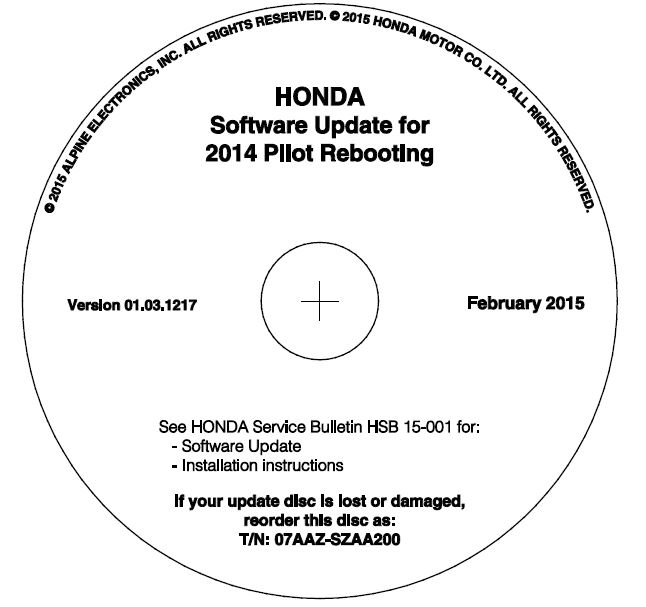
Update the audio-navigation software with the update CD.
TOOL INFORMATION
| Part Name | Part Number | Quantity |
| Audio-Navigation Unit Update CD | 07AAZ-SZAA200 | 1 |
The update CDs have recently shipped to all dealers. Additional update CDs are available for purchase through the parts system.
WARRANTY CLAIM INFORMATION
| Operation Number | Description | Flat Rate Time | Defect Code | Symptom Code | Template ID | Failed Part Number |
| 0100A1 | Update the audio-navigation software. | 0.3 hr | 03214 | 03279 | 15-001A | 39107-SZA-A73 |
Skill Level: Repair Technician
REPAIR PROCEDURE
- Connect a battery charger or a fully charged jumper battery to the vehicle and leave it connected during the entire update procedure to maintain a steady voltage.
- Turn the ignition switch to ON and wait for the navigation system to boot up.
- Insert the update CD into the CD (top) slot.
NOTE: Some vehicles have an RES (lower) slot. Do not insert the CD into this slot because it will not update the audio-navigation unit.
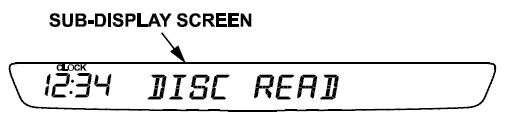
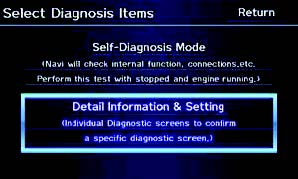
- Wait for the message DISC READ to appear, then press and hold the MAP GUIDE, DEST ROUTE, and CANCEL buttons until the Select Diagnosis Items screen appears.
- Use the interface dial to select Detail Information & Setting.
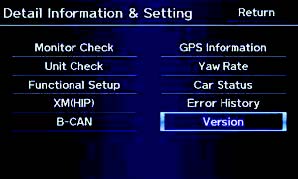
- Select Version.
- Select Download.
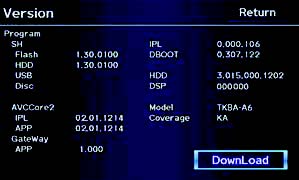
- The software update begins. A loading bar will appear on the Notification screen.
NOTE: The sub-display screen is blank.
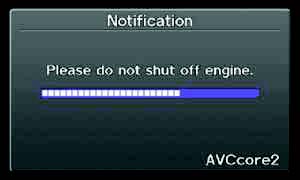
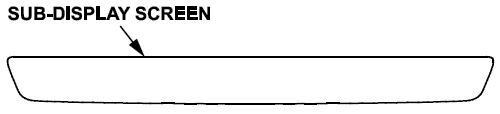
- When the update is complete, the navigation system reboots. Eject the update CD.
- Repeat steps 5 and 6 to enter the Version
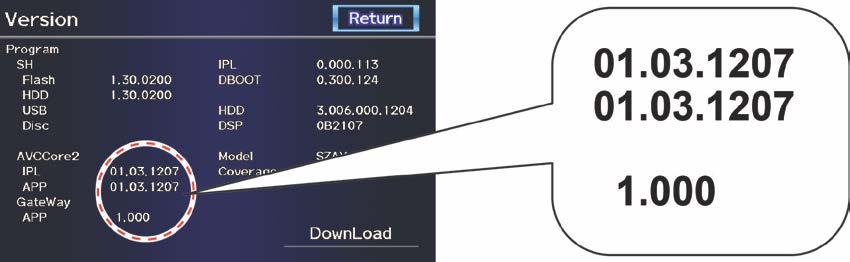
- Verify that the AVCCore2 (IPL, APP) software was updated to the new applicable version listed below. If the software is not updated, turn the ignition switch to OFF, then go back to step 2 and repeat the update procedure.
Without RES
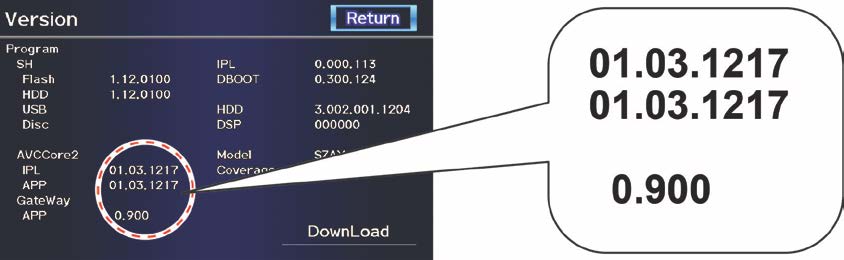
With RES
END
No products found.

- Foursquare - Search millions of additional new and popular restaurants, shops and more with Foursquare
- Garmin Real Directions - Garmin Real Directions guides like a friend using landmarks and traffic lights
- Direct Access - Simplifies navigating to select complex destinations, like malls and airports
- Backup Camera Compatible - Take the worry out of reversing with the BC 30 Wireless Backup Camera (purchased separately)3
- Free lifetime Map updates

- Vehicle dash mount for use on any stable surface
- Securely holds your GPS in vehicle.Keep your device in easy sight with this portable friction mount, and then remove it from your vehicle when you arrive at your destination
- Does not slide or detach while vehicle is in motion
- Adjustable to position GPS in a variety of angles
- Ships in Certified Frustration-Free Packaging

This product presentation was made with AAWP plugin.