A23-016
March 24, 2023
Version 3
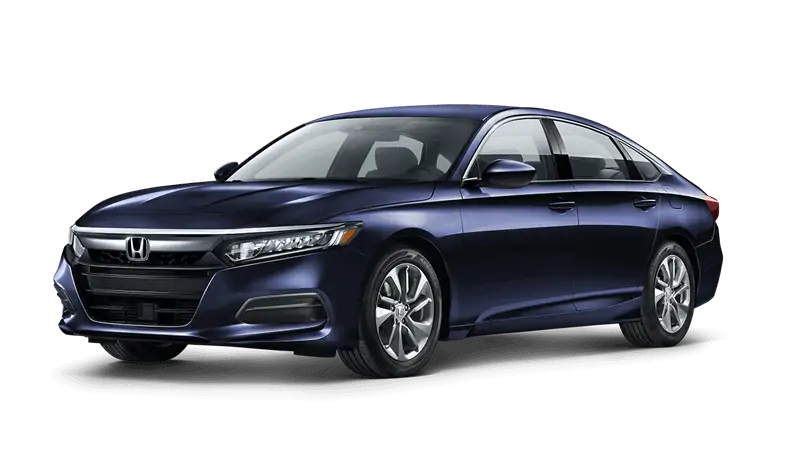
Safety Recall: 2018–19 Accord Front Seat belt Buckle Repair
Supersedes 23-016 dated March 16, 2023, to revise the information highlighted in yellow.
REVISION SUMMARY
- Under WARRANTY CLAIM INFORMATION, a note was added.
- Under SEAT BELT BUTTON REPLACEMENT REPAIR VERIFICATION, step 7 had a note added.
- Under SEAT BELT BUCKLE REPLACEMENT, step 17 had a note added.
AFFECTED VEHICLES
| Year | Model | Trim | VIN Range |
| 2018–19 | Accord | ALL | Check the iN VIN status for eligibility. |
REVISION SUMMARY
- Under WARRANTY CLAIM INFORMATION, a note was added.
- Under SEAT BELT BUTTON REPLACEMENT REPAIR VERIFICATION, step 7 had a note added.
- Under SEAT BELT BUCKLE REPLACEMENT, step 17 had a note added.
BACKGROUND
Due to improper manufacturing of the seat belt buckle channel, the front seat belt buckles may not latch properly. An improperly latched seat belt buckle may not securely restrain occupant(s) in position during a collision.
CUSTOMER NOTIFICATION
Owners of affected vehicles will be sent a notification of this campaign.
Do an iN VIN status inquiry to make sure the vehicle is shown as eligible.
Some vehicles affected by this campaign may be in your new or used vehicle inventory.
Failure to repair a vehicle subject to a recall or campaign may subject your dealership to claims or lawsuits from the customer or anyone else harmed as a result of such failure. Before selling a vehicle in inventory, always check if it is affected by a safety recall by conducting a VIN status inquiry.
CORRECTIVE ACTION
Inspect the seat belt buckle. Replace the button or replace the complete buckle assembly based on the inspection results.
NOTE:
- Videos were prepared by Honda
 showing the main steps outlined in this bulletin. Review all of the videos before contacting Tech Line with questions about this bulletin.
 - Click here to watch the complete video.
PARTS INFORMATION
NOTE: Place an order after inspection; most units will need button repair not buckle replacement.
| Part Name | Part Number | Quantity |
| Buckle Button | 81479-TLA-305 | 1 |
TOOLS INFORMATION
| Tool Number | Description | Quantity |
| American Honda Authorized Mobile Device (used for the airbag inflator recall). | Make sure all devices are plugged in and connected to Wi-Fi for the device
to receive the Buckle Service Application update. | 1 |
| 07AAB-TVAA100 | G-Mass Tool (#2 Tool) | 5 |
| 07AAC-TVAA100 | Removal Tool (#1/3 Tool) | 5 |
| Commercially Available | T10 Safety Torx Bit | 2 |
23V158 Seat Belt Buckle May Not Latch – 2017-2020 Honda & 2019-2020 Acura RDX
Safety Recall: 2018-2019 Honda Accord Front Seat belt Buckle Repair
Remedy Instructions and TSB
RCRIT-23V158-8572.pdf 2909.413KB
Remedy Instructions and TSB
RCRIT-23V158-1533.pdf 2778.978KB
Remedy Instructions and TSB
RCRIT-23V158-6393.pdf 2798.257KB
Latest Recalls Documents

- [Easy to Use—Work Out of the Box] + [FOXWELL 2026 New Version] FOXWELL NT604 Elite scan tool is the 2026 new version from FOXWELL, designed for car owners who want to figure out the cause of issues before fixing car problems by scanning common systems like ABS, SRS, engine, and transmission. The NT604 Elite obd2 scanner diagnostic tool comes with the latest software—no need to waste time downloading software first. Plug the scanner into the OBDII port with OBDII cable to start the diagnosis.
- [Affordable] + [Reliable Car Health Monitor] Will you be confused what happens when the warning light of ABS/SRS/transmission/check engine flashes? Instead of taking your cars to dealership, this FOXWELL scanner will help you do a thorough scanning and detection for your cars and pinpoint the root cause. Note:The device is a diagnostic tool, not a repair tool. To turn off a warning light, you must first physically repair the issue causing it. Only then can the scanner be used to clear the corresponding fault code.
- [5 in 1 Car Diagnostic Scanner] Compared with obd scanners (50-100), NT604 Elite code scanner not only includes their OBDII diagnosis but also serves as ABS/SRS scanner, transmission and check engine code reader. When it’s an odb2 scanner, you can use it to check if your car is ready for annual test through I/M readiness menu. In addition, live data stream, built-in DTC library, data play back and print, all these features are a big plus for it. Note: doesn't support maintenance functions like reset or relearn. For the SRS system, NT604 Elite can read and clear common fault codes not caused by a crash, but crash/collision data cannot be cleared.
- [Fantastic AUTOVIN] + [No extra software fee] Through the AUTOVIN menu, this NT604 Elite car scanner allows you to get your V-IN and vehicle info rapidly, no need to take time to find your V-IN and input one by one. What's more, the NT604 Elite ABS SRS scanner supports 60+ car brands from worldwide (America/Asia/Europe). You don’t need to pay extra software fee. AUTOVIN may not work on some older vehicles or certain vehicle brands. If AUTOVIN fails, please input the vin code manually or go to the Diagnostic Menu to select your vehicle model.
- [Solid protective case KO plastic carrying bag] + [Lifetime update] Almost all same price-level car scanner diagnostic tool only offers plastic bag to hold the scanner.However, NT604 Elite automotive scanner is equipped with solid protective case, preventing your obd2 scanner from damage. Then you don’t need to pay extra money to buy a solid toolbox.

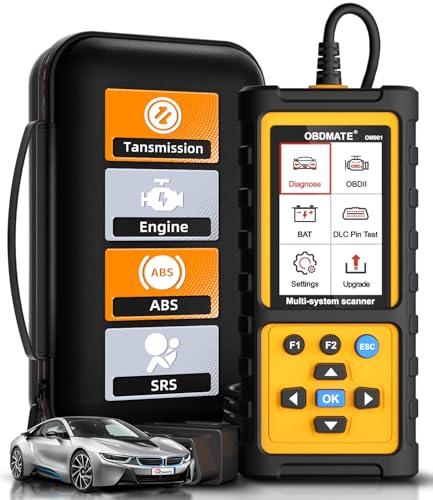
- 【Reset ABS/SRS/Transmission/Engine Lights】 More than an check engine code reader, OBDMATE OM901 obd2 scanner performs comprehensive diagnostics for the 4 most-used systems (ABS/SRS/Engine/Transmission). It quickly clears fault codes, turns off warning lights, read data stream and auto VIN.
- 【3.5" Handheld Scanner with 4 System Diagnose】 3.5" Super large TFT screen equipped displays an intuitive menu and clear readings of various sensors from ABS, SRS, ECM and TCM systems. It arrived with a silicone protective case and hard-shell carrying case, ensuring long-lived durability and drop resistance. The car diagnostic tool is plug-to-play designed, plug it and get diagnosis started without any batteries or updates required.
- 【One-Click I/M Readines&Full OBD2 Functions】 Press F1 to get an intuitive corloured form about whether various emissions-related systems on the vehicle are operating properly. Help you get smog-check ready quickly. OM901 car scanner supports all essential OBD2 functions you need: read & clear codes, view freeze frame, read I/M readiness, retrieve VIN, live data stream (with graphing display), O2 sensor test, onboard monitoring mode, and EVAP leak test.
- 【Battery Voltage Check&DLC Pin Test】 It allows you to monitor battery health by monitoring current battery voltage. Plus, this obd2 diagnostic tool features DLC 16-PIN test to check current voltage of every pin.
- 【Automotive Scanner Diagnostic Kit】 The package comes with 1 car scanner, 1 USB-type c cable, 1 hard storage bag and 1 user manual(en). Free to update without any hidden fees. 5 languanges available in setting including English, French, Italian, German and Espanish. Valuable and Portable, making it a great tool kit for car owners, DIY enthusiasts, and professional mechanics.
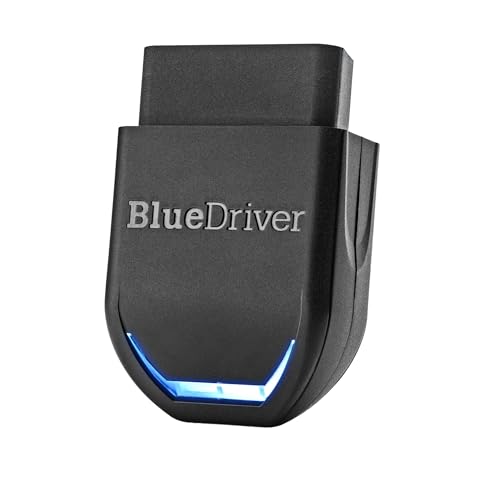
- [Diagnose Like a Pro] BlueDriver Pro Next-Gen is a professional OBD2 scanner and diagnostic tool that helps you scan, understand, and clear vehicle trouble codes with confidence. Turn your phone into a powerful car diagnostic scanner—no guesswork, no unnecessary repairs.
- [Read and Clear More Codes Than Ever] Read and clear more codes than basic car code readers. Access enhanced diagnostics for Check Engine, ABS, SRS, Airbag, TPMS, Transmission, and more on supported vehicles, including expanded coverage on newer model years.
- [Verified Fixes and Real-Time Data] Get unlimited, technician-verified repair reports matched to your VIN, with definitions, causes, and confirmed fixes. Monitor live vehicle data as you drive, view freeze frames, check smog readiness, and analyze Mode 6 test results.
- [Expanded Make & Model Coverage] Optimized for today’s vehicles with strong support for GM, Ford, Stellantis (RAM, Jeep, Chrysler), Toyota, Honda, Nissan, Mazda, Subaru, Hyundai, Mercedes-Benz, BMW, and VW. Enhanced communication on select 2024+ Nissan and Mazda models (see compatibility chart).
- [Gas Vehicles 1996+ & Select Light-Duty Trucks] Works with all gas-powered vehicles made in 1996 or newer, plus select light-duty trucks and diesels, including F-250, RAM 2500, Silverado, and Sierra. Built for daily drivers, family vehicles, and real-world truck use.
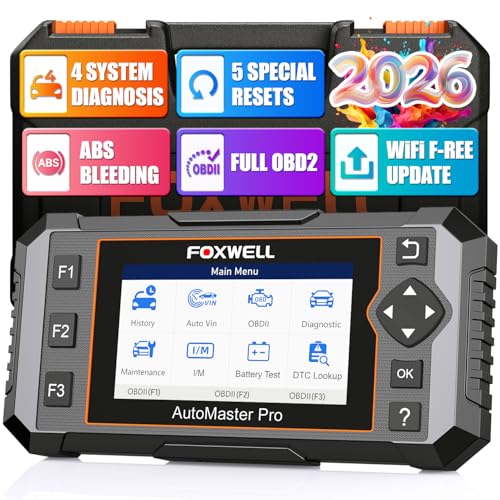
- 【S-ave 💰1,000+ in Repairs】 Most basic code readers only check the engine system, and many 4-system obd2 scanners don't offer any resets. The FOXWELL NT614 Elite changes the game. It's a powerful 4-system car scanner loaded with 5 essential service functions, making daily maintenance faster and ch-eaper. Now upgraded with one-tap WiFi updates - no more slow Micro SD cards, no account setup, and no complicated software. Enjoy smoother performance and instant access to I/M Readiness, Battery Test, and built-in DTC Lookup
- ✅【WHY 5 RESETS? - BUILT FOR DIY MECHANICS】 The NT614 Elite scan tool is upgraded from NT604, adding 5 core service resets DIY car owners actually need: ABS Bleeding, EPB Reset, Oil Reset, SAS Calibration, and Throttle Relearn. Reset warning lights, maintain brake performance, and complete everyday maintenance at home. A practical ABS reset tool and EPB reset scanner designed for real-world car repair
- ✅【BEYOND BASIC CODE READERS - 4 SYSTEMS DIAGNOSTIC】 Cheap one-way readers only scan engine codes. The NT614 Elite car diagnostic scanner tells you exactly which system is failing and why. Read and clear codes across four critical systems: Engine, ABS (Anti-lock Brakes), SRS (Airbag), and Transmission. View real-time live data including coolant temperature, wheel speed, transmission fluid temperature, throttle position, etc. Whether your check engine light is on or your ABS/airbag warning appears, pinpoint problems quickly and accurately – no more guesswork.
- ✅【15 SECONDS FAST DIAGNOSIS, SMART AUTOVIN, PLUG & PLAY】 Simply plug into the OBD2 port, one click AUTOVIN, the code reader automatically retrieves your VIN and enters diagnostic mode in about 15 seconds. No complicated setup required. Instantly identify your vehicle and access the relevant systems. Whether you're a DIY car owner, beginner, or mechanic, you can quickly locate problems and make informed repair decisions. (NOTE: 1.A few cars need to manually enter the VIN. 2.Vehicles with CAN protocol support fast diagnosis in 15 seconds)
- ✅【PERFORM ABS BLEEDING AT HOME – RESTORE BRAKE PEDAL FEEL】 After replacing brake pads, calipers, or brake fluid, air can enter the brake system, causing a soft or sinking brake pedal and longer stopping distance. The NT614 Elite code reader for cars and trucks supports ABS Bleeding, helping remove trapped air from the brake lines and restore proper brake pressure. Maintain safer braking performance without a shop visit. (NOTE: A few cars don't support ABS Bleeding function, pls check it before purchase)

- 【4 SYSTEMS DIAGNOSTICS OBD2 SCANNER】- More than a standard check engine code reader, this OBD2 scanner diagnostic tool covers Engine, Transmission, SRS (Airbag), and ABS (Anti-lock Brakes) – detecting 90%+ vehicle faults that basic obd scanners miss. It’s a professional car diagnostic scanner designed for both DIYers and small repair shops, saving you trips to expensive mechanics.
- 【3 ESSENTIAL RESET FUNCTIONS FOR HOME MAINTENANCE】-Built-in Oil Reset, EPB Reset, and Battery Match – this car scanner diagnostic tool lets you complete maintenance tasks at home: clear oil change reminders, reset electronic parking brakes after pad replacement, and calibrate new batteries. Skip 50−100$ dealer fees with a scanner for car that turns complex jobs into 5-minute tasks.
- 【COMPATIBILITY WITH 1996+ CARS & SMALL TURCKS】-As a Code reader for cars and small trucks, it supports 9 OBDII protocols (SAE J1850 PWM/SAE J1850 VPW/IS09 141-2/IS0 14230-4 KWP/IS0 15765-4 CAN ETC.) – compatible with most of 1996+ gasoline vehicles and small trucks. Auto VIN automatically identifies your vehicle, making it the easiest vehicle code reader for beginners to use right out of the box.
- 【14 BASIC DIAGNOSTIC FEATURES FOR ALL SCENARIOS】-This car code reader includes Read/Clear DTCs, Live Data Graphs, I/M Readiness Status, Freeze Frame Data, Battery Test, and Oxygen Sensor Monitoring – everything you need for smog test prep, used car inspections, and daily fault checks. It's not just an engine code reader,also a complete diagnostic scanner for all vehicles.
- 【LIFETIME WIFI UPDATES FOR ONGOING COMPATIBILITY】-Unlike outdated odb2 scanners that require paid subscriptions, this OBD2 scanner offers lifetime WiFi updates – get the latest DTC library (100000+ codes) and new vehicle coverage quarterly. No computer needed: connect to WiFi directly, and your car reader diagnostic stays compatible with new models for years.
SEOCONTENT-START
Service Bulletin 23-016
March 10, 2023 Version 1
Safety Recall: 2018–19 Accord Front Seat Belt Buckle Repair
AFFECTED VEHICLES
Year Model Trim VIN Range
2018–19 Accord ALL Check the iN VIN status for eligibility.
BACKGROUND
Due to improper manufacturing of the seat belt buckle channel, the front seat belt buckles may not latch properly. An
improperly latched seat belt buckle may not securely restrain occupant(s) in position during a collision.
CUSTOMER NOTIFICATION
Owners of affected vehicles will be sent a notification of this campaign.
Do an iN VIN status inquiry to make sure the vehicle is shown as eligible.
Some vehicles affected by this campaign may be in your new or used vehicle inventory.
Failure to repair a vehicle subject to a recall or campaign may subject your dealership to claims or lawsuits from the
customer or anyone else harmed as a result of such failure. Before selling a vehicle in inventory, always check if it is
affected by a safety recall by conducting a VIN status inquiry.
CORRECTIVE ACTION
Inspect the seat belt buckle. Replace the button or replace the complete buckle assembly based on the inspection
results.
NOTE:
• Videos were prepared by Honda showing the main steps outlined in this bulletin. Review all of the videos before
contacting Tech Line with questions about this bulletin.
• Click here to watch the complete video.
PARTS INFORMATION
NOTE: Place an order after inspection; most units will need repair not buckle replacement.
Part Name Part Number Quantity
Buckle Button 81479-TLA-305 1
CUSTOMER INFORMATION:The information in this bulletin is intended for use only by skilled technicians who have the proper tools, equipment, and
training to correctly and safely maintain your vehicle. These procedures should not be attempted by “do-it-yourselfers,” and you should not assume
this bulletin applies to your vehicle, or that your vehicle has the condition described. To determine whether this information applies, contact an
authorized Honda automobile dealer.
© 2023 American Honda Motor Co., Inc. — All Rights Reserved Page 1 of 36
TOOLS INFORMATION
Tool Number Description Quantity
American Honda Authorized Mobile Device
(used for the airbag inflator recall).
Make sure all devices are plugged in
and connected to Wi-Fi for the
device to receive the Buckle Service
Application update.
1
07AAB-TVAA100 G-Mass Tool (#2 Tool) 5
07AAC-TVAA100 Removal Tool (#1/3 Tool) 5
Commercially Available T10 Safety Torx Bit 2
NOTE: These special tools were auto-shipped to all dealers by March 10, 2023
Page 2 of 36
WARRANTY CLAIM INFORMATION
Seat Belt Button Repair
Operation
Number
Description Flat Rate
Time
Defect
Code
Symptom
Code
Template
ID
Failed Part Number
8555A6 Driver Seat Belt Button
Replace (Includes:
Function, DTC
Indicator. and Residue
check).
0.4hr 6XL00 NDA00 A23016A 04816-TVA-A20ZA
8655A2 Passenger Seat
Belt Button Replace
(Includes: Function,
DTC Indicator, and
Residue check).
0.4hr 6XR00 TDF00 A23016B 04813-TVA-A10ZA
Seat Belt Buckle Replacement + Inspection
Operation
Number
Description Flat Rate
Time
Defect
Code
Symptom
Code
Template
ID
Failed Part Number
8551F6 Driver Seat Belt
Buckle Replace
(Includes: Inspection).
0.5hr 6XL00 NDA00 A23016C 04816-TVA-A20ZA
A For Buckle causing
DTC check and
troubleshooting only
(any other DTC normal
troubleshooting
applies).
0.3hr NDA00 A23016D
8651A5 Passenger Seat Belt
Buckle Replace
(includes: Inspection,
Seat weight calibration,
and Steering angle
learn).
0.6hr 6XR00 TDF00 A23016E 04813-TVA-A10ZA
A For Buckle causing
DTC check and
troubleshooting only
(any other DTC normal
troubleshooting
applies).
0.3hr TDF00 A23016F
NOTE:
• Due to seat belt part number variation for each model trim, you may add the seat belt part number to the template.
• A new online training module, GIC93, Front Seat Belt Buckle Inspection and Repairs supports this safety recall and
is available in the online university. This module is required for technician job code 0030 and must be completed by
April 11th or warranty claims cannot be submitted.
Page 3 of 36
INSPECTION PROCEDURE
Prior to the Inspection Procedure, watch this video:
The Buckle Service Application is a tool developed to:
• Determine if a vehicle’s driver’s and front passenger’s seat belt buckles meets the requirements for a button
replacement, or if a complete buckle assembly replacement is required to complete the repair.
• Confirm the repair was done correctly when a button has been replaced.
• Document the new buckle being installed when a buckle replacement is required.
NOTE: The repair must be performed in an area with a strong Wi-Fi connection. Refer to the Tips and Tricks section
at the end of this service bulletin for additional information regarding this application and repair.
1. The Buckle Service Application is available on your existing American Honda approved mobile device that is already
being utilized for the airbag inflator safety recalls. Locate and tap on the icon to open the Buckle Service Application.
NOTE: If the application icon is not displayed on the home screen, power off the device. The application will
automatically update on the device when it is powered up.
Page 4 of 36
2. Sign-in to the Buckle Service Application using your Interactive Network (iN) credentials.
3. Scan the VIN to determine the buckle repair status.
SCAN VIN
VIN: 0000000000000000
Driver
Passenger
Tap anywhere on the
screen to activate the
scanner and scan the
VIN.
Confirm the VIN
displayed on the Status
Screen matches the
VIN that was scanned.
Tap SCAN VIN to
activate the barcode
reader.
Align the VIN barcode in the
door jamb to the outline
displayed on the screen.
Page 5 of 36
4. View and select the vehicle’s Buckle Status to continue (choosing Driver’s or Passenger’s side).
STATUS MEANING
Incomplete Repair process not complete.
Repair process complete.
The application was unable to validate the repair or an
analyst reviewed buckle button replacement repair
images and determined that the repair was not performed
correctly. (Full buckle replacement is required)
Buckle button replacement is still being reviewed by an
analyst.
One of the verification processes failed and will require a
full buckle replacement.
Completed
Verification Failed
Waiting for Verification
Function Check Failed
Buckle Replacement Required.
Indicator/DTC Check Failed
Buckle Replacement Required.
Residue Check Failed
Buckle Replacement Required.
VVIINN:: 50J060R0W0020H09000H0L00000000000
5. Insert the tongue into the buckle and tug on the seat belt to confirm the buckle is securely latched. Unlatch
the buckle and repeat the process 3 to 4 times.
Function check
Confirm that the buckle is functioning
correctly by latching, tugging the belt, and
unlatching 3–4 times.
Select PASSED, if the buckle
is functioning correctly.
(go to step 6)
Select FAILED, if the buckle is
not functioning correctly.
(go to Seat Belt Buckle
Replacement)
PASSED
FAILED
Buckle is functioning correctly
Buckle is not functioning correctly
Page 6 of 36
6. Check for an SRS indicator light on in the instrument panel. Press the start button twice to set the power mode to
ON and monitor the SRS indicator. The indicator should illuminate and then turn off within 10 seconds.
Select NO, if the SRS light is not
illuminated after 10 seconds.
(go to step 10)
Select YES, if the SRS light remains
illuminated after 10 seconds.
(go to step 7)
Does the SRS
• Turn vehicle IGN ON
• Wait 10 sec for MID to fully boot up
Check for SRS indicators (MID)
indicator stay ON
after 10 sec?
NO
YES
The SRS indicator is not on
The SRS indicator is on
7. When YES is selected in the previous step, the application will request a picture of an ALL DTC CHECK from the
HDS screen.
DTCs DTCs VIN
Connect HDS to the vehicle,
perform an ALL DTC Check
and expand the SRS/SWS
DTC Menu to display the
SRS DTC(s).
Frame the HDS screen in
landscape orientation, making
sure to capture the VIN and DTC
(s) and long press anywhere on
the screen to capture the picture.
Tap SUBMIT when satisfied
with the picture.
Page 7 of 36
8. After the picture of the HDS screen is submitted, the application displays front seat belt buckle DTCs specific to the
buckle being worked on. Review the DTCs retrieved from the vehicle to determine if the DTCs match any of the
DTCs displayed in the list on the application screen.
NOTE: When DTC retrieved from the vehicle does NOT match the buckle-related DTC listed in the application, open
a separate repair order for that repair.
Connect HDS to the DLC and
perform an ALL-DTC CHECK
Does the SRS DTC retrieved from the vehicle
appear in the Driver’s Side Buckle DTC list
below?
B0050 –11
B0050 –12
B0050 –13
B0050 –2B
NO
YES
The DTC is not on the list
The DTC is on the list
Select NO, if the DTC(s)
retreived from the vehicle
DO NOT APPEAR on the list.
(go to step 10)
Select YES, if the DTC(s)
retreived from the vehicle
DO APPEAR on the list.
(go to step 9)
Page 8 of 36
9. When YES is selected in the previous step, the application will direct you to do troubleshooting to identify the cause
of the DTC. DO NOT MAKE A SELECTION UNTIL TROUBLESHOOTING IS DONE. There are several possible
causes for the front seat belt buckle DTC. Refer to the service information for the DTC(s) retrieved from the vehicle.
Is the buckle the cause of the DTC?
NOTE: When DTC troubleshooting determines that the buckle is NOT the cause, issue a separate repair order to
document repairs.
Select NO, if the buckle is NOT
the cause of the DTC(s).
(go to step 10)
Select YES, if the if the buckle IS
the cause of the DTC(s).
(go to Seat Belt Buckle
Replacement)
Refer to the Service Bulletin and/
or Service Manual SRS DTC
Troubleshooting to determine the
cause of the DTC.
Possible causes for Driver side buckle DTC:
• SRS Unit
• Open or short in wire harness
• Driver’s seat belt buckle assembly
Is the Driver’s seat belt buckle the cause of the
DTC?
NO
YES
Driver’s side buckle is not the
Driver’s side buckle is the cause of
the DTC
cause of the DTC
Page 9 of 36
10. Residue check.
Carefully remove the 2
Torx screws from the
cover using a T10
Safety Torx Bit.
Then remove the upper cover by pulling it away
and upward.
Remove the
cover by gently
pulling it away
and downward.
NOTE:
• If equipped, lower the seat to gain better access to the torx screws that secure the cover to the buckle.
• Put the covers and screws in a secure location for installation at a later process.
• The devices flashlight will turn on automatically. Use the flashlight to thoroughly examine the buckle and button,
looking for any type of sticky residue that could cause the button to not operate correctly.
NOTE: Examples of buckles with residue that would cause the buckles to fail the residue check.
Page 10 of 36
Residue check
Remove the Driver’s side buckle cover and
confirm that there is no residue anywhere
on the buckle.
PASSED
FAILED
No residue found
Residue found
Select PASSED, if residue is not present.
(go to Seat Belt Button Replacement
Procedure)
Select FAILED, if residue is present.
(go to step 11)
11. When FAILED is selected, the application will request a picture of the residue.
VIN: 5J6RW2H90HL000000
Frame the buckle within
the guides, making sure to
capture the residue and
long-press anywhere on
the screen to take the
picture.
VIN: 0000000000000000
Take a photo of the buckle and make sure
Residue check failed
the residue is clearly visible.
CLOSE
Close the picture
window.
VIN: 0000000000000000 VIN: 5J6RW2H90HL000000
Take a photo of the buckle and make sure the
residue is clearly visible.
Tap SUBMIT when
satisfied with the
picture.
RE-TAKE PICTURE SUBMIT
0000000000000000
Page 11 of 36
12. After the picture is successfully uploaded, the application will proceed to the Seat Belt Buckle Replacement
Procedure. Go to Seat Belt Buckle Replacement.
SEAT BELT BUTTON REPLACEMENT
Prior to Seat Belt Button Replacement, watch this video:
1. When the buckle passes all 3 verification checks (Function, SRS, and Residue), the application will direct you to
replace the button. Set the application aside and DO NOT make a selection until directed to do so in step 6.
2. Insert the #1 tool into the buckle, listen for a click to confirm the buckle is latched, then remove the tool.
Page 12 of 36
3. Install the #2 tool to secure the G-mass Sensor. The #2 tool MUST BE USED during the button replacement
procedure to prevent the G-mass from falling out of place.
Pull the buckle away from
the center console to prevent
scratching/damaging the
console when installing the
#2 tool.
Insert the forks of the tool
under the button bridge and
slide it upward into place.
BUTTON
BRIDGE
G-MASS
SENSOR
#2 TOOL INSTALLED AND
SECURING G-MASS
#2 TOOL
4. Remove the old seat belt buckle button.
While holding the #2 tool, position the #3 tool
outside the metal frame and just above the 2
blue plastic tabs.
Push the #3 tool to
release the button.
Remove the button.
METAL
FRAME
BLUE PLASTIC TABS
No.3 TOOL
Page 13 of 36
5. Install the new button.
NOTE: The new button has a QR code applied to both sides and is installed in the reverse order of removal. The
QR code is used by the Buckle Service Application during the repair verification process after the button has been
replaced. It also provides a method of differentiating old buttons from new buttons.
T-BAR ALIGNED
IN BUTTON RECESS
Continue holding
the #2 tool, position
the new button
between the frame
and the g-mass.
Ensure the g-mass t-bar is aligned in the
recess of the button.
Gently push down on
the button’s bridge
until an audible click
is heard. Leave the
#2 tool in place.
NEW
QR CODE #2 TOOL BUTTON
G-MASS
T-BAR
BUTTON
RECESS
BUTTON
BRIDGE
• Using side-cutters, remove the bridge from the old button then discard it.
6. Return to the Buckle Service APP to make your selection and continue.
Select COMPLETED, if the new
button was successfully installed
without encountering any problems.
(go to verification step 7)
Select FAILED, if while installing the new button:
• The G-Mass shifted or fell out during the
procedure.
• The new button would not snap in place.
(go to Seat Belt Buckle Replacement)
COMPLETED
FAILED
Button has been successfully replaced
Unable to replace button
Page 14 of 36
SEAT BELT BUTTON REPLACEMENT REPAIR VERIFICATION
Prior to Seat Belt Button Replacement Repair Verification, watch this video:
After selecting COMPLETED, the application requests a series of pictures to verify the seat belt button replacement was
done correctly
1. New button verification (QR Code and #2 Tool).
• Take a picture to confirm a new button is installed and the #2 tool was used to secure the G-mass sensor during
the button replacement.
NOTE: The #2 tool must be captured in the picture. If the #2 tool is not visible in the picture, the repair
will not pass during the technician review and a complete buckle replacement will be required to
complete the repair.
Take a picture of the buckle that clearly shows QR code on the new
button, and the #2 tool inserted under the buckle bridge.
Tap SUBMIT when
satisfied with the picture.
QR CODE No.2 TOOL
Before submitting, be sure that your photo
clearly shows the new button’s QR-code and the
tool #2 inserted.
RE-TAKE PICTURE SUBMIT
2. After the picture uploads successfully, the application provides steps to prepare the buckle for the second
verification picture taken from the door side of the buckle:
• Remove the #2 tool.
• Press down on the button to reset the latch.
• Confirm the new button is securely attached.
Page 15 of 36
3. New button verification (Door Side).
VIN: 5J6RW2H90HL000000 VIN: 5J6RW2H90HL000000
TONGUE
LATCHED
RE-TAKE PICTURE SUBMIT
Insert the Seat Belt Tongue
into the buckle and confirm it
is latched. Pull up on the seat
belt to provide a clear view of
the buckle.
Frame the picture using the
app’s cut-out guide. Long
press on the screen to capture
the picture.
Tap SUBMIT when satisfied
with the picture.
NOTE: The application will analyze the photo and provide feedback.
VIN: 5J6RW2H90HL000000 VIN: 5J6RW2H90HL000000 VIN: 5J6RW2H90HL000000 VIN: 5J6RW2H90HL000000
A green check mark will
be displayed in the top
right of the screen
when the application is
able to verify the repair.
If the application is unable to verify the repair, a “?”
or “X” will be displayed in the top right corner of the
screen and feedback will be provided on the bottom
of the screen to assist in improving the next picture
retake.
When an “X” is displayed,
it will be recorded by the
strike counter at the
bottom of the screen. If a
fifth strike is issued, the
application will proceed to
the buckle replacement
path.
Press NEXT. FEEDBACK FEEDBACK
NOTE: If the application returns ? or X frequently, refer to Tips and Trick # 6 and #7.
Page 16 of 36
4. New button verification (Console Side).
VIN: 5J6RW2H90HL000000 VIN: 5J6RW2H90HL000000
With the buckle still latched, pull
down on the buckle and frame the
picture using the application’s
cut-out guide.
Make sure the G-MASS is
visible. Long press on the
screen to capture the
picture.
Tap SUBMIT when satisfied
with the picture.
RE-TAKE PICTURE SUBMIT
5. After tapping SUBMIT the application will process the picture.
VIN: 5J6RW2H90HL000000 VIN: 5J6RW2H90HL000000 VIN: 5J6RW2H90HL000000 VIN: 5J6RW2H90HL000000
A green check mark will
be displayed in the top
right of the screen
when the application is
able to verify the repair.
If the application is unable to verify the repair, a “?”
or “X” will be displayed in the top right corner of the
screen and feedback will be provided on the bottom
of the screen to assist in improving the next picture
retake.
When an “X” is displayed,
it will be recorded by the
strike counter at the
bottom of the screen. If a
fifth strike is issued, the
application will proceed to
the buckle replacement
path.
Press CONTINUE. FEEDBACK FEEDBACK
NOTE: If the application returns ? or X frequently, refer to Tips and Trick step 6 and 7.
Page 17 of 36
6. Final Function Check.
• Make sure the harness wire is correctly set inside the groove before installing the lower buckle cover.
• Install the buckle cover.
• If a screw is lost or misplaced, replacement screws are available P/N 90121-TLA-305.
• Confirm the buckle is functioning correctly by inserting the tongue into the latch and tugging on the seat belt
to confirm the buckle is securely latched. Unlatch the buckle and repeat the process 3 to 4 times.
• Confirm no additional SRS DTC have been introduced.
Page 18 of 36
Select PASSED, if the buckle is
functioning correctly and no SRS
indicators or buckle DTCs have been
introduced. (Go to step 7)
Select FAILED, if the buckle is not
functioning correctly and/or SRS
indicator is now on.
(go to Seat Belt Buckle Replacement)
PASSED
FAILED
Buckle is functioning correctly
Buckle is not functioning correctly
7. In this process, pictures taken are now uploaded and sent to a trained analysts for human verification review.
Because each photo is carefully reviewed for proper repair verification, this process may take a few minutes to
complete.
NOTE: Do not attempt to exit or refresh the screen.
• If the pictures reveal that the repair was performed correctly, a warranty code will be generated and displayed
for that repair.
Page 19 of 36
VIN: 0000000000000000
VIN: 0000000000000000 VIN: 0000000000000000
Tap FINISH to return to the
Buckle Status Screen.
The status for the buckle
will display COMPLETED
and the warranty code will
be displayed.
Continue repairs and do
not release the vehicle
until COMPLETED status
is displayed for both the
driver and passenger
buckles.
• If the analyst is unable to judge that the repair was performed correctly, a complete buckle replacement will be
required.
BUCKLE AVAILABLE
NO BUCKLE AVAILABLE
The application will
display “Human review
declined” and provide
the reason(s) for the
declined review.
The application will advance
to the Buckle Replacement
Procedure. (go to Seat Belt
Buckle Replacement.)
Human review declined Buckle replacement required
The reason(s) for the declined
review:
Photo #1: No tool #2
Photo #2: Unable to confirm proper
Photo #3: Unable to confirm proper
repair
repair
VIN: 0000000000000000
VIN: 0000000000000000
Check buckle inventory
Is a Driver side assembly available to
complete a buckle replacement?
NOTE:
• Do not release vehicle before the repair is confirmed and the buckle status shows Completed for both
the driver and passenger side.
• See Tips and Tricks step 5 for information on retrieving warranty codes.
Page 20 of 36
SEAT BELT BUCKLE REPLACEMENT
Prior to Seat Belt Buckle Replacement, watch this video:
1. Buckle Inventory Check.
VIN: 0000000000000000
Buckle Status Before making a selection,
check your dealer inventory
for the buckle assembly that
needs to be replaced.
(Driver or Passenger side).
The status for the buckle will
display “Verification Failed Buckle
replacement required” in yellow.
When a buckle becomes
available, repeat steps 1-4 of the
inspection procedure to get to the
Status Screen. Select the yellow
arrow to the right of the status to
resume the Seat Belt Buckle
Replacement Procedure.
BUCKLE AVAILABLE
NO BUCKLE AVAILABLE
Buckle replacement required
Check buckle inventory
Is a Driver side assembly available to
complete a buckle replacement? Select BUCKLE AVAILABLE,
if the inventory is available.
(go to step 2)
Select NO BUCKLE AVAILABLE,
if there are no buckles currently
available in dealer inventory.
VIN: 0000000000000000
Check buckle inventory Choose buckle side
Page 21 of 36
2. Scan the new buckle’s QR-Code.
NOTE: The QR-Code from the new buckle must be scanned prior to installing.
0000000000000000
QR CODE
Scan the buckle QR-code
Before replacing the entire buckle with a
new one, scan the QR-code located at the
bottom of the new buckle.
3. Begin Buckle Replacement Process.
NOTE: Do not make a selection until directed to do so in step 17.
VIN: 0000000000000000
Page 22 of 36
4. Adjust the seat to the forward most position and remove the rear seat bolts.
REAR SIDE BOLTS
Remove.
5. Adjust the seat to the rear most position, raise the seat height to the highest position (if equipped) and recline the
seat back until the head restraint is behind the B-pillar.
Raise seat height to the
highest position (if equipped)
Adjust seat-back angle with
head restraint behind B-pillar.
Page 23 of 36
6. Disconnect and isolate the cable with the 12 volt battery sensor from the 12 volt battery.
NOTE:
• Keep the driver’s door open, and after turning the vehicle to the OFF (LOCK) mode.
• Always disconnect the negative side first.
• To protect the connector from damage, do not hold it when removing the terminal.
• Do not disconnect the 12 volt battery sensor from the cable.
• Wait 3 minutes before starting work.
CONNECTOR
12 VOLT
BATTERY SENSOR
Disconnect.
CABLE
Do not disconnect.
COVER
1.5L ENGINE 2.0L ENGINE
NEGATIVE
CONNECTOR
12 VOLT BATTERY
SENSOR
Disconnect. NEGATIVE CABLE
Do not disconnect
COVER
Open.
POSITIVE TERMINAL
Disconnect.
7. Remove the front seat bolts.
Page 24 of 36
8. Lift and move the seat back while leaning the seatback into the rear door opening to lay the seat on its side.
NOTE: To prevent scratching/damaging the center console, do not allow the seat rails to contact the center console.
Page 25 of 36
9. With the seat laying on its side, remove the seat belt buckle from the seat frame.
SEAT BELT BUCKLE DRIVER’S SEAT ONLY
Remove.
BOLT
32 N.m
(24 lb-ft)
Remove.
HARNESS CLIPS
Detach.
• Detach the harness clip(s), and connector clip(s).
Page 26 of 36
10. Install the seat belt buckle in the reverse order of removal, then tighten the seat belt buckle bolt to the specified
torque.
SEAT BELT
BUCKLE
Remove.
DRIVER’S
SEAT ONLY
BOLT
32 N.m
(24 lb-ft)
Remove.
HARNESS
CLIPS
Detach.
11. Lift and move the seat back into position and tighten the front bolts hand tight.
12. Reconnect the cable with the 12 volt battery sensor to the 12 volt battery.
NOTE: To protect the connector battery sensor from damage, do not hold it when installing the terminal.
CONNECTOR
12 VOLT
BATTERY SENSOR
Disconnect.
CABLE
Do not disconnect.
COVER
1.5L ENGINE 2.0L ENGINE
NEGATIVE
CONNECTOR
12 VOLT BATTERY
SENSOR
Disconnect. NEGATIVE CABLE
Do not disconnect
COVER
Open.
POSITIVE TERMINAL
Disconnect.
.
13. Adjust the seat to the front most position and install the rear bolts hand tight.
14. Adjust the seat as needed to tighten the bolts to the specified torque in the sequence shown.
Page 27 of 36
15. Disconnecting the battery causes the steering angle neutral position to be lost. Do the Steering Angle Neutral
Position Learning Procedure:
15.1. Learning with the HDS:
NOTE:
• If learning can not be completed, refer to the Check the EPS system in service information.
• During the learning procedure, pay attention to the following:
– If you turn the vehicle to the OFF (LOCK) mode while learning, do the learning again from the
beginning.
– Do not lift up the vehicle when you start the engine.
– Do not rapidly turn the steering wheel.
• Do not press the brake pedal during the Steering Angle Neutral Position Learning Procedure.
15.1.1. Connect the HDS to the DLC located under the driver’s side of the dashboard.
15.1.2. Turn the vehicle to the ON mode, but do not start the engine.
15.1.3. Set the steering wheel in the straight ahead position.
15.1.4. Select the ADJUSTMENT from the ABS/VSA menu with the HDS, then select ALL SENSOR, and
follow the screen prompts.
15.2. Learning method while driving:
NOTE: Use this method only if road and environmental conditions allows safe operation.
15.2.1. Drive the vehicle and make complete, left and right turns (at intersections) at speeds above 6mph (10
km/h) until the indicators turns off.
NOTE: Situations that make learning difficult shown below:
• Driving on a rough road.
• Driving 6 mph (10 km/h) or less.
• Driving on a sloped road.
• Rapid acceleration and deceleration.
Page 28 of 36
15.2.2. Check that the indicators turn off.
15.3. Learning method while stopped:
15.3.1. Park the vehicle on a flat and level surface.
15.3.2. Start the engine.
15.3.3. Set the steering wheel to the neutral (straight ahead) position.
15.3.4. Turn it one rotation to the left and return it to the original position.
15.3.5. Turn it one rotation to the right and return it to the original position.
15.3.6. Turn it quarter to the left and return it to the original position.
15.3.7. Turn it quarter to the right and return it to the original position.
15.3.8. Turn it quarter to the left and return it to the original position.
15.3.9. Turn it quarter to the right and return it to the original position.
15.3.10.Make sure the indicator is off.
16. If the passenger side seat belt buckle was replaced, do the following weight sensor operation check:
NOTE:
• Before doing this procedure. clear the DTCs.
• Before doing this procedure, make sure the 12 volt battery is fully charged.
• Make sure the front passenger’s seat and all components of the seat are correctly installed.
• Make sure nothing is on the front passenger’s seat, including aftermarket seat covers or mats.
• Make sure there is nothing in the front passenger’s seat-back pocket.
• Make sure the vehicle is on level ground.
• When you perform this procedure, the vehicle temperature must be between 41- 113 °F (5 – 45°C).
• When the vehicle is exposed to intense cold or intense heat, move the vehicle inside, open the windows and
moonroof (if equipped), and perform this procedure after one hour or more.
• Do not expose the front passenger’s seat to sudden temperature changes.
• Do not use the A/C or the heater.
• Do not touch the front passenger’s seat and keep the vehicle stationary during this procedure.
• Do not attach the seat belt tongue into the buckle.
• If possible, do all of these procedures inside.
16.1. Turn the vehicle to the OFF (LOCK) mode.
Page 29 of 36
16.2. Connect the HDS to the DLC located under the driver’s side of the dashboard.
16.3. Turn the vehicle to the ON mode, but do not start the engine.
16.4. Activate the HDS, then make sure the HDS communicates with the PCM and other vehicle systems. If it
doesn’t, go to the DLC circuit troubleshooting (with ACC) or F-CAN circuit troubleshooting (without ACC).
NOTE: For the models without ACC, if the F-CAN circuit troubleshooting is OK, go to the DLC circuit
troubleshooting in service information.
16.5. Do the Front Passenger’s Weight Sensor Operation Check
• Before doing this procedure, clear the DTCs.
• Before doing this procedure, make sure the 12 volt battery is fully charged.
• Make sure the front passenger’s seat and all components of the seat are correctly installed.
• Make sure nothing is on the front passenger’s seat, including aftermarket seat covers or mats.
• Make sure there is nothing in the front passenger’s seat-back pocket.
• Make sure the vehicle is on level ground.
• When you perform this procedure, the vehicle temperature must be between 41- 113 °F (5 – 45°C).
• When the vehicle is exposed to intense cold or intense heat, move the vehicle inside, open the windows
and moonroof (if equipped), and perform this procedure after one hour or more.
• Do not expose the front passenger’s seat to sudden temperature changes.
• Do not use the A/C or the heater.
• Do not touch the front passenger’s seat and keep the vehicle stationary during this procedure.
• Do not attach the seat belt tongue into the buckle.
• If possible, do the procedures inside.
16.6. Position the front passenger’s seat all the way rearward and lowermost (if equipped with the height adjuster),
then adjust the seat-back to the forward most position.
NOTE: Do not move the seat from this position until the operation check is completed.
Page 30 of 36
16.7. From System Selection Menu, select SRS, then Data List. In the Data List, select FRONT PASSENGER’S
WEIGHT. The weight (T0) of the front passenger’s seat is displayed by the HDS. Write this measurement
down as “T0” on a piece of paper.
• If the reading on the HDS (T0) is within ±2.1 kg (±4.6 lbs), go to step 16.8.
• If the reading on the HDS (T0) is at or not within ±2.1 kg (±4.6 lbs), turn the vehicle to the OFF (LOCK)
mode, and go to the Front Passenger’s Weight Sensor Initialization in service information.
16.8. Prepare a weight between 10 kg (22 lbs) – 20 kg (44 lbs) then measure and note its actual weight (M) with a
weight scale.
NOTE:
• The weight scale must be accurate within 1 kg (2 lbs).
• The weight must be uniform in shape and size to allow precise placement on the seat.
16.9. Precisely place the prepared weight on the center of the front passenger’s seat as shown.
16.10.From the Data List, select FRONT PASSENGER’S WEIGHT. The weight (T1) of the front passenger’s seat is
displayed by the HDS. Write this measurement down as “T1”.
16.11.Divide (M) by 2. Write this calculation as “M1” on a piece of paper.
Page 31 of 36
16.12.Calculate the variance between the weight measured by the weight scale and the HDS with the formula:
Variance = ((T1)-(T0)-(M1))
T1: Weight measured by the HDS with the weight on the seat.
T0: Weight measured by the HDS with no load on the seat.
M1: Half of the weight measured by the weight scale.
If the variance is within ±2.2 kg (±4.9 lbs), initialization is complete.
If the variance is at or not within ±2.2 kg (±4.9 lbs), do the following and then go to the Front Passenger’s
Weight Sensor Initialization in service information.
16.13.Turn the vehicle to OFF (LOCK) mode.
17. Return to the Buckle Service Application and Press “THE BUCKLE IS NOW REPLACED”. A warranty code will be
generated and displayed for that repair.
The status for the
buckle will display
COMPLETED and
the warranty code
will be displayed.
Tap FINISH to return
to the Buckle Status
Screen.
Continue repairs and do
not release the vehicle
until COMPLETED
status is displayed
for both the driver and
passenger buckles.
follow the service bulletin procedures
to install the newly scanned buckle
assembly.
Replace complete buckle
assembly
THE BUCKLE IS NOW REPLACED
VIN: 0000000000000000 VIN: 0000000000000000
Warranty code
Write this code down. Note that only your
login credentials can retrieve the code
again by scanning the vehicle’s VIN.
Page 32 of 36
TIPS AND TRICKS
Prior to Seat Belt Buckle Replacement, watch this video:
Here are some tips and tricks to help in successfully completing the repair.
1. To prevent connectivity issues with the Buckle Service Application , it is critical that the repair is done in an area with
a strong WI-FI signal.
2. During any of the photo verification process, the requirement help screen can be recalled by simply tapping on the
icon from the bottom right of the screen.
VIN: 5J6RW2H90HL000000
Page 33 of 36
3. The device’s camera can sometimes have issues focusing. If this happens, turn the flashlight off to refocus, by
tapping on the flashlight icon from the bottom left of the screen. If turning the flashlight off still does not work, press
the back arrow from the top of the screen to restart the process.
BACK ARROW
FLASHLIGHT
4. For any technical issues with the Application, the help center contact info can be displayed by pressing the 3 dots
from the top right of the Application screen and selecting contact help center.
3 DOTS
Page 34 of 36
5. Warranty code retrieval.
VIN: 0000000000000000 VIN: 0000000000000000 VIN: 0000000000000000
The warranty code for this
repair can be retrieved from the
buckle status screen at any
time by logging into the Buckle
Service app using the iN
credential of the technician who
performed the repair.
The warranty code is NOT
displayed on the buckle status
screen when using iN credentials
that do not match the
credential of the technician who
performed the repair. Only the
“Completed” buckle status is
displayed.
Continue repair and do
not release the vehicle
until “Completed” status
is displayed for both the
driver and passenger
buckles.
6. Application is unable to verify the repair picture #2 (Latch) or picture #3 (G-mass) – Under certain conditions, the
application may have difficulty judging the repair photo. If this occurs, move the camera closer to the buckle and
frame the buckle outside the APP’s cut-out guide.
?
If the App returns or
when the buckle is
framed inside the cut-out
guide…
… move the camera closer to frame the buckle
outside the cut-out guide.
Page 35 of 36
7. Application is unable to verify the repair Picture #3 – G-mass Camera Angle. Some camera angles make it difficult
for the application to judge the repair photo. If this occurs, position the camera making sure the camera is parallel
with the face of the buckle as shown below. The pictures to the left illustrate a camera angle taken from the side of
the buckle. The pictures on the right illustrate a camera angle taken with the camera parallel with and directly in
front of the buckle.
Move the camera away from the seat bolster, making
sure the camera is parallel with buckle and both blue
tabs are visible in the picture.
The App may return
or when the buckle is
framed inside the cut-out
guide…
?
Device too
close to
bolster.
Both blue tabs
Blue tab is are visible.
not visible.
END
Page 36 of 36
**************************************************************************************************************
Service Bulletin 23-016
March 16, 2023 Version 2
Safety Recall: 2018–19 Accord Front Seat belt Buckle Repair
Supersedes 23-016 dated March 10, 2023, to revise the information highlighted in yellow.
AFFECTED VEHICLES
Year Model Trim VIN Range
2018–19 Accord ALL Check the iN VIN status for eligibility.
REVISION SUMMARY
Under SEAT BELT BUTTON REPLACEMENT, step 1 was updated.
BACKGROUND
Due to improper manufacturing of the seat belt buckle channel, the front seat belt buckles may not latch properly. An
improperly latched seat belt buckle may not securely restrain occupant(s) in position during a collision.
CUSTOMER NOTIFICATION
Owners of affected vehicles will be sent a notification of this campaign.
Do an iN VIN status inquiry to make sure the vehicle is shown as eligible.
Some vehicles affected by this campaign may be in your new or used vehicle inventory.
Failure to repair a vehicle subject to a recall or campaign may subject your dealership to claims or lawsuits from the
customer or anyone else harmed as a result of such failure. Before selling a vehicle in inventory, always check if it is
affected by a safety recall by conducting a VIN status inquiry.
CORRECTIVE ACTION
Inspect the seat belt buckle. Replace the button or replace the complete buckle assembly based on the inspection
results.
NOTE:
• Videos were prepared by Honda showing the main steps outlined in this bulletin. Review all of the videos before
contacting Tech Line with questions about this bulletin.
• Click here to watch the complete video.
CUSTOMER INFORMATION:The information in this bulletin is intended for use only by skilled technicians who have the proper tools, equipment, and
training to correctly and safely maintain your vehicle. These procedures should not be attempted by “do-it-yourselfers,” and you should not assume
this bulletin applies to your vehicle, or that your vehicle has the condition described. To determine whether this information applies, contact an
authorized Honda automobile dealer.
© 2023 American Honda Motor Co., Inc. — All Rights Reserved Page 1 of 36
PARTS INFORMATION
NOTE: Place an order after inspection; most units will need button repair not buckle replacement.
Part Name Part Number Quantity
Buckle Button 81479-TLA-305 1
TOOLS INFORMATION
Tool Number Description Quantity
American Honda Authorized Mobile Device
(used for the airbag inflator recall).
Make sure all devices are plugged in
and connected to Wi-Fi for the device
to receive the Buckle Service
Application update.
1
07AAB-TVAA100 G-Mass Tool (#2 Tool) 5
07AAC-TVAA100 Removal Tool (#1/3 Tool) 5
Commercially Available T10 Safety Torx Bit 2
NOTE: These special tools were auto-shipped to all dealers in March 10, 2023
Page 2 of 36
WARRANTY CLAIM INFORMATION
Seat Belt Button Repair
Operation
Number
Description Flat Rate
Time
Defect
Code
Symptom
Code
Template
ID
Failed Part Number
8555A6 Driver Seat Belt Button
Replace (Includes:
Function, DTC
Indicator. and Residue
check).
0.4hr 6XL00 NDA00 A23016A 04816-TVA-A20ZA
8655A2 Passenger Seat Belt
Button Replace
(Includes: Function,
DTC Indicator, and
Residue check).
0.4hr 6XR00 TDF00 A23016B 04813-TVA-A10ZA
Seat Belt Buckle Replacement + Inspection
Operation
Number
Description Flat Rate
Time
Defect
Code
Symptom
Code
Template
ID
Failed Part Number
8551F6 Driver Seat Belt Buckle
Replace (Includes:
Inspection).
0.5hr 6XL00 NDA00 A23016C 04816-TVA-A20ZA
A For Buckle causing
DTC check and
troubleshooting only
(any other DTC normal
troubleshooting
applies).
0.3hr NDA00 A23016D
8651A5 Passenger Seat Belt
Buckle Replace
(includes: Inspection,
Seat weight calibration,
and Steering angle
learn).
0.6hr 6XR00 TDF00 A23016E 04813-TVA-A10ZA
A For Buckle causing
DTC check and
troubleshooting only
(any other DTC normal
troubleshooting
applies).
0.3hr TDF00 A23016F
NOTE:
• Due to seat belt part number variation for each model trim, you may add the seat belt part number to the template.
• A new online training module, GIC93, Front Seat Belt Buckle Inspection and Repairs supports this safety recall and
is available in the online university. This module is required for technician job code 0030 and must be completed by
April 11th or warranty claims cannot be submitted.
Page 3 of 36
INSPECTION PROCEDURE
Prior to the Inspection Procedure, watch this video:
The Buckle Service Application is a tool developed to:
• Determine if a vehicle’s driver’s and front passenger’s seat belt buckles meets the requirements for a button
replacement, or if a complete buckle assembly replacement is required to complete the repair.
• Confirm the repair was done correctly when a button has been replaced.
• Document the new buckle being installed when a buckle replacement is required.
NOTE: The repair must be performed in an area with a strong Wi-Fi connection. Refer to the Tips and Tricks section
at the end of this service bulletin for additional information regarding this application and repair.
1. The Buckle Service Application is available on your existing American Honda approved mobile device that is already
being utilized for the airbag inflator safety recalls. Locate and tap on the icon to open the Buckle Service Application.
NOTE: If the application icon is not displayed on the home screen, power off the device. The application will
automatically update on the device when it is powered up.
Page 4 of 36
2. Sign-in to the Buckle Service Application using your Interactive Network (iN) credentials.
3. Scan the VIN to determine the buckle repair status.
SCAN VIN
VIN: 0000000000000000
Driver
Passenger
Tap anywhere on the
screen to activate the
scanner and scan the
VIN.
Confirm the VIN
displayed on the Status
Screen matches the
VIN that was scanned.
Tap SCAN VIN to
activate the barcode
reader.
Align the VIN barcode in the
door jamb to the outline
displayed on the screen.
Page 5 of 36
4. View and select the vehicle’s Buckle Status to continue (choosing Driver’s or Passenger’s side).
STATUS MEANING
Incomplete Repair process not complete.
Repair process complete.
The application was unable to validate the repair or an
analyst reviewed buckle button replacement repair
images and determined that the repair was not performed
correctly. (Full buckle replacement is required)
Buckle button replacement is still being reviewed by an
analyst.
One of the verification processes failed and will require a
full buckle replacement.
Completed
Verification Failed
Waiting for Verification
Function Check Failed
Buckle Replacement Required.
Indicator/DTC Check Failed
Buckle Replacement Required.
Residue Check Failed
Buckle Replacement Required.
VVIINN:: 50J060R0W0020H09000H0L00000000000
5. Insert the tongue into the buckle and tug on the seat belt to confirm the buckle is securely latched. Unlatch the
buckle and repeat the process 3 to 4 times.
Function check
Confirm that the buckle is functioning
correctly by latching, tugging the belt, and
unlatching 3–4 times.
Select PASSED, if the buckle
is functioning correctly.
(go to step 6)
Select FAILED, if the buckle is
not functioning correctly.
(go to Seat Belt Buckle
Replacement)
PASSED
FAILED
Buckle is functioning correctly
Buckle is not functioning correctly
Page 6 of 36
6. Check for an SRS indicator light on in the instrument panel. Press the start button twice to set the power mode to
ON and monitor the SRS indicator. The indicator should illuminate and then turn off within 10 seconds.
Select NO, if the SRS light is not
illuminated after 10 seconds.
(go to step 10)
Select YES, if the SRS light remains
illuminated after 10 seconds.
(go to step 7)
Does the SRS
• Turn vehicle IGN ON
• Wait 10 sec for MID to fully boot up
Check for SRS indicators (MID)
indicator stay ON
after 10 sec?
NO
YES
The SRS indicator is not on
The SRS indicator is on
7. When YES is selected in the previous step, the application will request a picture of an ALL DTC CHECK from the
HDS screen.
DTCs DTCs VIN
Connect HDS to the vehicle,
perform an ALL DTC Check
and expand the SRS/SWS
DTC Menu to display the
SRS DTC(s).
Frame the HDS screen in
landscape orientation, making
sure to capture the VIN and DTC
(s) and long press anywhere on
the screen to capture the picture.
Tap SUBMIT when satisfied
with the picture.
Page 7 of 36
8. After the picture of the HDS screen is submitted, the application displays front seat belt buckle DTCs specific to the
buckle being worked on. Review the DTCs retrieved from the vehicle to determine if the DTCs match any of the
DTCs displayed in the list on the application screen.
NOTE: When DTC retrieved from the vehicle does NOT match the buckle-related DTC listed in the application, open
a separate repair order for that repair.
Connect HDS to the DLC and
perform an ALL-DTC CHECK
Does the SRS DTC retrieved from the vehicle
appear in the Driver’s Side Buckle DTC list
below?
B0050 –11
B0050 –12
B0050 –13
B0050 –2B
NO
YES
The DTC is not on the list
The DTC is on the list
Select NO, if the DTC(s)
retreived from the vehicle
DO NOT APPEAR on the list.
(go to step 10)
Select YES, if the DTC(s)
retreived from the vehicle
DO APPEAR on the list.
(go to step 9)
Page 8 of 36
9. When YES is selected in the previous step, the application will direct you to do troubleshooting to identify the cause
of the DTC. DO NOT MAKE A SELECTION UNTIL TROUBLESHOOTING IS DONE. There are several possible
causes for the front seat belt buckle DTC. Refer to the service information for the DTC(s) retrieved from the vehicle.
Is the buckle the cause of the DTC?
NOTE: When DTC troubleshooting determines that the buckle is NOT the cause, issue a separate repair order to
document repairs.
Select NO, if the buckle is NOT
the cause of the DTC(s).
(go to step 10)
Select YES, if the if the buckle IS
the cause of the DTC(s).
(go to Seat Belt Buckle
Replacement)
Refer to the Service Bulletin and/
or Service Manual SRS DTC
Troubleshooting to determine the
cause of the DTC.
Possible causes for Driver side buckle DTC:
• SRS Unit
• Open or short in wire harness
• Driver’s seat belt buckle assembly
Is the Driver’s seat belt buckle the cause of the
DTC?
NO
YES
Driver’s side buckle is not the
Driver’s side buckle is the cause of
the DTC
cause of the DTC
Page 9 of 36
10. Residue check.
Carefully remove the 2
Torx screws from the
cover using a T10
Safety Torx Bit.
Then remove the upper cover by pulling it away
and upward.
Remove the
cover by gently
pulling it away
and downward.
NOTE:
• If equipped, lower the seat to gain better access to the torx screws that secure the cover to the buckle.
• Put the covers and screws in a secure location for installation at a later process.
• The devices flashlight will turn on automatically. Use the flashlight to thoroughly examine the buckle and button,
looking for any type of sticky residue that could cause the button to not operate correctly.
NOTE: Examples of buckles with residue that would cause the buckles to fail the residue check.
Page 10 of 36
Residue check
Remove the Driver’s side buckle cover and
confirm that there is no residue anywhere
on the buckle.
PASSED
FAILED
No residue found
Residue found
Select PASSED, if residue is not present.
(go to Seat Belt Button Replacement
Procedure)
Select FAILED, if residue is present.
(go to step 11)
11. When FAILED is selected, the application will request a picture of the residue.
VIN: 5J6RW2H90HL000000
Frame the buckle within
the guides, making sure to
capture the residue and
long-press anywhere on
the screen to take the
picture.
VIN: 0000000000000000
Take a photo of the buckle and make sure
Residue check failed
the residue is clearly visible.
CLOSE
Close the picture
window.
VIN: 0000000000000000 VIN: 5J6RW2H90HL000000
Take a photo of the buckle and make sure the
residue is clearly visible.
Tap SUBMIT when
satisfied with the
picture.
RE-TAKE PICTURE SUBMIT
0000000000000000
Page 11 of 36
12. After the picture is successfully uploaded, the application will proceed to the Seat Belt Buckle Replacement
Procedure. Go to Seat Belt Buckle Replacement.
SEAT BELT BUTTON REPLACEMENT
Prior to Seat Belt Button Replacement, watch this video:
1. When the buckle passes all 3 verification checks (Function, SRS, and Residue), the application will direct you to
replace the button. Set the application aside and DO NOT make a selection until directed to do so in step 6.
2. Insert the #1 tool into the buckle, listen for a click to confirm the buckle is latched, then remove the tool.
Page 12 of 36
3. Install the #2 tool to secure the G-mass Sensor. The #2 tool MUST BE USED during the button replacement
procedure to prevent the G-mass from falling out of place.
Pull the buckle away from
the center console to prevent
scratching/damaging the
console when installing the
#2 tool.
Insert the forks of the tool
under the button bridge and
slide it upward into place.
BUTTON
BRIDGE
G-MASS
SENSOR
#2 TOOL INSTALLED AND
SECURING G-MASS
#2 TOOL
4. Remove the old seat belt buckle button.
While holding the #2 tool, position the #3 tool
outside the metal frame and just above the 2
blue plastic tabs.
Push the #3 tool to
release the button.
Remove the button.
METAL
FRAME
BLUE PLASTIC TABS
No.3 TOOL
Page 13 of 36
5. Install the new button.
NOTE: The new button has a QR code applied to both sides and is installed in the reverse order of removal. The
QR code is used by the Buckle Service Application during the repair verification process after the button has been
replaced. It also provides a method of differentiating old buttons from new buttons.
T-BAR ALIGNED
IN BUTTON RECESS
Continue holding
the #2 tool, position
the new button
between the frame
and the g-mass.
Ensure the g-mass t-bar is aligned in the
recess of the button.
Gently push down on
the button’s bridge
until an audible click
is heard. Leave the
#2 tool in place.
NEW
QR CODE #2 TOOL BUTTON
G-MASS
T-BAR
BUTTON
RECESS
BUTTON
BRIDGE
• Using side-cutters, remove the bridge from the old button then discard it.
6. Return to the Buckle Service APP to make your selection and continue.
Select COMPLETED, if the new
button was successfully installed
without encountering any problems.
(go to verification step 7)
Select FAILED, if while installing the new button:
• The G-Mass shifted or fell out during the
procedure.
• The new button would not snap in place.
(go to Seat Belt Buckle Replacement)
COMPLETED
FAILED
Button has been successfully replaced
Unable to replace button
Page 14 of 36
SEAT BELT BUTTON REPLACEMENT REPAIR VERIFICATION
Prior to Seat Belt Button Replacement Repair Verification, watch this video:
After selecting COMPLETED, the application requests a series of pictures to verify the seat belt button replacement was
done correctly
1. New button verification (QR Code and #2 Tool).
• Take a picture to confirm a new button is installed and the #2 tool was used to secure the G-mass sensor during
the button replacement.
NOTE: The #2 tool must be captured in the picture. If the #2 tool is not visible in the picture, the repair
will not pass during the technician review and a complete buckle replacement will be required to
complete the repair.
Take a picture of the buckle that clearly shows QR code on the new
button, and the #2 tool inserted under the buckle bridge.
Tap SUBMIT when
satisfied with the picture.
QR CODE No.2 TOOL
Before submitting, be sure that your photo
clearly shows the new button’s QR-code and the
tool #2 inserted.
RE-TAKE PICTURE SUBMIT
2. After the picture uploads successfully, the application provides steps to prepare the buckle for the second
verification picture taken from the door side of the buckle:
• Remove the #2 tool.
• Press down on the button to reset the latch.
• Confirm the new button is securely attached.
Page 15 of 36
3. New button verification (Door Side).
VIN: 5J6RW2H90HL000000 VIN: 5J6RW2H90HL000000
TONGUE
LATCHED
RE-TAKE PICTURE SUBMIT
Insert the Seatbelt Tongue into
the buckle and confirm it is
latched. Pull up on the seatbelt
to provide a clear view of the
buckle.
Frame the picture using the
app’s cut-out guide. Long
press on the screen to capture
the picture.
Tap SUBMIT when satisfied
with the picture.
NOTE: The application will analyze the photo and provide feedback.
VIN: 5J6RW2H90HL000000 VIN: 5J6RW2H90HL000000 VIN: 5J6RW2H90HL000000 VIN: 5J6RW2H90HL000000
A green check mark will
be displayed in the top
right of the screen
when the application is
able to verify the repair.
If the application is unable to verify the repair, a “?”
or “X” will be displayed in the top right corner of the
screen and feedback will be provided on the bottom
of the screen to assist in improving the next picture
retake.
When an “X” is displayed,
it will be recorded by the
strike counter at the
bottom of the screen. If a
fifth strike is issued, the
application will proceed to
the buckle replacement
path.
Press NEXT. FEEDBACK FEEDBACK
NOTE: If the application returns ? or X frequently, refer to Tips and Trick # 6 and #7.
Page 16 of 36
4. New button verification (Console Side).
VIN: 5J6RW2H90HL000000 VIN: 5J6RW2H90HL000000
With the buckle still latched, pull
down on the buckle and frame the
picture using the application’s
cut-out guide.
Make sure the G-MASS is
visible. Long press on the
screen to capture the
picture.
Tap SUBMIT when satisfied
with the picture.
RE-TAKE PICTURE SUBMIT
5. After tapping SUBMIT the application will process the picture.
VIN: 5J6RW2H90HL000000 VIN: 5J6RW2H90HL000000 VIN: 5J6RW2H90HL000000 VIN: 5J6RW2H90HL000000
A green check mark will
be displayed in the top
right of the screen
when the application is
able to verify the repair.
If the application is unable to verify the repair, a “?”
or “X” will be displayed in the top right corner of the
screen and feedback will be provided on the bottom
of the screen to assist in improving the next picture
retake.
When an “X” is displayed,
it will be recorded by the
strike counter at the
bottom of the screen. If a
fifth strike is issued, the
application will proceed to
the buckle replacement
path.
Press CONTINUE. FEEDBACK FEEDBACK
NOTE: If the application returns ? or X frequently, refer to Tips and Trick step 6 and 7.
Page 17 of 36
6. Final Function Check.
• Make sure the harness wire is correctly set inside the groove before installing the lower buckle cover.
• Install the buckle cover.
• If a screw is lost or misplaced, replacement screws are available P/N 90121-TLA-305.
• Confirm the buckle is functioning correctly by inserting the tongue into the latch and tugging on the seat belt to
confirm the buckle is securely latched. Unlatch the buckle and repeat the process 3 to 4 times.
• Confirm no additional SRS DTC have been introduced.
Page 18 of 36
Select PASSED, if the buckle is
functioning correctly and no SRS
indicators or buckle DTCs have been
introduced. (Go to step 7)
Select FAILED, if the buckle is not
functioning correctly and/or SRS
indicator is now on.
(go to Seat Belt Buckle Replacement)
PASSED
FAILED
Buckle is functioning correctly
Buckle is not functioning correctly
7. In this process, pictures taken are now uploaded and sent to a trained analysts for human verification review.
Because each photo is carefully reviewed for proper repair verification, this process may take a few minutes to
complete.
NOTE: Do not attempt to exit or refresh the screen.
Page 19 of 36
• If the pictures reveal that the repair was performed correctly, a warranty code will be generated and displayed
for that repair.
VIN: 0000000000000000
VIN: 0000000000000000 VIN: 0000000000000000
Tap FINISH to return to the
Buckle Status Screen.
The status for the buckle
will display COMPLETED
and the warranty code will
be displayed.
Continue repairs and do
not release the vehicle
until COMPLETED status
is displayed for both the
driver and passenger
buckles.
• If the analyst is unable to judge that the repair was performed correctly, a complete buckle replacement will be
required.
BUCKLE AVAILABLE
NO BUCKLE AVAILABLE
The application will
display “Human review
declined” and provide
the reason(s) for the
declined review.
The application will advance
to the Buckle Replacement
Procedure. (go to Seat Belt
Buckle Replacement.)
Human review declined Buckle replacement required
The reason(s) for the declined
review:
Photo #1: No tool #2
Photo #2: Unable to confirm proper
Photo #3: Unable to confirm proper
repair
repair
VIN: 0000000000000000
VIN: 0000000000000000
Check buckle inventory
Is a Driver side assembly available to
complete a buckle replacement?
NOTE:
• Do not release vehicle before the repair is confirmed and the buckle status shows Completed for both
the driver and passenger side.
• See Tips and Tricks step 5 for information on retrieving warranty codes.
Page 20 of 36
SEAT BELT BUCKLE REPLACEMENT
Prior to Seat Belt Buckle Replacement, watch this video:
1. Buckle Inventory Check.
VIN: 0000000000000000
Buckle Status Before making a selection,
check your dealer inventory
for the buckle assembly that
needs to be replaced.
(Driver or Passenger side).
The status for the buckle will
display “Verification Failed Buckle
replacement required” in yellow.
When a buckle becomes
available, repeat steps 1-4 of the
inspection procedure to get to the
Status Screen. Select the yellow
arrow to the right of the status to
resume the Seat Belt Buckle
Replacement Procedure.
BUCKLE AVAILABLE
NO BUCKLE AVAILABLE
Buckle replacement required
Check buckle inventory
Is a Driver side assembly available to
complete a buckle replacement? Select BUCKLE AVAILABLE,
if the inventory is available.
(go to step 2)
Select NO BUCKLE AVAILABLE,
if there are no buckles currently
available in dealer inventory.
VIN: 0000000000000000
Check buckle inventory Choose buckle side
Page 21 of 36
2. Scan the new buckle’s QR-Code.
NOTE: The QR-Code from the new buckle must be scanned prior to installing.
0000000000000000
QR CODE
Scan the buckle QR-code
Before replacing the entire buckle with a
new one, scan the QR-code located at the
bottom of the new buckle.
3. Begin Buckle Replacement Process.
NOTE: Do not make a selection until directed to do so in step 17.
VIN: 0000000000000000
Page 22 of 36
4. Adjust the seat to the forward most position and remove the rear seat bolts.
REAR SIDE BOLTS
Remove.
5. Adjust the seat to the rear most position, raise the seat height to the highest position (if equipped) and recline the
seat back until the head restraint is behind the B-pillar.
Raise seat height to the
highest position (if equipped)
Adjust seat-back angle with
head restraint behind B-pillar.
Page 23 of 36
6. Disconnect and isolate the cable with the 12 volt battery sensor from the 12 volt battery.
NOTE:
• Keep the driver’s door open, and after turning the vehicle to the OFF (LOCK) mode.
• Always disconnect the negative side first.
• To protect the connector from damage, do not hold it when removing the terminal.
• Do not disconnect the 12 volt battery sensor from the cable.
• Wait 3 minutes before starting work.
CONNECTOR
12 VOLT
BATTERY SENSOR
Disconnect.
CABLE
Do not disconnect.
COVER
1.5L ENGINE 2.0L ENGINE
NEGATIVE
CONNECTOR
12 VOLT BATTERY
SENSOR
Disconnect. NEGATIVE CABLE
Do not disconnect
COVER
Open.
POSITIVE TERMINAL
Disconnect.
7. Remove the front seat bolts.
Page 24 of 36
8. Lift and move the seat back while leaning the seatback into the rear door opening to lay the seat on its side.
NOTE: To prevent scratching/damaging the center console, do not allow the seat rails to contact the center console.
Page 25 of 36
9. With the seat laying on its side, remove the seat belt buckle from the seat frame.
SEAT BELT BUCKLE DRIVER’S SEAT ONLY
Remove.
BOLT
32 N.m
(24 lb-ft)
Remove.
HARNESS CLIPS
Detach.
• Detach the harness clip(s), and connector clip(s).
Page 26 of 36
10. Install the seat belt buckle in the reverse order of removal, then tighten the seat belt buckle bolt to the specified
torque.
SEAT BELT
BUCKLE
Remove.
DRIVER’S
SEAT ONLY
BOLT
32 N.m
(24 lb-ft)
Remove.
HARNESS
CLIPS
Detach.
11. Lift and move the seat back into position and tighten the front bolts hand tight.
12. Reconnect the cable with the 12 volt battery sensor to the 12 volt battery.
NOTE: To protect the connector battery sensor from damage, do not hold it when installing the terminal.
CONNECTOR
12 VOLT
BATTERY SENSOR
Disconnect.
CABLE
Do not disconnect.
COVER
1.5L ENGINE 2.0L ENGINE
NEGATIVE
CONNECTOR
12 VOLT BATTERY
SENSOR
Disconnect. NEGATIVE CABLE
Do not disconnect
COVER
Open.
POSITIVE TERMINAL
Disconnect.
.
13. Adjust the seat to the front most position and install the rear bolts hand tight.
14. Adjust the seat as needed to tighten the bolts to the specified torque in the sequence shown.
Page 27 of 36
15. Disconnecting the battery causes the steering angle neutral position to be lost. Do the Steering Angle Neutral
Position Learning Procedure:
15.1. Learning with the HDS:
NOTE:
• If learning can not be completed, refer to the Check the EPS system in service information.
• During the learning procedure, pay attention to the following:
– If you turn the vehicle to the OFF (LOCK) mode while learning, do the learning again from the
beginning.
– Do not lift up the vehicle when you start the engine.
– Do not rapidly turn the steering wheel.
• Do not press the brake pedal during the Steering Angle Neutral Position Learning Procedure.
15.1.1. Connect the HDS to the DLC located under the driver’s side of the dashboard.
15.1.2. Turn the vehicle to the ON mode, but do not start the engine.
15.1.3. Set the steering wheel in the straight ahead position.
15.1.4. Select the ADJUSTMENT from the ABS/VSA menu with the HDS, then select ALL SENSOR, and
follow the screen prompts.
15.2. Learning method while driving:
NOTE: Use this method only if road and environmental conditions allows safe operation.
15.2.1. Drive the vehicle and make complete, left and right turns (at intersections) at speeds above 6mph (10
km/h) until the indicators turns off.
NOTE: Situations that make learning difficult shown below:
• Driving on a rough road.
• Driving 6 mph (10 km/h) or less.
• Driving on a sloped road.
• Rapid acceleration and deceleration.
Page 28 of 36
15.2.2. Check that the indicators turn off.
15.3. Learning method while stopped:
15.3.1. Park the vehicle on a flat and level surface.
15.3.2. Start the engine.
15.3.3. Set the steering wheel to the neutral (straight ahead) position.
15.3.4. Turn it one rotation to the left and return it to the original position.
15.3.5. Turn it one rotation to the right and return it to the original position.
15.3.6. Turn it quarter to the left and return it to the original position.
15.3.7. Turn it quarter to the right and return it to the original position.
15.3.8. Turn it quarter to the left and return it to the original position.
15.3.9. Turn it quarter to the right and return it to the original position.
15.3.10.Make sure the indicator is off.
16. If passenger side seat belt buckle was replaced, do the following weight sensor operation check:
NOTE:
• Before doing this procedure. clear the DTCs.
• Before doing this procedure, make sure the 12 volt battery is fully charged.
• Make sure the front passenger’s seat and all components of the seat are correctly installed.
• Make sure nothing is on the front passenger’s seat, including aftermarket seat covers or mats.
• Make sure there is nothing in the front passenger’s seat-back pocket.
• Make sure the vehicle is on level ground.
• When you perform this procedure, the vehicle temperature must be between 41- 113 °F (5 – 45°C).
• When the vehicle is exposed to intense cold or intense heat, move the vehicle inside, open the windows and
moonroof (if equipped), and perform this procedure after one hour or more.
• Do not expose the front passenger’s seat to sudden temperature changes.
• Do not use the A/C or the heater.
• Do not touch the front passenger’s seat and keep the vehicle stationary during this procedure.
• Do not attach the seat belt tongue into the buckle.
• If possible, do all of these procedures inside.
16.1. Turn the vehicle to the OFF (LOCK) mode.
Page 29 of 36
16.2. Connect the HDS to the DLC located under the driver’s side of the dashboard.
16.3. Turn the vehicle to the ON mode, but do not start the engine.
16.4. Activate the HDS, then make sure the HDS communicates with the PCM and other vehicle systems. If it
doesn’t, go to the DLC circuit troubleshooting (with ACC) or F-CAN circuit troubleshooting (without ACC).
NOTE: For the models without ACC, if the F-CAN circuit troubleshooting is OK, go to the DLC circuit
troubleshooting in service information.
16.5. Do the Front Passenger’s Weight Sensor Operation Check
• Before doing this procedure, clear the DTCs.
• Before doing this procedure, make sure the 12 volt battery is fully charged.
• Make sure the front passenger’s seat and all components of the seat are correctly installed.
• Make sure nothing is on the front passenger’s seat, including aftermarket seat covers or mats.
• Make sure there is nothing in the front passenger’s seat-back pocket.
• Make sure the vehicle is on level ground.
• When you perform this procedure, the vehicle temperature must be between 41- 113 °F (5 – 45°C).
• When the vehicle is exposed to intense cold or intense heat, move the vehicle inside, open the windows
and moonroof (if equipped), and perform this procedure after one hour or more.
• Do not expose the front passenger’s seat to sudden temperature changes.
• Do not use the A/C or the heater.
• Do not touch the front passenger’s seat and keep the vehicle stationary during this procedure.
• Do not attach the seat belt tongue into the buckle.
• If possible, do the procedures inside.
16.6. Position the front passenger’s seat all the way rearward and lowermost (if equipped with the height adjuster),
then adjust the seat-back to the forward most position.
NOTE: Do not move the seat from this position until the operation check is completed.
Page 30 of 36
16.7. From System Selection Menu, select SRS, then Data List. In the Data List, select FRONT PASSENGER’S
WEIGHT. The weight (T0) of the front passenger’s seat is displayed by the HDS. Write this measurement
down as “T0” on a piece of paper.
• If the reading on the HDS (T0) is within ±2.1 kg (±4.6 lbs), go to step 16.8.
• If the reading on the HDS (T0) is at or not within ±2.1 kg (±4.6 lbs), turn the vehicle to the OFF (LOCK)
mode, and go to the Front Passenger’s Weight Sensor Initialization in service information.
16.8. Prepare a weight between 10 kg (22 lbs) – 20 kg (44 lbs) then measure and note its actual weight (M) with a
weight scale.
NOTE:
• The weight scale must be accurate within 1 kg (2 lbs).
• The weight must be uniform in shape and size to allow precise placement on the seat.
16.9. Precisely place the prepared weight on center of the front passenger’s seat as shown.
16.10.From the Data List, select FRONT PASSENGER’S WEIGHT. The weight (T1) of the front passenger’s seat is
displayed by the HDS. Write this measurement down as “T1”.
16.11.Divide (M) by 2. Write this calculation as “M1” on a piece of paper.
Page 31 of 36
16.12.Calculate the variance between the weight measured by the weight scale and the HDS with the formula:
Variance = ((T1)-(T0)-(M1))
T1: Weight measured by the HDS with the weight on the seat.
T0: Weight measured by the HDS with no load on the seat.
M1: Half of the weight measured by the weight scale.
If the variance is within ±2.2 kg (±4.9 lbs), initialization is complete.
If the variance is at or not within ±2.2 kg (±4.9 lbs), do the following and then go to the Front Passenger’s
Weight Sensor Initialization in service information.
16.13.Turn the vehicle to OFF (LOCK) mode.
17. Return to the Buckle Service Application and Press “THE BUCKLE IS NOW REPLACED”. A warranty code will be
generated and displayed for that repair.
The status for the
buckle will display
COMPLETED and
the warranty code
will be displayed.
Tap FINISH to return
to the Buckle Status
Screen.
Continue repairs and do
not release the vehicle
until COMPLETED
status is displayed
for both the driver and
passenger buckles.
follow the service bulletin procedures
to install the newly scanned buckle
assembly.
Replace complete buckle
assembly
THE BUCKLE IS NOW REPLACED
VIN: 0000000000000000 VIN: 0000000000000000
Warranty code
Write this code down. Note that only your
login credentials can retrieve the code
again by scanning the vehicle’s VIN.
Page 32 of 36
TIPS AND TRICKS
Prior to Seat Belt Buckle Replacement, watch this video:
Here are some tips and tricks to help in successfully completing the repair.
1. To prevent connectivity issues with the Buckle Service Application , it is critical that the repair is done in an area with
a strong WI-FI signal.
2. During any of the photo verification process, the requirement help screen can be recalled by simply tapping on the
icon from the bottom right of the screen.
VIN: 5J6RW2H90HL000000
Page 33 of 36
3. The device’s camera can sometimes have issues focusing. If this happens, turn the flashlight off to refocus, by
tapping on the flashlight icon from the bottom left of the screen. If turning the flashlight off still does not work, press
the back arrow from the top of the screen to restart the process.
BACK ARROW
FLASHLIGHT
4. For any technical issues with the Application, the help center contact info can be displayed by pressing the 3 dots
from the top right of the Application screen and selecting contact help center.
3 DOTS
Page 34 of 36
5. Warranty code retrieval.
VIN: 0000000000000000 VIN: 0000000000000000 VIN: 0000000000000000
The warranty code for this
repair can be retrieved from the
buckle status screen at any
time by logging into the Buckle
Service app using the iN
credential of the technician who
performed the repair.
The warranty code is NOT
displayed on the buckle status
screen when using iN credentials
that do not match the
credential of the technician who
performed the repair. Only the
“Completed” buckle status is
displayed.
Continue repair and do
not release the vehicle
until “Completed” status
is displayed for both the
driver and passenger
buckles.
6. Application is unable to verify the repair picture #2 (Latch) or picture #3 (G-mass) – Under certain conditions, the
application may have difficulty judging the repair photo. If this occurs, move the camera closer to the buckle and
frame the buckle outside the APP’s cut-out guide.
?
If the App returns or
when the buckle is
framed inside the cut-out
guide…
… move the camera closer to frame the buckle
outside the cut-out guide.
Page 35 of 36
7. Application is unable to verify the repair Picture #3 – G-mass Camera Angle. Some camera angles make it difficult
for the application to judge the repair photo. If this occurs, position the camera making sure the camera is parallel
with the face of the buckle as shown below. The pictures to the left illustrate a camera angle taken from the side of
the buckle. The pictures on the right illustrate a camera angle taken with the camera parallel with and directly in
front of the buckle.
Move the camera away from the seat bolster, making
sure the camera is parallel with buckle and both blue
tabs are visible in the picture.
The App may return
or when the buckle is
framed inside the cut-out
guide…
?
Device too
close to
bolster.
Both blue tabs
Blue tab is are visible.
not visible.
END
Page 36 of 36
**************************************************************************************************************
Service Bulletin 23-016
March 24, 2023 Version 3
Safety Recall: 2018–19 Accord Front Seat Belt Buckle Repair
Supersedes 23-016 dated March 16, 2023, to revise the information highlighted in yellow.
AFFECTED VEHICLES
Year Model Trim VIN Range
2018–19 Accord ALL Check the iN VIN status for eligibility.
REVISION SUMMARY
• Under WARRANTY CLAIM INFORMATION, a note was added.
• Under SEAT BELT BUTTON REPLACEMENT REPAIR VERIFICATION, step 7 had a note added.
• Under SEAT BELT BUCKLE REPLACEMENT, step 17 had a note added.
BACKGROUND
Due to improper manufacturing of the seat belt buckle channel, the front seat belt buckles may not latch properly. An
improperly latched seat belt buckle may not securely restrain occupant(s) in position during a collision.
CUSTOMER NOTIFICATION
Owners of affected vehicles will be sent a notification of this campaign.
Do an iN VIN status inquiry to make sure the vehicle is shown as eligible.
Some vehicles affected by this campaign may be in your new or used vehicle inventory.
Failure to repair a vehicle subject to a recall or campaign may subject your dealership to claims or lawsuits from the
customer or anyone else harmed as a result of such failure. Before selling a vehicle in inventory, always check if it is
affected by a safety recall by conducting a VIN status inquiry.
CORRECTIVE ACTION
Inspect the seat belt buckle. Replace the button or replace the complete buckle assembly based on the inspection
results.
NOTE:
• Videos were prepared by Honda showing the main steps outlined in this bulletin. Review all of the videos before
contacting Tech Line with questions about this bulletin.
• Click here to watch the complete video.
CUSTOMER INFORMATION:The information in this bulletin is intended for use only by skilled technicians who have the proper tools, equipment, and
training to correctly and safely maintain your vehicle. These procedures should not be attempted by “do-it-yourselfers,” and you should not assume
this bulletin applies to your vehicle, or that your vehicle has the condition described. To determine whether this information applies, contact an
authorized Honda automobile dealer.
© 2023 American Honda Motor Co., Inc. — All Rights Reserved Page 1 of 36
PARTS INFORMATION
NOTE: Place an order after inspection; most units will need button repair not buckle replacement.
Part Name Part Number Quantity
Buckle Button 81479-TLA-305 1
TOOLS INFORMATION
Tool Number Description Quantity
American Honda Authorized Mobile Device
(used for the airbag inflator recall).
Make sure all devices are plugged in
and connected to Wi-Fi for the device
to receive the Buckle Service
Application update.
1
07AAB-TVAA100 G-Mass Tool (#2 Tool) 5
07AAC-TVAA100 Removal Tool (#1/3 Tool) 5
Commercially Available T10 Safety Torx Bit 2
NOTE: These special tools were auto-shipped to all dealers in March 10, 2023
WARRANTY CLAIM INFORMATION
NOTE: To submit a warranty claim, the warranty code needs to be entered into the “Test Code” field on the warranty
claim form. Please have your technician provide the warranty code.
Seat Belt Button Repair
Operation
Number
Description Flat Rate
Time
Defect
Code
Symptom
Code
Template
ID
Failed Part Number
8555A6 Driver Seat Belt Button
Replace (Includes:
Function, DTC
Indicator. and Residue
check).
0.4hr 6XL00 NDA00 A23016A 04816-TVA-A20ZA
8655A2 Passenger Seat Belt
Button Replace
(Includes: Function,
DTC Indicator, and
Residue check).
0.4hr 6XR00 TDF00 A23016B 04813-TVA-A10ZA
Page 2 of 36
Seat Belt Buckle Replacement + Inspection
Operation
Number
Description Flat Rate
Time
Defect
Code
Symptom
Code
Template
ID
Failed Part Number
8551F6 Driver Seat Belt Buckle
Replace (Includes:
Inspection).
0.5hr 6XL00 NDA00 A23016C 04816-TVA-A20ZA
A For Buckle causing
DTC check and
troubleshooting only
(any other DTC normal
troubleshooting
applies).
0.3hr NDA00 A23016D
8651A5 Passenger Seat Belt
Buckle Replace
(includes: Inspection,
Seat weight calibration,
and Steering angle
learn).
0.6hr 6XR00 TDF00 A23016E 04813-TVA-A10ZA
A For Buckle causing
DTC check and
troubleshooting only
(any other DTC normal
troubleshooting
applies).
0.3hr TDF00 A23016F
NOTE:
• Due to seat belt part number variation for each model trim, you may add the seat belt part number to the template.
• A new online training module, GIC93, Front Seat Belt Buckle Inspection and Repairs supports this safety recall and
is available in the online university. This module is required for technician job code 0030 and must be completed by
April 11th or warranty claims cannot be submitted.
Page 3 of 36
INSPECTION PROCEDURE
Prior to the Inspection Procedure, watch this video:
The Buckle Service Application is a tool developed to:
• Determine if a vehicle’s driver’s and front passenger’s seat belt buckles meets the requirements for a button
replacement, or if a complete buckle assembly replacement is required to complete the repair.
• Confirm the repair was done correctly when a button has been replaced.
• Document the new buckle being installed when a buckle replacement is required.
NOTE: The repair must be performed in an area with a strong Wi-Fi connection. Refer to the Tips and Tricks section
at the end of this service bulletin for additional information regarding this application and repair.
1. The Buckle Service Application is available on your existing American Honda approved mobile device that is already
being utilized for the airbag inflator safety recalls. Locate and tap on the icon to open the Buckle Service Application.
NOTE: If the application icon is not displayed on the home screen, power off the device. The application will
automatically update on the device when it is powered up.
Page 4 of 36
2. Sign-in to the Buckle Service Application using your Interactive Network (iN) credentials.
3. Scan the VIN to determine the buckle repair status.
SCAN VIN
VIN: 0000000000000000
Driver
Passenger
Tap anywhere on the
screen to activate the
scanner and scan the
VIN.
Confirm the VIN
displayed on the Status
Screen matches the
VIN that was scanned.
Tap SCAN VIN to
activate the barcode
reader.
Align the VIN barcode in the
door jamb to the outline
displayed on the screen.
Page 5 of 36
4. View and select the vehicle’s Buckle Status to continue (choosing Driver’s or Passenger’s side).
STATUS MEANING
Incomplete Repair process not complete.
Repair process complete.
The application was unable to validate the repair or an
analyst reviewed buckle button replacement repair
images and determined that the repair was not performed
correctly. (Full buckle replacement is required)
Buckle button replacement is still being reviewed by an
analyst.
One of the verification processes failed and will require a
full buckle replacement.
Completed
Verification Failed
Waiting for Verification
Function Check Failed
Buckle Replacement Required.
Indicator/DTC Check Failed
Buckle Replacement Required.
Residue Check Failed
Buckle Replacement Required.
VVIINN:: 50J060R0W0020H09000H0L00000000000
5. Insert the tongue into the buckle and tug on the seat belt to confirm the buckle is securely latched. Unlatch the
buckle and repeat the process 3 to 4 times.
Function check
Confirm that the buckle is functioning
correctly by latching, tugging the belt, and
unlatching 3–4 times.
Select PASSED, if the buckle
is functioning correctly.
(go to step 6)
Select FAILED, if the buckle is
not functioning correctly.
(go to Seat Belt Buckle
Replacement)
PASSED
FAILED
Buckle is functioning correctly
Buckle is not functioning correctly
Page 6 of 36
6. Check for an SRS indicator light on in the instrument panel. Press the start button twice to set the power mode to
ON and monitor the SRS indicator. The indicator should illuminate and then turn off within 10 seconds.
Select NO, if the SRS light is not
illuminated after 10 seconds.
(go to step 10)
Select YES, if the SRS light remains
illuminated after 10 seconds.
(go to step 7)
Does the SRS
• Turn vehicle IGN ON
• Wait 10 sec for MID to fully boot up
Check for SRS indicators (MID)
indicator stay ON
after 10 sec?
NO
YES
The SRS indicator is not on
The SRS indicator is on
7. When YES is selected in the previous step, the application will request a picture of an ALL DTC CHECK from the
HDS screen.
DTCs DTCs VIN
Connect HDS to the vehicle,
perform an ALL DTC Check
and expand the SRS/SWS
DTC Menu to display the
SRS DTC(s).
Frame the HDS screen in
landscape orientation, making
sure to capture the VIN and DTC
(s) and long press anywhere on
the screen to capture the picture.
Tap SUBMIT when satisfied
with the picture.
Page 7 of 36
8. After the picture of the HDS screen is submitted, the application displays front seat belt buckle DTCs specific to the
buckle being worked on. Review the DTCs retrieved from the vehicle to determine if the DTCs match any of the
DTCs displayed in the list on the application screen.
NOTE: When DTC retrieved from the vehicle does NOT match the buckle-related DTC listed in the application, open
a separate repair order for that repair.
Connect HDS to the DLC and
perform an ALL-DTC CHECK
Does the SRS DTC retrieved from the vehicle
appear in the Driver’s Side Buckle DTC list
below?
B0050 –11
B0050 –12
B0050 –13
B0050 –2B
NO
YES
The DTC is not on the list
The DTC is on the list
Select NO, if the DTC(s)
retreived from the vehicle
DO NOT APPEAR on the list.
(go to step 10)
Select YES, if the DTC(s)
retreived from the vehicle
DO APPEAR on the list.
(go to step 9)
Page 8 of 36
9. When YES is selected in the previous step, the application will direct you to do troubleshooting to identify the cause
of the DTC. DO NOT MAKE A SELECTION UNTIL TROUBLESHOOTING IS DONE. There are several possible
causes for the front seat belt buckle DTC. Refer to the service information for the DTC(s) retrieved from the vehicle.
Is the buckle the cause of the DTC?
NOTE: When DTC troubleshooting determines that the buckle is NOT the cause, issue a separate repair order to
document repairs.
Select NO, if the buckle is NOT
the cause of the DTC(s).
(go to step 10)
Select YES, if the if the buckle IS
the cause of the DTC(s).
(go to Seat Belt Buckle
Replacement)
Refer to the Service Bulletin and/
or Service Manual SRS DTC
Troubleshooting to determine the
cause of the DTC.
Possible causes for Driver side buckle DTC:
• SRS Unit
• Open or short in wire harness
• Driver’s seat belt buckle assembly
Is the Driver’s seat belt buckle the cause of the
DTC?
NO
YES
Driver’s side buckle is not the
Driver’s side buckle is the cause of
the DTC
cause of the DTC
Page 9 of 36
10. Residue check.
Carefully remove the 2
Torx screws from the
cover using a T10
Safety Torx Bit.
Then remove the upper cover by pulling it away
and upward.
Remove the
cover by gently
pulling it away
and downward.
NOTE:
• If equipped, lower the seat to gain better access to the torx screws that secure the cover to the buckle.
• Put the covers and screws in a secure location for installation at a later process.
• The devices flashlight will turn on automatically. Use the flashlight to thoroughly examine the buckle and button,
looking for any type of sticky residue that could cause the button to not operate correctly.
NOTE: Examples of buckles with residue that would cause the buckles to fail the residue check.
Page 10 of 36
Residue check
Remove the Driver’s side buckle cover and
confirm that there is no residue anywhere
on the buckle.
PASSED
FAILED
No residue found
Residue found
Select PASSED, if residue is not present.
(go to Seat Belt Button Replacement
Procedure)
Select FAILED, if residue is present.
(go to step 11)
11. When FAILED is selected, the application will request a picture of the residue.
VIN: 5J6RW2H90HL000000
Frame the buckle within
the guides, making sure to
capture the residue and
long-press anywhere on
the screen to take the
picture.
VIN: 0000000000000000
Take a photo of the buckle and make sure
Residue check failed
the residue is clearly visible.
CLOSE
Close the picture
window.
VIN: 0000000000000000 VIN: 5J6RW2H90HL000000
Take a photo of the buckle and make sure the
residue is clearly visible.
Tap SUBMIT when
satisfied with the
picture.
RE-TAKE PICTURE SUBMIT
0000000000000000
Page 11 of 36
12. After the picture is successfully uploaded, the application will proceed to the Seat Belt Buckle Replacement
Procedure. Go to Seat Belt Buckle Replacement.
SEAT BELT BUTTON REPLACEMENT
Prior to Seat Belt Button Replacement, watch this video:
1. When the buckle passes all 3 verification checks (Function, SRS, and Residue), the application will direct you to
replace the button. Set the application aside and DO NOT make a selection until directed to do so in step 6.
2. Insert the #1 tool into the buckle, listen for a click to confirm the buckle is latched, then remove the tool.
Page 12 of 36
3. Install the #2 tool to secure the G-mass Sensor. The #2 tool MUST BE USED during the button replacement
procedure to prevent the G-mass from falling out of place.
Pull the buckle away from
the center console to prevent
scratching/damaging the
console when installing the
#2 tool.
Insert the forks of the tool
under the button bridge and
slide it upward into place.
BUTTON
BRIDGE
G-MASS
SENSOR
#2 TOOL INSTALLED AND
SECURING G-MASS
#2 TOOL
4. Remove the old seat belt buckle button.
While holding the #2 tool, position the #3 tool
outside the metal frame and just above the 2
blue plastic tabs.
Push the #3 tool to
release the button.
Remove the button.
METAL
FRAME
BLUE PLASTIC TABS
No.3 TOOL
Page 13 of 36
5. Install the new button.
NOTE: The new button has a QR code applied to both sides and is installed in the reverse order of removal. The
QR code is used by the Buckle Service Application during the repair verification process after the button has been
replaced. It also provides a method of differentiating old buttons from new buttons.
T-BAR ALIGNED
IN BUTTON RECESS
Continue holding
the #2 tool, position
the new button
between the frame
and the g-mass.
Ensure the g-mass t-bar is aligned in the
recess of the button.
Gently push down on
the button’s bridge
until an audible click
is heard. Leave the
#2 tool in place.
NEW
QR CODE #2 TOOL BUTTON
G-MASS
T-BAR
BUTTON
RECESS
BUTTON
BRIDGE
• Using side-cutters, remove the bridge from the old button then discard it.
6. Return to the Buckle Service APP to make your selection and continue.
Select COMPLETED, if the new
button was successfully installed
without encountering any problems.
(go to verification step 7)
Select FAILED, if while installing the new button:
• The G-Mass shifted or fell out during the
procedure.
• The new button would not snap in place.
(go to Seat Belt Buckle Replacement)
COMPLETED
FAILED
Button has been successfully replaced
Unable to replace button
Page 14 of 36
SEAT BELT BUTTON REPLACEMENT REPAIR VERIFICATION
Prior to Seat Belt Button Replacement Repair Verification, watch this video:
After selecting COMPLETED, the application requests a series of pictures to verify the seat belt button replacement was
done correctly
1. New button verification (QR Code and #2 Tool).
• Take a picture to confirm a new button is installed and the #2 tool was used to secure the G-mass sensor during
the button replacement.
NOTE: The #2 tool must be captured in the picture. If the #2 tool is not visible in the picture, the repair
will not pass during the technician review and a complete buckle replacement will be required to
complete the repair.
Take a picture of the buckle that clearly shows QR code on the new
button, and the #2 tool inserted under the buckle bridge.
Tap SUBMIT when
satisfied with the picture.
QR CODE No.2 TOOL
Before submitting, be sure that your photo
clearly shows the new button’s QR-code and the
tool #2 inserted.
RE-TAKE PICTURE SUBMIT
2. After the picture uploads successfully, the application provides steps to prepare the buckle for the second
verification picture taken from the door side of the buckle:
• Remove the #2 tool.
• Press down on the button to reset the latch.
• Confirm the new button is securely attached.
Page 15 of 36
3. New button verification (Door Side).
VIN: 5J6RW2H90HL000000 VIN: 5J6RW2H90HL000000
TONGUE
LATCHED
RE-TAKE PICTURE SUBMIT
Insert the Seatbelt Tongue into
the buckle and confirm it is
latched. Pull up on the seatbelt
to provide a clear view of the
buckle.
Frame the picture using the
app’s cut-out guide. Long
press on the screen to capture
the picture.
Tap SUBMIT when satisfied
with the picture.
NOTE: The application will analyze the photo and provide feedback.
VIN: 5J6RW2H90HL000000 VIN: 5J6RW2H90HL000000 VIN: 5J6RW2H90HL000000 VIN: 5J6RW2H90HL000000
A green check mark will
be displayed in the top
right of the screen
when the application is
able to verify the repair.
If the application is unable to verify the repair, a “?”
or “X” will be displayed in the top right corner of the
screen and feedback will be provided on the bottom
of the screen to assist in improving the next picture
retake.
When an “X” is displayed,
it will be recorded by the
strike counter at the
bottom of the screen. If a
fifth strike is issued, the
application will proceed to
the buckle replacement
path.
Press NEXT. FEEDBACK FEEDBACK
NOTE: If the application returns ? or X frequently, refer to Tips and Trick # 6 and #7.
Page 16 of 36
4. New button verification (Console Side).
VIN: 5J6RW2H90HL000000 VIN: 5J6RW2H90HL000000
With the buckle still latched, pull
down on the buckle and frame the
picture using the application’s
cut-out guide.
Make sure the G-MASS is
visible. Long press on the
screen to capture the
picture.
Tap SUBMIT when satisfied
with the picture.
RE-TAKE PICTURE SUBMIT
5. After tapping SUBMIT the application will process the picture.
VIN: 5J6RW2H90HL000000 VIN: 5J6RW2H90HL000000 VIN: 5J6RW2H90HL000000 VIN: 5J6RW2H90HL000000
A green check mark will
be displayed in the top
right of the screen
when the application is
able to verify the repair.
If the application is unable to verify the repair, a “?”
or “X” will be displayed in the top right corner of the
screen and feedback will be provided on the bottom
of the screen to assist in improving the next picture
retake.
When an “X” is displayed,
it will be recorded by the
strike counter at the
bottom of the screen. If a
fifth strike is issued, the
application will proceed to
the buckle replacement
path.
Press CONTINUE. FEEDBACK FEEDBACK
NOTE: If the application returns ? or X frequently, refer to Tips and Trick step 6 and 7.
Page 17 of 36
6. Final Function Check.
• Make sure the harness wire is correctly set inside the groove before installing the lower buckle cover.
• Install the buckle cover.
• If a screw is lost or misplaced, replacement screws are available P/N 90121-TLA-305.
• Confirm the buckle is functioning correctly by inserting the tongue into the latch and tugging on the seat belt to
confirm the buckle is securely latched. Unlatch the buckle and repeat the process 3 to 4 times.
• Confirm no additional SRS DTC have been introduced.
Page 18 of 36
Select PASSED, if the buckle is
functioning correctly and no SRS
indicators or buckle DTCs have been
introduced. (Go to step 7)
Select FAILED, if the buckle is not
functioning correctly and/or SRS
indicator is now on.
(go to Seat Belt Buckle Replacement)
PASSED
FAILED
Buckle is functioning correctly
Buckle is not functioning correctly
7. In this process, pictures taken are now uploaded and sent to a trained analysts for human verification review.
Because each photo is carefully reviewed for proper repair verification, this process may take a few minutes to
complete.
NOTE: Do not attempt to exit or refresh the screen.
Page 19 of 36
• If the pictures reveal that the repair was performed correctly, a warranty code will be generated and displayed
for that repair.
NOTE: For warranty claim submission, please provide these codes to your Warranty Administrator.
VIN: 0000000000000000
VIN: 0000000000000000 VIN: 0000000000000000
Tap FINISH to return to the
Buckle Status Screen.
The status for the buckle
will display COMPLETED
and the warranty code will
be displayed.
Continue repairs and do
not release the vehicle
until COMPLETED status
is displayed for both the
driver and passenger
buckles.
• If the analyst is unable to judge that the repair was performed correctly, a complete buckle replacement will be
required.
BUCKLE AVAILABLE
NO BUCKLE AVAILABLE
The application will
display “Human review
declined” and provide
the reason(s) for the
declined review.
The application will advance
to the Buckle Replacement
Procedure. (go to Seat Belt
Buckle Replacement.)
Human review declined Buckle replacement required
The reason(s) for the declined
review:
Photo #1: No tool #2
Photo #2: Unable to confirm proper
Photo #3: Unable to confirm proper
repair
repair
VIN: 0000000000000000
VIN: 0000000000000000
Check buckle inventory
Is a Driver side assembly available to
complete a buckle replacement?
NOTE:
• Do not release vehicle before the repair is confirmed and the buckle status shows Completed for both
the driver and passenger side.
• See Tips and Tricks step 5 for information on retrieving warranty codes.
Page 20 of 36
SEAT BELT BUCKLE REPLACEMENT
Prior to Seat Belt Buckle Replacement, watch this video:
1. Buckle Inventory Check.
VIN: 0000000000000000
Buckle Status Before making a selection,
check your dealer inventory
for the buckle assembly that
needs to be replaced.
(Driver or Passenger side).
The status for the buckle will
display “Verification Failed Buckle
replacement required” in yellow.
When a buckle becomes
available, repeat steps 1-4 of the
inspection procedure to get to the
Status Screen. Select the yellow
arrow to the right of the status to
resume the Seat Belt Buckle
Replacement Procedure.
BUCKLE AVAILABLE
NO BUCKLE AVAILABLE
Buckle replacement required
Check buckle inventory
Is a Driver side assembly available to
complete a buckle replacement? Select BUCKLE AVAILABLE,
if the inventory is available.
(go to step 2)
Select NO BUCKLE AVAILABLE,
if there are no buckles currently
available in dealer inventory.
VIN: 0000000000000000
Check buckle inventory Choose buckle side
Page 21 of 36
2. Scan the new buckle’s QR-Code.
NOTE: The QR-Code from the new buckle must be scanned prior to installing.
0000000000000000
QR CODE
Scan the buckle QR-code
Before replacing the entire buckle with a
new one, scan the QR-code located at the
bottom of the new buckle.
3. Begin Buckle Replacement Process.
NOTE: Do not make a selection until directed to do so in step 17.
VIN: 0000000000000000
Page 22 of 36
4. Adjust the seat to the forward most position and remove the rear seat bolts.
REAR SIDE BOLTS
Remove.
5. Adjust the seat to the rear most position, raise the seat height to the highest position (if equipped) and recline the
seat back until the head restraint is behind the B-pillar.
Raise seat height to the
highest position (if equipped)
Adjust seat-back angle with
head restraint behind B-pillar.
Page 23 of 36
6. Disconnect and isolate the cable with the 12 volt battery sensor from the 12 volt battery.
NOTE:
• Keep the driver’s door open, and after turning the vehicle to the OFF (LOCK) mode.
• Always disconnect the negative side first.
• To protect the connector from damage, do not hold it when removing the terminal.
• Do not disconnect the 12 volt battery sensor from the cable.
• Wait 3 minutes before starting work.
CONNECTOR
12 VOLT
BATTERY SENSOR
Disconnect.
CABLE
Do not disconnect.
COVER
1.5L ENGINE 2.0L ENGINE
NEGATIVE
CONNECTOR
12 VOLT BATTERY
SENSOR
Disconnect. NEGATIVE CABLE
Do not disconnect
COVER
Open.
POSITIVE TERMINAL
Disconnect.
7. Remove the front seat bolts.
Page 24 of 36
8. Lift and move the seat back while leaning the seatback into the rear door opening to lay the seat on its side.
NOTE: To prevent scratching/damaging the center console, do not allow the seat rails to contact the center console.
Page 25 of 36
9. With the seat laying on its side, remove the seat belt buckle from the seat frame.
SEAT BELT BUCKLE DRIVER’S SEAT ONLY
Remove.
BOLT
32 N.m
(24 lb-ft)
Remove.
HARNESS CLIPS
Detach.
• Detach the harness clip(s), and connector clip(s).
Page 26 of 36
10. Install the seat belt buckle in the reverse order of removal, then tighten the seat belt buckle bolt to the specified
torque.
SEAT BELT
BUCKLE
Remove.
DRIVER’S
SEAT ONLY
BOLT
32 N.m
(24 lb-ft)
Remove.
HARNESS
CLIPS
Detach.
11. Lift and move the seat back into position and tighten the front bolts hand tight.
12. Reconnect the cable with the 12 volt battery sensor to the 12 volt battery.
NOTE: To protect the connector battery sensor from damage, do not hold it when installing the terminal.
CONNECTOR
12 VOLT
BATTERY SENSOR
Disconnect.
CABLE
Do not disconnect.
COVER
1.5L ENGINE 2.0L ENGINE
NEGATIVE
CONNECTOR
12 VOLT BATTERY
SENSOR
Disconnect. NEGATIVE CABLE
Do not disconnect
COVER
Open.
POSITIVE TERMINAL
Disconnect.
.
13. Adjust the seat to the front most position and install the rear bolts hand tight.
14. Adjust the seat as needed to tighten the bolts to the specified torque in the sequence shown.
Page 27 of 36
15. Disconnecting the battery causes the steering angle neutral position to be lost. Do the Steering Angle Neutral
Position Learning Procedure:
15.1. Learning with the HDS:
NOTE:
• If learning can not be completed, refer to the Check the EPS system in service information.
• During the learning procedure, pay attention to the following:
– If you turn the vehicle to the OFF (LOCK) mode while learning, do the learning again from the
beginning.
– Do not lift up the vehicle when you start the engine.
– Do not rapidly turn the steering wheel.
• Do not press the brake pedal during the Steering Angle Neutral Position Learning Procedure.
15.1.1. Connect the HDS to the DLC located under the driver’s side of the dashboard.
15.1.2. Turn the vehicle to the ON mode, but do not start the engine.
15.1.3. Set the steering wheel in the straight ahead position.
15.1.4. Select the ADJUSTMENT from the ABS/VSA menu with the HDS, then select ALL SENSOR, and
follow the screen prompts.
15.2. Learning method while driving:
NOTE: Use this method only if road and environmental conditions allows safe operation.
15.2.1. Drive the vehicle and make complete, left and right turns (at intersections) at speeds above 6mph (10
km/h) until the indicators turns off.
NOTE: Situations that make learning difficult shown below:
• Driving on a rough road.
• Driving 6 mph (10 km/h) or less.
• Driving on a sloped road.
• Rapid acceleration and deceleration.
Page 28 of 36
15.2.2. Check that the indicators turn off.
15.3. Learning method while stopped:
15.3.1. Park the vehicle on a flat and level surface.
15.3.2. Start the engine.
15.3.3. Set the steering wheel to the neutral (straight ahead) position.
15.3.4. Turn it one rotation to the left and return it to the original position.
15.3.5. Turn it one rotation to the right and return it to the original position.
15.3.6. Turn it quarter to the left and return it to the original position.
15.3.7. Turn it quarter to the right and return it to the original position.
15.3.8. Turn it quarter to the left and return it to the original position.
15.3.9. Turn it quarter to the right and return it to the original position.
15.3.10.Make sure the indicator is off.
16. If passenger side seat belt buckle was replaced, do the following weight sensor operation check:
NOTE:
• Before doing this procedure. clear the DTCs.
• Before doing this procedure, make sure the 12 volt battery is fully charged.
• Make sure the front passenger’s seat and all components of the seat are correctly installed.
• Make sure nothing is on the front passenger’s seat, including aftermarket seat covers or mats.
• Make sure there is nothing in the front passenger’s seat-back pocket.
• Make sure the vehicle is on level ground.
• When you perform this procedure, the vehicle temperature must be between 41- 113 °F (5 – 45°C).
• When the vehicle is exposed to intense cold or intense heat, move the vehicle inside, open the windows and
moonroof (if equipped), and perform this procedure after one hour or more.
• Do not expose the front passenger’s seat to sudden temperature changes.
• Do not use the A/C or the heater.
• Do not touch the front passenger’s seat and keep the vehicle stationary during this procedure.
• Do not attach the seat belt tongue into the buckle.
• If possible, do all of these procedures inside.
16.1. Turn the vehicle to the OFF (LOCK) mode.
Page 29 of 36
16.2. Connect the HDS to the DLC located under the driver’s side of the dashboard.
16.3. Turn the vehicle to the ON mode, but do not start the engine.
16.4. Activate the HDS, then make sure the HDS communicates with the PCM and other vehicle systems. If it
doesn’t, go to the DLC circuit troubleshooting (with ACC) or F-CAN circuit troubleshooting (without ACC).
NOTE: For the models without ACC, if the F-CAN circuit troubleshooting is OK, go to the DLC circuit
troubleshooting in service information.
16.5. Do the Front Passenger’s Weight Sensor Operation Check
• Before doing this procedure, clear the DTCs.
• Before doing this procedure, make sure the 12 volt battery is fully charged.
• Make sure the front passenger’s seat and all components of the seat are correctly installed.
• Make sure nothing is on the front passenger’s seat, including aftermarket seat covers or mats.
• Make sure there is nothing in the front passenger’s seat-back pocket.
• Make sure the vehicle is on level ground.
• When you perform this procedure, the vehicle temperature must be between 41- 113 °F (5 – 45°C).
• When the vehicle is exposed to intense cold or intense heat, move the vehicle inside, open the windows
and moonroof (if equipped), and perform this procedure after one hour or more.
• Do not expose the front passenger’s seat to sudden temperature changes.
• Do not use the A/C or the heater.
• Do not touch the front passenger’s seat and keep the vehicle stationary during this procedure.
• Do not attach the seat belt tongue into the buckle.
• If possible, do the procedures inside.
16.6. Position the front passenger’s seat all the way rearward and lowermost (if equipped with the height adjuster),
then adjust the seat-back to the forward most position.
NOTE: Do not move the seat from this position until the operation check is completed.
Page 30 of 36
16.7. From System Selection Menu, select SRS, then Data List. In the Data List, select FRONT PASSENGER’S
WEIGHT. The weight (T0) of the front passenger’s seat is displayed by the HDS. Write this measurement
down as “T0” on a piece of paper.
• If the reading on the HDS (T0) is within ±2.1 kg (±4.6 lbs), go to step 16.8.
• If the reading on the HDS (T0) is at or not within ±2.1 kg (±4.6 lbs), turn the vehicle to the OFF (LOCK)
mode, and go to the Front Passenger’s Weight Sensor Initialization in service information.
16.8. Prepare a weight between 10 kg (22 lbs) – 20 kg (44 lbs) then measure and note its actual weight (M) with a
weight scale.
NOTE:
• The weight scale must be accurate within 1 kg (2 lbs).
• The weight must be uniform in shape and size to allow precise placement on the seat.
16.9. Precisely place the prepared weight on center of the front passenger’s seat as shown.
16.10.From the Data List, select FRONT PASSENGER’S WEIGHT. The weight (T1) of the front passenger’s seat is
displayed by the HDS. Write this measurement down as “T1”.
16.11.Divide (M) by 2. Write this calculation as “M1” on a piece of paper.
Page 31 of 36
16.12.Calculate the variance between the weight measured by the weight scale and the HDS with the formula:
Variance = ((T1)-(T0)-(M1))
T1: Weight measured by the HDS with the weight on the seat.
T0: Weight measured by the HDS with no load on the seat.
M1: Half of the weight measured by the weight scale.
If the variance is within ±2.2 kg (±4.9 lbs), initialization is complete.
If the variance is at or not within ±2.2 kg (±4.9 lbs), do the following and then go to the Front Passenger’s
Weight Sensor Initialization in service information.
16.13.Turn the vehicle to OFF (LOCK) mode.
17. Return to the Buckle Service Application and Press “THE BUCKLE IS NOW REPLACED”. A warranty code will be
generated and displayed for that repair.
NOTE: For warranty claim submission, please provide these codes to your Warranty Administrator.
The status for the
buckle will display
COMPLETED and
the warranty code
will be displayed.
Tap FINISH to return
to the Buckle Status
Screen.
Continue repairs and do
not release the vehicle
until COMPLETED
status is displayed
for both the driver and
passenger buckles.
follow the service bulletin procedures
to install the newly scanned buckle
assembly.
Replace complete buckle
assembly
THE BUCKLE IS NOW REPLACED
VIN: 0000000000000000 VIN: 0000000000000000
Warranty code
Write this code down. Note that only your
login credentials can retrieve the code
again by scanning the vehicle’s VIN.
Page 32 of 36
TIPS AND TRICKS
Prior to Seat Belt Buckle Replacement, watch this video:
Here are some tips and tricks to help in successfully completing the repair.
1. To prevent connectivity issues with the Buckle Service Application , it is critical that the repair is done in an area with
a strong WI-FI signal.
2. During any of the photo verification process, the requirement help screen can be recalled by simply tapping on the
icon from the bottom right of the screen.
VIN: 5J6RW2H90HL000000
Page 33 of 36
3. The device’s camera can sometimes have issues focusing. If this happens, turn the flashlight off to refocus, by
tapping on the flashlight icon from the bottom left of the screen. If turning the flashlight off still does not work, press
the back arrow from the top of the screen to restart the process.
BACK ARROW
FLASHLIGHT
4. For any technical issues with the Application, the help center contact info can be displayed by pressing the 3 dots
from the top right of the Application screen and selecting contact help center.
3 DOTS
Page 34 of 36
5. Warranty code retrieval.
VIN: 0000000000000000 VIN: 0000000000000000 VIN: 0000000000000000
The warranty code for this
repair can be retrieved from the
buckle status screen at any
time by logging into the Buckle
Service app using the iN
credential of the technician who
performed the repair.
The warranty code is NOT
displayed on the buckle status
screen when using iN credentials
that do not match the
credential of the technician who
performed the repair. Only the
“Completed” buckle status is
displayed.
Continue repair and do
not release the vehicle
until “Completed” status
is displayed for both the
driver and passenger
buckles.
6. Application is unable to verify the repair picture #2 (Latch) or picture #3 (G-mass) – Under certain conditions, the
application may have difficulty judging the repair photo. If this occurs, move the camera closer to the buckle and
frame the buckle outside the APP’s cut-out guide.
?
If the App returns or
when the buckle is
framed inside the cut-out
guide…
… move the camera closer to frame the buckle
outside the cut-out guide.
Page 35 of 36
7. Application is unable to verify the repair Picture #3 – G-mass Camera Angle. Some camera angles make it difficult
for the application to judge the repair photo. If this occurs, position the camera making sure the camera is parallel
with the face of the buckle as shown below. The pictures to the left illustrate a camera angle taken from the side of
the buckle. The pictures on the right illustrate a camera angle taken with the camera parallel with and directly in
front of the buckle.
Move the camera away from the seat bolster, making
sure the camera is parallel with buckle and both blue
tabs are visible in the picture.
The App may return
or when the buckle is
framed inside the cut-out
guide…
?
Device too
close to
bolster.
Both blue tabs
Blue tab is are visible.
not visible.
END
Page 36 of 36
SEOCONTENT-END
This product presentation was made with AAWP plugin.