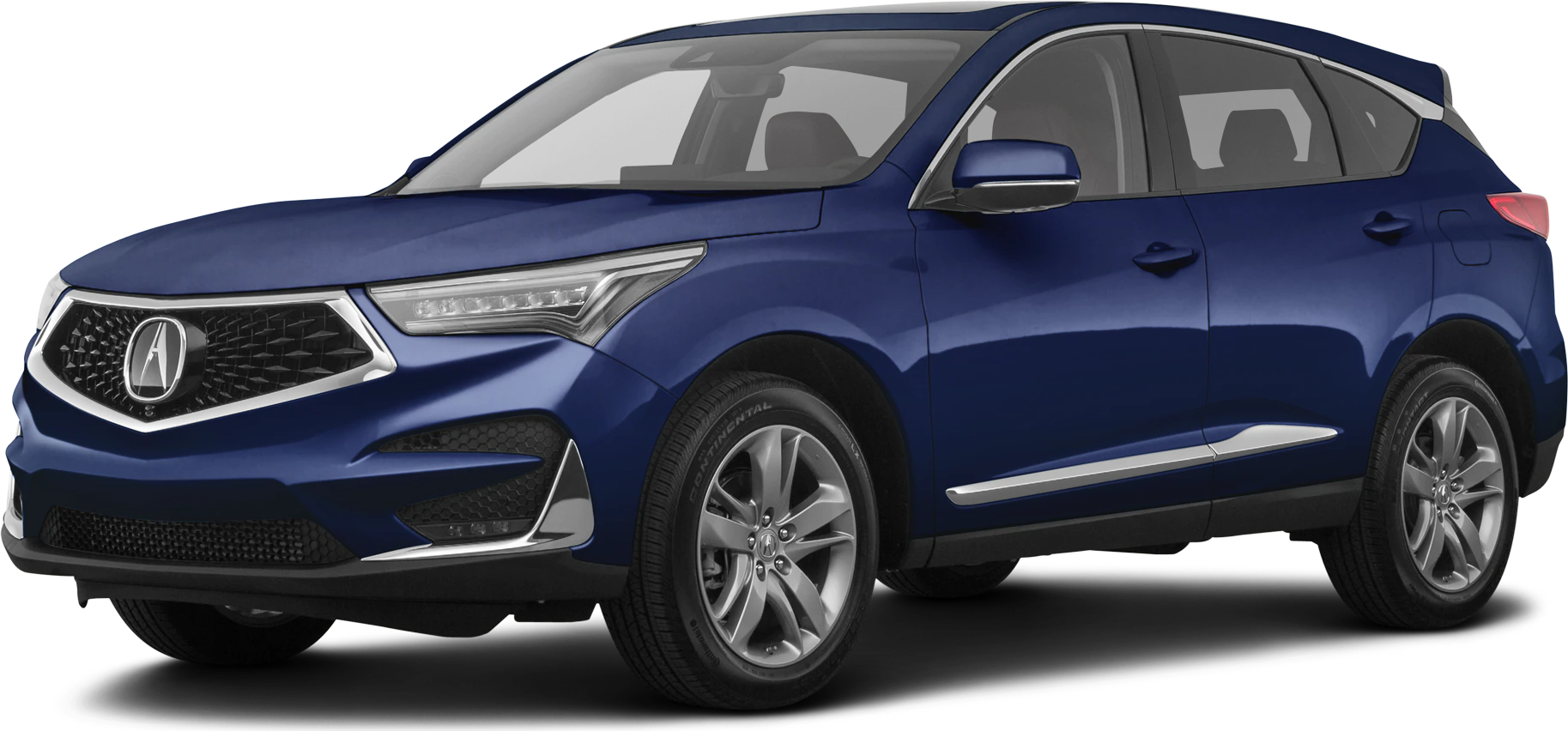
NHTSA ID Number: 10190296
Manufacturer Communication Number: B21-009
Summary
Service Bulletin – A loose connection in the MOST bus network is causing a popping or crackling from the speakers, a blank display, or no sound from the audio system. You may also see a Network Loss message, Center Display Unit Stays On with Ignition Turned to OFF and Door Open, display switches between the Day Mode and Night Mode, the Drive mode not available message appears, or Disclaimer is stuck on.
B21-009
April 9, 2021
Version 3
Warranty Extension: 2019-20 RDX MOST Bus Network Connectors
Supersedes 21-009, dated February 18, 2021, to revise the information highlighted in yellow.
AFFECTED VEHICLES
| Year | Model | Trim Level | VIN Range |
| 2019-20 | RDX | ALL | Check the iN VIN status for eligibility. |
REVISION SUMMARY
Under BACKGROUND, the miles were updated.
BACKGROUND
A loose connection in the MOST bus network is causing a popping or crackling from the speakers, a blank display, or no sound from the audio system. You may also see a Network Loss message, Center Display Unit Stays On with Ignition Turned to OFF and Door Open, display switches between the Day Mode and Night Mode, the Drive mode not available message appears, or Disclaimer is stuck on.
American Honda is extending the warranty for the MOST bus network on these vehicles to 6 years or 74,000 miles from the original date of purchase, whichever comes first.
CLIENT NOTIFICATION
Owners of affected vehicles will be sent a notification of this campaign.
Do an iN VIN status inquiry to make sure the vehicle is shown as eligible.
CORRECTIVE ACTION
Install the FAKRA connector set.
PARTS INFORMATION
| Part Name | Part Number | Quantity |
| Rear Pillar Trim Clip | 91561-TA5-A11 | 1 |
| FAKRA Connector Set | 39817-TJB-AC0 | 3 |
TOOL INFORMATION
NOTE: The tool listed below is a required tool that should be in your dealer inventory. Order additional tools only if your tools are damaged and need replacement.
| Tool Name | Part Number | Quantity |
| Straight FAKRA Puller | 07AAC-THRA200 | 1 |
INSPECTION PROCEDURE
1. Check the software version in the audio unit. Go to the HOME screen and select, Settings, System. Scroll to About and select Acura Software System.
Is D.1.2.1 or higher displayed?
Yes – Go to step 2.
No – Using OTA, update the audio unit software to D.1.2.1 or higher, then continue with step 2.
2. Turn the ignition to ON, and on the touch pad, press and hold the Back, Home, and Cards List buttons at the same time. Hold until the Dealer Diagnostics menu screen appears in the primary information area. You will hear a tone when you release the buttons.
3. Using Touchpad A, select DETAIL INFORMATION & SETTING.
4. Scroll down the menu, and select SHUTDOWN REASON.
In this example, the cause of the failure can be identified as Meter:SUDDEN_SIGNAL_OFF.
5. Write down any failures as they will be collected on the warranty claim. Then, clear the data.
REPAIR PROCEDURE
1. Remove the dash side panel and air vent.
2. Remove the two screws.
3. Remove the lower trim, and disconnect the switch connectors and in-car temp sensor.
4. Remove the lower center cover to expose the infotainment unit.
5. Remove the two tie down hooks on the passenger side, then remove the load floor strip.
6. Remove the cargo floor lid, cargo bin, then the rear trim panel.
7. Remove the bolt from the rear seat cushion.
8. While pushing down on the rear seat cushion, pull the seat hook handles to release the hooks.
9. Pull back the seat cushion to pull the seat belt buckles from the slits in the seat cushion.
10. With rear seat heaters: Disconnect the connectors.
11. Remove the rear seat cushion.
12. Remove the lower trim.
13. Remove the rear passenger seat hinge cover by lifting it up.
14. Remove the inner handle cap.
15. Pull back and remove the lower side trim panel.
16. Remove the two screws.
17. Using a rubber mallet, apply a light blow to disengage the quarter pillar trim clip (a must-replace part). Then, remove the quarter pillar trim. Once it is removed, install a new quarter pillar trim clip.
18. With rear speaker: Disconnect the rear speaker from the upper quarter pillar trim.
19. Disconnect the red and green MOST connectors at the infotainment, stereo amplifier, and tuner units using the straight FAKRA puller. Do not pull on the units while the FAKRA connectors are connected to help prevent communication issues.
NOTE: To avoid mixing up the wires, remove only one FAKRA connector at a time.
20. Using a small flat-tip screwdriver, remove the secondary lock, then break off the tab as shown.
21. Pull and twist counterclockwise to remove the housing from the wire. Then, discard the housing and lock.
22. Select the correct color FAKRA housing, then slide the new terminal onto the wire until it clicks into place.
23. Line up the locking tabs of the FAKRA housing to the new terminal, then slide the new terminal into the housing until it clicks.
24. Repeat steps 20 thru 23 for the other connectors. Then, install the MOST connectors to the infotainment, amplifier and tuner units.
25. Install all the removed parts in the reverse order of removal. When installing the units, make sure the harness is routed correctly as a misrouted harness can put pressure on the connectors which may cause a connection issue. Do not pull on the units while the FAKRA connectors are connected to help prevent communication issues.
26. Test-drive the vehicle to confirm the repair. If the repair was not successful, continue with normal troubleshooting based on client symptom(s).
END
2 Affected Products
Vehicle
| MAKE | MODEL | YEAR |
| ACURA | RDX | 2019-2020 |
1 Associated Document
Manufacturer Communications
B21-009
April 9, 2021
Version 3
NHTSA ID Number: 10187544
Manufacturer Communication Number: B21-009
Summary
Service Bulletin – A loose connection in the MOST bus network is causing a popping or crackling from the speakers, a blank display, or no sound from the audio system. You may also see a Network Loss message, Center Display Unit Stays On with Ignition Turned to OFF and Door Open, display switches between the Day Mode and Night Mode, the Drive mode not available message appears, or Disclaimer is stuck on.
1 Associated Document
Manufacturer Communications
B21-009
February 18, 2021
Version 1
MC-10187544-0001.pdf 3024.891KB
NHTSA ID Number: 10190300
Manufacturer Communication Number: ONLF9O04052021
Summary
“Owner Notification Letter – On some 2019 RDX models, a loose connection in the MOST bus network may cause the following:
-A popping or crackling from the speakers, a blank display, or no sound from the audio system
-Network Loss and/or Drive Mode Not Available Messages or the disclaimer message stuck on
-The center display staying on after turning the vehicle to the OFF mode with the door open
-Display switches between the Day Mode and Night Mode
On some 2020 RDX models, a loose connection in the MOST bus network may cause the following:
-A popping or crackling from the speakers, a blank display, or no sound from the audio system
-A Network Loss message
For vehicles that display any of the above respective symptoms, American Honda is extending the warranty for the MOST bus network on these vehicles to 6 years or 72,000 miles from the original date of purchase, whichever comes first.”
1 Associated Document
Manufacturer Communications
Service Bulletin #21-009 Defect 6M100 / Symptom F9O00
April 2021
MC-10190300-0001.pdf 312.055KB

- [Easy to Use—Work Out of the Box] + [FOXWELL 2026 New Version] FOXWELL NT604 Elite scan tool is the 2026 new version from FOXWELL, designed for car owners who want to figure out the cause of issues before fixing car problems by scanning common systems like ABS, SRS, engine, and transmission. The NT604 Elite obd2 scanner diagnostic tool comes with the latest software—no need to waste time downloading software first. Plug the scanner into the OBDII port with OBDII cable to start the diagnosis.
- [Affordable] + [Reliable Car Health Monitor] Will you be confused what happens when the warning light of ABS/SRS/transmission/check engine flashes? Instead of taking your cars to dealership, this FOXWELL scanner will help you do a thorough scanning and detection for your cars and pinpoint the root cause. Note:The device is a diagnostic tool, not a repair tool. To turn off a warning light, you must first physically repair the issue causing it. Only then can the scanner be used to clear the corresponding fault code.
- [5 in 1 Car Diagnostic Scanner] Compared with obd scanners (50-100), NT604 Elite code scanner not only includes their OBDII diagnosis but also serves as ABS/SRS scanner, transmission and check engine code reader. When it’s an odb2 scanner, you can use it to check if your car is ready for annual test through I/M readiness menu. In addition, live data stream, built-in DTC library, data play back and print, all these features are a big plus for it. Note: doesn't support maintenance functions like reset or relearn. For the SRS system, NT604 Elite can read and clear common fault codes not caused by a crash, but crash/collision data cannot be cleared.
- [Fantastic AUTOVIN] + [No extra software fee] Through the AUTOVIN menu, this NT604 Elite car scanner allows you to get your V-IN and vehicle info rapidly, no need to take time to find your V-IN and input one by one. What's more, the NT604 Elite ABS SRS scanner supports 60+ car brands from worldwide (America/Asia/Europe). You don’t need to pay extra software fee. AUTOVIN may not work on some older vehicles or certain vehicle brands. If AUTOVIN fails, please input the vin code manually or go to the Diagnostic Menu to select your vehicle model.
- [Solid protective case KO plastic carrying bag] + [Lifetime update] Almost all same price-level car scanner diagnostic tool only offers plastic bag to hold the scanner.However, NT604 Elite automotive scanner is equipped with solid protective case, preventing your obd2 scanner from damage. Then you don’t need to pay extra money to buy a solid toolbox.
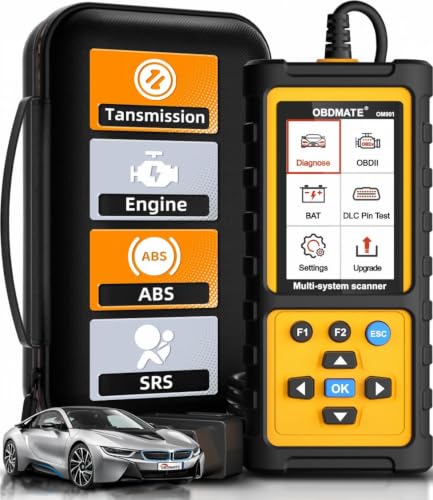
- 【Reset ABS/SRS/Transmission/Engine Lights】 More than an check engine code reader, OBDMATE OM901 obd2 scanner performs comprehensive diagnostics for the 4 most-used systems (ABS/SRS/Engine/Transmission). It quickly clears fault codes, turns off warning lights, read data stream and auto VIN.
- 【3.5" Handheld Scanner with 4 System Diagnose】 3.5" Super large TFT screen equipped displays an intuitive menu and clear readings of various sensors from ABS, SRS, ECM and TCM systems. It arrived with a silicone protective case and hard-shell carrying case, ensuring long-lived durability and drop resistance. The car diagnostic tool is plug-to-play designed, plug it and get diagnosis started without any batteries or updates required.
- 【One-Click I/M Readines&Full OBD2 Functions】 Press F1 to get an intuitive corloured form about whether various emissions-related systems on the vehicle are operating properly. Help you get smog-check ready quickly. OM901 car scanner supports all essential OBD2 functions you need: read & clear codes, view freeze frame, read I/M readiness, retrieve VIN, live data stream (with graphing display), O2 sensor test, onboard monitoring mode, and EVAP leak test.
- 【Battery Voltage Check&DLC Pin Test】 It allows you to monitor battery health by testing current battery voltage. Plus, this obd2 diagnostic tool features DLC 16-PIN test to check current voltage of every pin.
- 【Automotive Scanner Diagnostic Kit】 The package comes with 1 car scanner, 1 USB-type c cable, 1 hard storage bag and 1 user manual(en). Free to update without any hidden fees. 5 languanges available in setting including English, French, Italian, German and Espanish. Valuable and Portable, making it a great tool kit for car owners, DIY enthusiasts, and professional mechanics.

- OBD2 SCANNER FOR ALL SYSTEMS – The INNOVA SD35 is a tablet-based OBD2 scanner designed for advanced diagnostics. Read and clear check engine light, ABS, SRS, and TPMS codes, plus test your car battery and alternator to prevent unexpected failures. Vehicle coverage may vary. Please use Innova’s Coverage Checker to verify compatibility.
- ALL-SYSTEM DIAGNOSTICS & LIVE DATA – Unlike basic code readers, this OBD2 scanner for all vehicles scans engine, transmission, ABS, SRS, and more. Get real-time live data, including RPM, fuel trims, temperature readings, and oxygen sensor performance.
- OBD2 TABLET WITH USER-FRIENDLY INTERFACE – This automotive scan tool features a high-resolution display, making vehicle diagnostics faster and easier.
- ADVANCED TPMS, OIL RESET & SERVICE FUNCTIONS – Perform TPMS sensor checks, oil light reset, and other service resets with ease This professional diagnostic tool provides comprehensive vehicle maintenance capabilities in one device.
- WIDE VEHICLE COVERAGE (1996 & NEWER CARS & TRUCKS) – This OBD2 scanner Bluetooth tablet is compatible with Toyota, Ford, Honda, Chevrolet, Nissan, Dodge, and more. However, feature coverage may vary. Please use Innova's Coverage Checker to verify coverage.
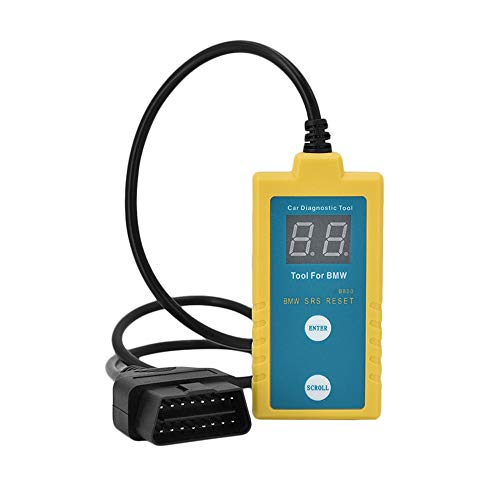
- ✔️【Professional SRS Reset for 1994-2003 BMW】 Designed specifically for classic BMW models (1994-2003). This B800 scanner reads & clears SRS airbag fault codes, turns off the warning light, and saves you a costly dealer visit. Confirmed compatible with: E36, E46 (EXCEPT 2001 330i), E34, E38, E39, Z3, and X5 (E53). NOT compatible with any BMW built before 1994 or after 2003.
- ✔️【Important: Two Different Connection Ports – Read Before Use】 To avoid “not working” issues, please note: For 1994–2000 BMWs (most E36, E34, Z3, early E39), the SRS diagnostic port is a round 20-pin connector under the hood. You MUST use the included 16-pin to 20-pin adapter cable. For 2000–2003 models (late E46, E39, X5), use the standard OBD-II port inside the cabin. Incorrect connection is the #1 reason for “incompatibility” reports.
- ✔️【Read & Clear Fault Codes in Minutes】 Quickly diagnose why your SRS light is on. The scanner accurately reads fault codes from airbag and seatbelt pretensioner systems. With one button press, clear the codes and reset the SRS warning light in seconds. No expensive dealer tools needed.
- ✔️【User-Friendly for DIYers – No Mechanic Required】 Easy operation with an intuitive button layout: ‘Enter’ to confirm, ‘Scroll’ to navigate. The clear LCD screen shows results instantly. Includes a step-by-step manual (revised for clarity) to guide you through the entire reset process.
- ✔️【Reliable Support with 1-Year Warranty】 We stand behind the quality of our B800 scanner. It comes with a 1-Year Hassle-Free Warranty. If you have any questions or need support, please contact us with your Order ID, and our dedicated team will assist you promptly.
- [All System Diagnostics, Professional-Level Scanner] - BLCKTEC 460T is the ultimate OBD2 diagnostic tool for home mechanics and professionals. It supports all 10 OBD2 modes, reads and clears Engine/Transmission/ABS/SRS codes, performs All-System Diagnostics, offers workshop reset tools, and provides real-time live data. It helps you pinpoint issues, assess your car's condition, and prepare for SMOG checks with ease. NOTE: Function availability depends on your vehicle. Before you buy, be sure to use the Compatibility Checker on BLCKTEC website or contact our customer support to verify that the features you need are supported for your vehicle’s specific year, make, and model.
- [12+ Most Popular Reset Functions] - BLCKTEC 460T OBD2 scanner offers 12+ dealer-level service functions, including Oil Maintenance Reset, ABS Bleeding, EPB Reset, SAS(Steering Angle Sensor) Recalibration, DPF(Diesel Particulate Filter) Reset, Throttle Body Relearn, Battery Reset/Initialization, TPMS Relearn, Transmission Reset, Fluid Change Reset, Maintenance Reset and more, enabling you to perform workshop services like a pro. NOTE: Function availability depends on your vehicle. Be sure to use the Compatibility Checker on BLCKTEC website to verify that the features you need are supported for your vehicle.
- [Real-Time OBD2 and OEM Live Data, Freeze Frame Data] - BLCKTEC 460T helps diagnose vehicle issues when warning lights like Check Engine Light or ABS/SRS Light appear. It offers detailed DTC info, ECU Freeze Frame Data, and real-time OBD2 and advanced OEM live data, including Engine, Transmission, ABS, SRS, and more, making it easy to diagnose and resolve vehicle problems. You can view, graph, record, replay, and overlay up to four live data streams in a single graph for better analysis.
- [AutoVIN, AutoReLink, AutoScan, 3X Faster] - Equipped with AutoVIN technology, 460T automatically retrieves the VIN to save you time. Its AutoScan and AutoReLink features scan all of the vehicle's ECUs and detect any fault codes immediately after you plug the scanner into the vehicle's OBD2 port - no button presses required. Additionally, it regathers DTC and I/M readiness information every 30 seconds, simplifying monitor tests. 460T's advanced technology makes it 3X faster than other products.
- [Get RepairSolutions2, the #1 Auto Repair App for Free] - When paired with RepairSolutions2(RS2) App, 460T becomes even more powerful. RS2's Verified Fix Database built by master technicians, provides the parts needed for the repair. Additionally, RS2 gives you access to OEM warranty info, maintenance schedules, TSB, and dealership recall info, making car care easier than ever. RS2 is free with no subscription fees and it stores your car scan reports in the cloud, allowing you to access, share, or print them anytime and anywhere.
SEOCONTENT-START
CLIENT INFORMATION: The information in this bulletin is intended for use only by skilled technicians who have the proper tools, equipment, and
training to correctly and safely maintain your vehicle. These procedures should not be attempted by “do-it-yourselfers,” and you should not assume this
bulletin applies to your vehicle, or that your vehicle has the condition described. To determine whether this information applies, contact an authorized
Acura automobile dealer.
© 2021 American Honda Motor Co., Inc. – All Rights Reserved Page 1 of 11
Service Bulletin
21-009
April 9, 2021 Version 3
Warranty Extension: 2019-20 RDX MOST Bus Network Connectors
Supersedes 21-009, dated February 18, 2021, to revise the information highlighted in yellow.
AFFECTED VEHICLES
Year
Model
Trim Level
VIN Range
2019-20
RDX
ALL
Check the iN VIN status for eligibility.
REVISION SUMMARY
Under BACKGROUND, the miles were updated.
BACKGROUND
A loose connection in the MOST bus network is causing a popping or crackling from the speakers, a blank display, or no sound from the audio system. You may also see a Network Loss message, Center Display Unit Stays On with Ignition Turned to OFF and Door Open, display switches between the Day Mode and Night Mode, the Drive mode not available message appears, or Disclaimer is stuck on.
American Honda is extending the warranty for the MOST bus network on these vehicles to 6 years or 74,000 miles from the original date of purchase, whichever comes first.
CLIENT NOTIFICATION
Owners of affected vehicles will be sent a notification of this campaign.
Do an iN VIN status inquiry to make sure the vehicle is shown as eligible.
CORRECTIVE ACTION
Install the FAKRA connector set.
PARTS INFORMATION
Part Name
Part Number
Quantity
Rear Pillar Trim Clip
91561-TA5-A11
1
FAKRA Connector Set
39817-TJB-AC0
3
TOOL INFORMATION
NOTE: The tool listed below is a required tool that should be in your dealer inventory. Order additional tools only if your tools are damaged and need replacement.
Tool Name
Part Number
Quantity
Straight FAKRA Puller
07AAC-THRA200
1
Page 2 of 11
WARRANTY CLAIM INFORMATION
Operation Number
Description
Flat Rate Time
Defect Code
Symptom Code
Template ID
Failed Part Number
0101Q0
Access the infotainment, amplifier, and tuner units, then replace the affected FAKRA connectors. (includes test-drive)
1.4 hr
6M100
F9O00
B21009A
39540-TJB-A01
Skill Level: Repair Technician
INSPECTION PROCEDURE
1. Check the software version in the audio unit. Go to the HOME screen and select, Settings, System. Scroll to About and select Acura Software System.
Is D.1.2.1 or higher displayed?
Yes – Go to step 2.
No – Using OTA, update the audio unit software to D.1.2.1 or higher, then continue with step 2.
2. Turn the ignition to ON, and on the touch pad, press and hold the Back, Home, and Cards List buttons at the same time. Hold until the Dealer Diagnostics menu screen appears in the primary information area. You will hear a tone when you release the buttons.
3. Using Touchpad A, select DETAIL INFORMATION & SETTING.
Page 3 of 11
4. Scroll down the menu, and select SHUTDOWN REASON.
In this example, the cause of the failure can be identified as Meter:SUDDEN_SIGNAL_OFF.
5. Write down any failures as they will be collected on the warranty claim. Then, clear the data.
Page 4 of 11
REPAIR PROCEDURE
1. Remove the dash side panel and air vent.
2. Remove the two screws.
3. Remove the lower trim, and disconnect the switch connectors and in-car temp sensor.
Page 5 of 11
4. Remove the lower center cover to expose the infotainment unit.
5. Remove the two tie down hooks on the passenger side, then remove the load floor strip.
6. Remove the cargo floor lid, cargo bin, then the rear trim panel.
Page 6 of 11
7. Remove the bolt from the rear seat cushion.
8. While pushing down on the rear seat cushion, pull the seat hook handles to release the hooks.
9. Pull back the seat cushion to pull the seat belt buckles from the slits in the seat cushion.
10. With rear seat heaters: Disconnect the connectors.
11. Remove the rear seat cushion.
12. Remove the lower trim.
Page 7 of 11
13. Remove the rear passenger seat hinge cover by lifting it up.
14. Remove the inner handle cap.
15. Pull back and remove the lower side trim panel.
Page 8 of 11
16. Remove the two screws.
17. Using a rubber mallet, apply a light blow to disengage the quarter pillar trim clip (a must-replace part). Then, remove the quarter pillar trim. Once it is removed, install a new quarter pillar trim clip.
Page 9 of 11
18. With rear speaker: Disconnect the rear speaker from the upper quarter pillar trim.
19. Disconnect the red and green MOST connectors at the infotainment, stereo amplifier, and tuner units using the straight FAKRA puller. Do not pull on the units while the FAKRA connectors are connected to help prevent communication issues.
NOTE: To avoid mixing up the wires, remove only one FAKRA connector at a time.
Page 10 of 11
20. Using a small flat-tip screwdriver, remove the secondary lock, then break off the tab as shown.
21. Pull and twist counterclockwise to remove the housing from the wire. Then, discard the housing and lock.
22. Select the correct color FAKRA housing, then slide the new terminal onto the wire until it clicks into place.
23. Line up the locking tabs of the FAKRA housing to the new terminal, then slide the new terminal into the housing until it clicks.
24. Repeat steps 20 thru 23 for the other connectors. Then, install the MOST connectors to the infotainment, amplifier and tuner units.
Page 11 of 11
25. Install all the removed parts in the reverse order of removal. When installing the units, make sure the harness is routed correctly as a misrouted harness can put pressure on the connectors which may cause a connection issue. Do not pull on the units while the FAKRA connectors are connected to help prevent communication issues.
26. Test-drive the vehicle to confirm the repair. If the repair was not successful, continue with normal troubleshooting based on client symptom(s).
END
**************************************************************************************************************
April 2021
Warranty Extension: 2019–20 RDX MOST Bus Network Connectors
VIN:
Dear :
What is the reason for this Warranty Extension?
On some 2019 RDX models, a loose connection in the MOST bus network may cause the following:
• A popping or crackling from the speakers, a blank display, or no sound from the audio system
• Network Loss and/or Drive Mode Not Available Messages or the disclaimer message stuck on
• The center display staying on after turning the vehicle to the OFF mode with the door open
• Display switches between the Day Mode and Night Mode
On some 2020 RDX models, a loose connection in the MOST bus network may cause the following:
• A popping or crackling from the speakers, a blank display, or no sound from the audio system
• A Network Loss message
For vehicles that display any of the above respective symptoms, American Honda is extending the warranty
for the MOST bus network on these vehicles to 6 years or 72,000 miles from the original date of purchase,
whichever comes first.
What will Acura do?
If your 2019 or 2020 vehicle is displaying any of the above symptoms as described and it is determined that
hese symptoms are related to the MOST bus network connectors, any necessary repairs will be done for FREE.
Please plan to leave your vehicle at the dealer for at least one day to allow them flexibility in scheduling.
If you previously paid to have any of the above symptoms resolved, you may be eligible for reimbursement,
even if you no longer own the vehicle. Refer to the attached reimbursement instructions for eligibility
requirements and the reimbursement procedure.
Lessor Information
Please forward a copy of this notice to the lessee.
What to do if you feel this notice is in error
Our records show that you are the current owner or lessee of a 2019–20 RDX involved in this warranty extension.
If this is not the case, or the name/address information is not correct, please fill out and return the enclosed,
postage-paid Information Change Card. We will then update our records.
Do you have more questions?
If you have any questions about this notice, or need assistance with locating an Acura dealer, please call American
Honda’s Customer Support & Campaign Center at 1-888-234-2138. You can also visit AskUs.acura.com to use our
24/7 virtual agent or locate a dealer online at www.myAcura.com. Clients in U.S. territories, please contact your
local distributor/dealer.
We apologize for any inconvenience this campaign may cause you, and we sincerely thank you for being an Acura
client.
Sincerely,
American Honda Motor Co., Inc.
Service Bulletin #21-009 Defect 6M100 / Symptom F9O00
AUTOMOBILE DIVISION
American Honda Motor Co., Inc.
1919 Torrance Blvd. – P.O. Box 2215
Torrance, CA 90509-9870
CO-15124
Abril del 2021
Extensión de garantía: Conectores de la red bus MOST de la RDX 2019–2020
VIN:
Estimado :
¿Cuál es el motivo de esta extensión de garantía?
En algunos modelos RDX 2019, una conexión suelta en la red bus MOST está ocasionando lo siguiente:
• Un estallido o chasquido proveniente de los altavoces, una pantalla en blanco o no hay sonido del
sistema de audio.
• Mensajes de “Network Loss” (Pérdida de Red) y/o Modo de conducción no está disponible o el
mensaje de exenciones de responsabilidad está atascado (trabado)
• La pantalla central se mantiene encendida después de colocar el vehículo en el modo OFF (Apagado)
con la puerta abierta
• La pantalla cambia entre el modo Día y el modo Noche
En algunos modelos RDX 2020, una conexión suelta en la red bus MOST está ocasionando lo siguiente:
• Un estallido o chasquido proveniente de los altavoces, una pantalla en blanco o no hay sonido del
sistema de audio.
• Un mensaje de “Network Loss” (Pérdida de Red)
Para los vehículos que muestran cualquiera de los síntomas respectivamente mencionados anteriormente,
American Honda está extendiendo la garantía para la red bus MOST en estos vehículos, a 6 años de la fecha
original de compra o 72.000 millas, lo que ocurra primero.
¿Qué hará Acura?
Si su vehículo 2019 o 2020 está mostrando cualquiera de los síntomas anteriormente mencionados tal cual
se describen y se determina que estos síntomas están relacionados con los conectores de la red bus MOST,
cualquier reparación necesaria se realizará de forma GRATUITA. Por favor haga planes para dejar su vehículo
en el concesionario por lo menos un día, para permitir flexibilidad en la programación de la cita.
Si usted anteriormente ha pagado por resolver cualquiera de los síntomas anteriormente mencionados, usted
puede calificar para un rembolso, aunque ya no sea el propietario del vehículo. Consulte las instrucciones para
reembolso que se encuentra anexa para ver los requisitos de elegibilidad y el procedimiento de reembolso.
Información para el arrendador
Por favor envié una copia de esta notificación al arrendatario.
Qué debe hacer si considera que esta notificación es errónea
Nuestros registros indican que usted es propietario o arrendatario de un vehículo RDX 2019–2020, el cual forma
parte de esta extensión de garantía. Si no es el caso, o si la información de nombre/dirección no está correcta,
por favor llene y devuelva la Tarjeta de Cambio de Información anexa pre-pagada. Con esto actualizaremos
nuestros registros.
Si tiene preguntas
Si tiene preguntas acerca de esta notificación o si necesita asistencia para ponerse en contacto con un
concesionario Acura, por favor comuníquese con el Centro de Apoyo al Cliente y Campañas de American Honda
al 1-888-234-2138. Usted también puede visitar AskUs.acura.com para usar nuestro agente virtual las 24 horas/
los 7 días de la semana o puede ubicar un concesionario en línea en www.myAcura.com. Los clientes en
territorios de Estados Unidos, por favor comuníquense con su concesionario/distribuidor local.
Le pedimos disculpas por cualquier inconveniente que esta campaña pudiera causarle y le agradecemos
sinceramente por ser un cliente Acura.
Atentamente,
American Honda Motor Co., Inc.
Boletín de Servicio #21-009 Defecto #6M100 / Síntoma #F9O00
AUTOMOBILE DIVISION
American Honda Motor Co., Inc.
1919 Torrance Blvd. – P.O. Box 2215
Torrance, CA 90509-9870
Instructions for Reimbursement
Acura Warranty Extension 6M1
Eligibility Requirements
You may be eligible for reimbursement if you meet all the requirements:
• You paid to have your vehicle’s audio system MOST bus network connectors repaired.
• Repairs were made prior to the notice date; repairs made after the notice date must be performed
by a Acura dealer.
• You owned the vehicle at the time of repair. You are still eligible if you no longer own the vehicle.
• You provide a paid invoice.
Please complete this form and attach the items listed below. Failure to include all requested information
will result in delays and possible denial of your request.
Your invoice must include:
1. Vehicle Identification Number (VIN)
2. Name and Address of the repair facility
3. Diagnosis and itemized cost of repair – parts and labor
4. Date the work was completed
5. Proof of Payment – copy of the canceled check, bank statement, or credit card receipt
showing that you paid for the repair. Cash payments must be documented on the
invoice and a cash payment receipt must be provided. Please submit copies only.
These documents will not be returned.
Repairs were performed at (check one): ❒ Authorized Acura Dealer ❒ Independent Repair Facility
Return Your Reimbursement Request Form and Requested Documents
Via Fax: (310) 224-6051
Via Mail: American Honda Motor Co., Inc.
American Honda Customer Support & Campaign Center
P.O. Box 2964
Torrance, CA 90509-2964
(Fill-in the information below – Please print)
Repair cost only. Incidental expenses (rental, fuel, loss of wages, etc.) are not covered.
If you have any questions about this form, please contact
American Honda’s Customer Support & Campaign Center at 1-888-234-2138
Your Name:
Home Address: Apt.#:
City: State: ZIP:
Daytime Phone:
Vehicle Identification Number
e-mail Address:
Total Amount Requested: $
Cell
Phone:
6M1
Instrucciones para el reembolso
Extensión de garantía Acura 6M1
Requisitos de elegibilidad
Usted puede calificar para un reembolso si cumple con todos los requisitos:
• Usted anteriormente ha pagado por la reparación de los conectores de la red bus MOST del sistema
de audio del vehículo.
• Las reparaciones realizadas previas a la fecha de notificación; Las reparaciones realizadas
después de la fecha de notificación deben ser realizadas por un concesionario Acura.
• Usted era el propietario del vehículo en el momento de la reparación. Usted puede calificar, aunque
no sea el propietario actualmente.
• Usted demuestra una factura pagada.
Por favor complete este formulario y adjunte los elementos enumerados a continuación. De no incluir
toda la información requerida resultará en un retraso y posiblemente el rechazo de su solicitud.
Su factura debe incluir:
1. Número de identificación del vehículo (VIN)
2. Nombre y dirección de la instalación que realizó la reparación
3. El diagnóstico y el costo desglosado de la reparación – repuestos y mano de obra
4. La fecha de cuando se realizó el trabajo
5. Prueba de pago – una copia del cheque cancelado, estado de cuenta bancario o recibo de
cargo a tarjeta de crédito mostrando que usted pago por la reparación. Los pagos en dinero
en efectivo deben estar documentados en la factura y un recibo de pago en efectivo debe ser
suministrado. Por favor envíe copias solamente. Estos documentos no serán devueltos.
Las reparaciones fueron realizadas en un (marque uno):
❒ Concesionario autorizado Acura ❒ Centro de reparación independiente
Regrese el formulario de Solicitud de reembolso y los documentos requeridos
Por Fax al: (310) 224-6051
Por correo a: American Honda Motor Co., Inc.
Centro de Apoyo al Cliente y Campañas de American Honda
P.O. Box 2964
Torrance, CA 90509-2964
(Llene la información a continuación – Por favor escriba en letra legible)
Solamente el costo de la reparación. Los gastos incidentales (alquiler, combustible, pérdida de salario, etc.) no serán cubiertos.
Si tiene alguna pregunta acerca de este formulario, por favor comuníquese con
el Centro de Apoyo al Cliente y Campañas de American Honda al 1-888-234-2138
Su nombre:
Dirección de domicilio: # de apartamento:
Ciudad: Estado:
Número de identificación del vehículo:
Dirección de correo electrónico:
Monto total solicitado: $
Número de
teléfono celular:
6M1
Número de teléfono
durante el día:
Código
postal:
**************************************************************************************************************
SEOCONTENT-END
This product presentation was made with AAWP plugin.