
NHTSA ID Number: 10197651
Manufacturer Communication Number: A21-055
Summary
Service Bulletin – The vehicle’s factory security system will sound off intermittently when the vehicle is parked, and the system is armed.
A21-055
June 11, 2021
Version 1
2017–19 Ridgeline: Alarm Goes Off Intermittently
AFFECTED VEHICLES
| Year | Model | Trim | VIN Range |
| 2017–19 | Ridgeline | ALL | ALL |
SYMPTOM
The vehicle’s factory security system will sound off intermittently when the vehicle is parked, and the system is armed.
POSSIBLE CAUSE
An internal failure within the Keyless Access/TPMS Control Unit.
CORRECTIVE ACTION
Inspect the Alarm Trigger History with i-HDS and replace the Keyless Access/TPMS Control Unit if Ignition Switch (IG1) is listed under the Alarm Device.
PARTS INFORMATION
| Part Name | Trim | Part Number | Quantity |
| Control Unit | RT (2WD and AWD) | 38320-T6Z-A11 | 1 |
| Control Unit | RLT, RTS, and SPORT (2WD and AWD) | 38320-T6Z-A21 | 1 |
| Control Unit | BLACK RTL (-E), and RTL (T 2WD and AWD-NAV/SUN), RTL (T 2WD and AWD – NAVI) | 38320-T6Z-A31 | 1 |
INSPECTION PROCEDURE
1. Connect to the vehicle using the i-HDS.
2. Go to the Body Electrical menu and select Security.
3. Select History Data.
4. If under the Alarm Device column, you see that Ignition Switch (IG1) is listed, proceed to the repair procedure. If is not listed, this bulletin does not apply, proceed with normal troubleshooting.
REPAIR PROCEDURE
NOTE: Before beginning work, all of the vehicle’s keys will need to be available to complete the Keyless Access Control Unit Registration.
1. Remove the passenger’s side dashboard lid.
2. Remove the passenger’s dashboard undercover, then disconnect the connector (for some models).
3. Remove the passenger’s dashboard trim panel.
4. Open the glove box. Release both glove box stops by pushing them in passed the guide stop, then pull down the glove box.
5. Remove the screws.
NOTE: If the screw threads are stripped, replace them with one-size larger (90140-TG7-A00).
6. Remove the glove box, then remove the glove box light and the connector.
7. Release the retaining clip, then remove the Keyless Access/TPMS control unit from the bracket and disconnect the connectors.
8. Install the replacement Keyless Access/TPMS Control Unit.
9. Install all remaining parts in the reverse order of removal.
10. Register the Keyless Access/TPMS control unit using the i-HDS Immobilizer Setup Tool. Follow the instructions when prompted by i-HDS.
NOTE:
- Make sure the 12-volt battery is fully charged before starting registration.
- Connect a fully charged jumper battery to the vehicle, and leave it connected during the entire procedure to maintain steady voltage.
11. Click through to show all the Registration Menu options. Select Replace PCU/BACK UP CONTROLLER/KEYLESS ACCESS Control Unit. Follow the instructions when prompted by i-HDS.
12. After registration, verify all remote related systems work normally with all remotes.
13. Perform the Tire Pressure Sensor ID with i-HDS by following the screen prompts.
14. Select Sensor ID Learning, then follow the instructions when prompted by i-HDS.
NOTE: After the sensor IDs are memorized, reduce the pressure in all four tires to less than the appropriate specification, and check to see that the four tire indicators come on. Clear any DTCs that may have stored while performing this check.
END
3 Affected Products
Vehicle
| MAKE | MODEL | YEAR |
| HONDA | RIDGELINE | 2017-2019 |
1 Associated Document
Manufacturer Communications
A21-055
June 11, 2021
Version 1
MC-10197651-0001.pdf 976.313KB

- [Easy to Use—Work Out of the Box] + [FOXWELL 2026 New Version] FOXWELL NT604 Elite scan tool is the 2026 new version from FOXWELL, designed for car owners who want to figure out the cause of issues before fixing car problems by scanning common systems like ABS, SRS, engine, and transmission. The NT604 Elite obd2 scanner diagnostic tool comes with the latest software—no need to waste time downloading software first. Plug the scanner into the OBDII port with OBDII cable to start the diagnosis.
- [Affordable] + [Reliable Car Health Monitor] Will you be confused what happens when the warning light of ABS/SRS/transmission/check engine flashes? Instead of taking your cars to dealership, this FOXWELL scanner will help you do a thorough scanning and detection for your cars and pinpoint the root cause. Note:The device is a diagnostic tool, not a repair tool. To turn off a warning light, you must first physically repair the issue causing it. Only then can the scanner be used to clear the corresponding fault code.
- [5 in 1 Car Diagnostic Scanner] Compared with obd scanners (50-100), NT604 Elite code scanner not only includes their OBDII diagnosis but also serves as ABS/SRS scanner, transmission and check engine code reader. When it’s an odb2 scanner, you can use it to check if your car is ready for annual test through I/M readiness menu. In addition, live data stream, built-in DTC library, data play back and print, all these features are a big plus for it. Note: doesn't support maintenance functions like reset or relearn. For the SRS system, NT604 Elite can read and clear common fault codes not caused by a crash, but crash/collision data cannot be cleared.
- [Fantastic AUTOVIN] + [No extra software fee] Through the AUTOVIN menu, this NT604 Elite car scanner allows you to get your V-IN and vehicle info rapidly, no need to take time to find your V-IN and input one by one. What's more, the NT604 Elite ABS SRS scanner supports 60+ car brands from worldwide (America/Asia/Europe). You don’t need to pay extra software fee. AUTOVIN may not work on some older vehicles or certain vehicle brands. If AUTOVIN fails, please input the vin code manually or go to the Diagnostic Menu to select your vehicle model.
- [Solid protective case KO plastic carrying bag] + [Lifetime update] Almost all same price-level car scanner diagnostic tool only offers plastic bag to hold the scanner.However, NT604 Elite automotive scanner is equipped with solid protective case, preventing your obd2 scanner from damage. Then you don’t need to pay extra money to buy a solid toolbox.

- CEL Doctor: The ANCEL AD310 is one of the best-selling OBD II scanners on the market and is recommended by Scotty Kilmer, a YouTuber and auto mechanic. It can easily determine the cause of the check engine light coming on. After repairing the vehicle's problems, it can quickly read and clear diagnostic trouble codes of emission system, read live data & hard memory data, view freeze frame, I/M monitor readiness and collect vehicle information
- Sturdy and Compact: Equipped with a 2.5 foot cable made of very thick, flexible insulation. It is important to have a sturdy scanner as it can easily fall to the ground when working in a car. The AD310 OBD2 scanner is a well-constructed mechanic tool with a sleek design. It weighs 12 ounces and measures 8.9 x 6.9 x 1.4 inches. Thanks to its compact design and light weight, transporting the device is not a problem. The buttons are clearly labelled and the screen is large and displays results clearly
- Accurate Fast and Easy to Use: The AD310 scanner can help you or your mechanic understand if your car is in good condition, provides exceptionally accurate and fast results, reads and clears engine trouble emission codes in seconds after you fixed the problem. This device will let you know immediately and fix the problem right away without any car knowledge. No need for batteries or a charger, get power directly from the OBDII Data Link Connector in your vehicle
- OBDII Protocols and Car Compatibility: Many cheap scan tools do not really support all OBD2 protocols. AD310 scanner as it can support all OBDII protocols such as KWP2000, J1850 VPW, ISO9141, J1850 PWM and CAN. This device also has extensive vehicle compatibility with 1996 US-based, 2000 EU-based and Asian cars, light trucks, SUVs, as well as newer OBD2 and CAN vehicles both domestic and foreign. Pls confirm with our customer service whether it is compatible with your vehicle before purchasing
- Home Necessity and Worthy to Own: This is an excellent code reader to travel or home with as it weighs less and it is compact in design. You can easily slide it in your backpack as you head to the garage, or put it on the dashboard, this will be a great fit for you. The AD310 is not only portable, but also accurate and fast in performance. Moreover, it covers various car brands and is suitable for people who just need a code reader to check their car
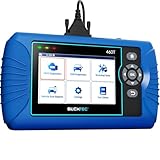
- [All System Diagnostics, Professional-Level Scanner] - BLCKTEC 460T is the ultimate OBD2 diagnostic tool for home mechanics and professionals. It supports all 10 OBD2 modes, reads and clears Engine/Transmission/ABS/SRS codes, performs All-System Diagnostics, offers workshop reset tools, and provides real-time live data. It helps you pinpoint issues, assess your car's condition, and prepare for SMOG checks with ease. NOTE: Function availability depends on your vehicle. Before you buy, be sure to use the Compatibility Checker on BLCKTEC website or contact our customer support to verify that the features you need are supported for your vehicle’s specific year, make, and model.
- [12+ Most Popular Reset Functions] - BLCKTEC 460T OBD2 scanner offers 12+ dealer-level service functions, including Oil Maintenance Reset, ABS Bleeding, EPB Reset, SAS(Steering Angle Sensor) Recalibration, DPF(Diesel Particulate Filter) Reset, Throttle Body Relearn, Battery Reset/Initialization, TPMS Relearn, Transmission Reset, Fluid Change Reset, Maintenance Reset and more, enabling you to perform workshop services like a pro. NOTE: Function availability depends on your vehicle. Be sure to use the Compatibility Checker on BLCKTEC website to verify that the features you need are supported for your vehicle.
- [Real-Time OBD2 and OEM Live Data, Freeze Frame Data] - BLCKTEC 460T helps diagnose vehicle issues when warning lights like Check Engine Light or ABS/SRS Light appear. It offers detailed DTC info, ECU Freeze Frame Data, and real-time OBD2 and advanced OEM live data, including Engine, Transmission, ABS, SRS, and more, making it easy to diagnose and resolve vehicle problems. You can view, graph, record, replay, and overlay up to four live data streams in a single graph for better analysis.
- [AutoVIN, AutoReLink, AutoScan, 3X Faster] - Equipped with AutoVIN technology, 460T automatically retrieves the VIN to save you time. Its AutoScan and AutoReLink features scan all of the vehicle's ECUs and detect any fault codes immediately after you plug the scanner into the vehicle's OBD2 port - no button presses required. Additionally, it regathers DTC and I/M readiness information every 30 seconds, simplifying monitor tests. 460T's advanced technology makes it 3X faster than other products.
- [Get RepairSolutions2, the #1 Auto Repair App for Free] - When paired with RepairSolutions2(RS2) App, 460T becomes even more powerful. RS2's Verified Fix Database built by master technicians, provides the parts needed for the repair. Additionally, RS2 gives you access to OEM warranty info, maintenance schedules, TSB, and dealership recall info, making car care easier than ever. RS2 is free with no subscription fees and it stores your car scan reports in the cloud, allowing you to access, share, or print them anytime and anywhere.
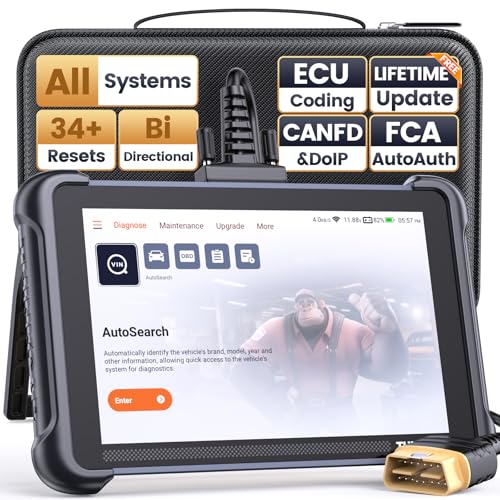
- 【Warm Tips】Dear friend, we've built this product to last, but in the unlikely event you encounter any technical hiccups, functions not support, received a used product, or just a simple question, please directly c0ntact us via Amazon Message and support @ mythinkcar. com, we're here to help and get it sorted in no time. Not sure if this product is compatible with your vehicle? Just e.mail your VIN at support @ mythinkcar. com for technical support. Note: FCA AutoAuth is a third-party service, additional cost may require.
- 【Professional Car Diagnostic Tool】Tired of renew fees? Thinkscan 689 scanner provides dealer-level advanced functions without annual fees for auto mechanics and repair shops. 34+ Services, 3000+ Active Test, ECU Coding, 140+ Brands Coverage, FCA AutoAuth, CANFD&DOIP Protocol, Component Matching, Power Balance, V.A.G Guided, Compatible with Google Chrome integration, etc. With strong hardware backing, 64G Memory, Android 10, 4-core processors, and 4150mAh battery. Thinkscan 689 brings you the best as your daily business helper and never lets you drop the ball!
- 【34+ Reset Service, Adaptation, Relearn, Calibration, Initialization, Matching】Made for workshops, Thinkscan 689 scanner provides 34+ services for worldwide vehicles: such as Gear/SAS/EPB/TPMS/D.P.F/BMS/ETS/Oil/Brake/AFS/GEARB0X/SUNROOF/SUS Reset, ABS Bleed, Injector coding, etc. Warm tips: Compatibility varies by car model, please reach out to us directly to make sure it works well on your cars.
- 【Real Active Test】Thinkscan 689 scan tool features over 3000+ full bi-directional control ability, to send commands to vehicle’s systems/components, to verify system input/output without using the vehicle's controls, e.g. turn on the radiator fan, modulate the throttle, open/close windows, operate mirrors, Injector Buz Test, turn on interior&exterior lights, sound horn, test door lock actuators, turn on/off front/rear side ACM Solenoid, Vehicle level position calibration, Wheel Speed Sensor Supply.
- 【Comprehensive Solutions with Advanced Features】Take your vehicle customization to the next level with the Thinkscan 689's advanced ECU coding capabilities. This scan tool provides power balance, PMI, unlock hidden features and enhance performance by activating dormant functions, customizing OE settings, matching replaced components, and reprogramming adaptive data to elevate your driving experience. Note: Compatibility varies by car models, please check before order.


- 2026 Advanced ECU Coding Scan Tool: Maximize the capabilities of your vehicles with the ArtiDiag Pro. This scan tool, seamlessly compatible with renowned models such as VW, A-U-D-I, SKODA, SEAT, BENZ, and more, empowers you to uncover hidden features, deactivate annoying functions, and code retrofitted components for peak performance. Ensure a backup before coding and steer clear of problems on low battery levels.
- Efficient Diagnostics with Bidirectional Control: Say goodbye to uncertainty, streamline diagnostics, and reclaim valuable time with ArtiDiag Pro scan tool. This bidirectional scan tool exceeds expectations, enabling targeted tests on individual actuators to swiftly identify and resolve issues. Covering lights, door locks, fuel and coolant systems, windows, wipers, EVAP, and more in vehicle components.
- 35+ Services Resolve 90% of Repair Challenges: Unleash maximum productivity with the ArtiDiag Pro, a scan tool that tackles 90% of maintenance issues through its 35 special functions. Effortlessly clear oil maintenance indicators with oil reset. Engage the EPB Reset for brake system management and establish precise alignment with the Steering Angle Reset to define the straight-line reference position for your vehicle.
- FCA Autoauth : This diagnostic tool supports Autoauth for FCA SGW/Renault, Chrysler, Jeep, Dodge, Fiat etc. 2017 and later. NOTE: Due to Product Upgrade, there is no Chrysler 12+8 adapter, the BMW-20 Adapter in the package any more. We are sincerely sorry for the inconvenience. NOTE: Please confirm compatibility before purchase.(Topdon Website>Support>Vehicle Coverage)
- Professional Customer Support: At TOPDON, your satisfaction is our unwavering commitment. Experience hassle-free support and a lifetime of expert assistance. Should you encounter any challenges, reach out to us at 833-629-4832. For returns, please damage the packaging to prevent Amazon from reselling it. Please be advised that after two years, a subscription fee of 249 Bucks will apply.
SEOCONTENT-START
CUSTOMER INFORMATION: The information in this bulletin is intended for use only by skilled technicians who have the proper tools, equipment,
and training to correctly and safely maintain your vehicle. These procedures should not be attempted by “do-it-yourselfers,” and you should not
assume this bulletin applies to your vehicle, or that your vehicle has the condition described. To determine whether this information applies, contact
an authorized Honda automobile dealer.
© 2021 American Honda Motor Co., Inc. – All Rights Reserved Page 1 of 10
Service Bulletin
21-055
June 11, 2021 Version 1
2017–19 Ridgeline: Alarm Goes Off Intermittently
AFFECTED VEHICLES
Year
Model
Trim
VIN Range
2017–19
Ridgeline
ALL
ALL
SYMPTOM
The vehicle’s factory security system will sound off intermittently when the vehicle is parked, and the system is armed.
POSSIBLE CAUSE
An internal failure within the Keyless Access/TPMS Control Unit.
CORRECTIVE ACTION
Inspect the Alarm Trigger History with i-HDS and replace the Keyless Access/TPMS Control Unit if Ignition Switch (IG1) is listed under the Alarm Device.
PARTS INFORMATION
Part Name
Trim
Part Number
Quantity
Control Unit
RT (2WD and AWD)
38320-T6Z-A11
1
Control Unit
RLT, RTS, and SPORT (2WD and AWD)
38320-T6Z-A21
1
Control Unit
BLACK RTL (-E), and RTL (T 2WD and AWD-NAV/SUN), RTL (T 2WD and AWD – NAVI)
38320-T6Z-A31
1
Page 2 of 10
WARRANTY CLAIM INFORMATION
The normal warranty applies.
Operation Number
Description
Flat Rate Time
Defect Code
Symptom Code
Template ID
Failed Part Number
0505A0
Inspect the Security System with the i-HDS.
0.3 hr.
03124
03217
A21055A
38320-T6Z-A11
A
RT 2WD/AWD – Replace the Keyless Access/TPMS control unit (includes re-programing all keys and TPMS sensor learn/tire check).
0.8 hr.
RTL 2WD/AWD, RTS 2WD/AWD, Sport 2WD/AWD – Replace the Keyless Access/TPMS control unit (includes re-programing all keys and TPMS sensor learn/tire check).
0.8 hr.
A21055B
BLACK RTL (-E), RTL (T 2WD/AWD-NAV/SUN), RTL (T 2WD/AWD – NAVI) – Replace the Keyless Access/TPMS control unit (includes re-programing all keys and TPMS sensor learn/tire check).
0.8 hr.
A21055C
Skill Level: Repair Technician
Page 3 of 10
INSPECTION PROCEDURE
1. Connect to the vehicle using the i-HDS.
2. Go to the Body Electrical menu and select Security.
Page 4 of 10
3. Select History Data.
4. If under the Alarm Device column, you see that Ignition Switch (IG1) is listed, proceed to the repair procedure. If is not listed, this bulletin does not apply, proceed with normal troubleshooting.
Page 5 of 10
REPAIR PROCEDURE
NOTE: Before beginning work, all of the vehicle’s keys will need to be available to complete the Keyless Access Control Unit Registration.
1. Remove the passenger’s side dashboard lid.
2. Remove the passenger’s dashboard undercover, then disconnect the connector (for some models).
Page 6 of 10
3. Remove the passenger’s dashboard trim panel.
4. Open the glove box. Release both glove box stops by pushing them in passed the guide stop, then pull down the glove box.
Page 7 of 10
5. Remove the screws.
NOTE: If the screw threads are stripped, replace them with one-size larger (90140-TG7-A00).
6. Remove the glove box, then remove the glove box light and the connector.
Page 8 of 10
7. Release the retaining clip, then remove the Keyless Access/TPMS control unit from the bracket and disconnect the connectors.
8. Install the replacement Keyless Access/TPMS Control Unit.
9. Install all remaining parts in the reverse order of removal.
Page 9 of 10
10. Register the Keyless Access/TPMS control unit using the i-HDS Immobilizer Setup Tool. Follow the instructions when prompted by i-HDS.
NOTE:
• Make sure the 12-volt battery is fully charged before starting registration.
• Connect a fully charged jumper battery to the vehicle, and leave it connected during the entire procedure to maintain steady voltage.
11. Click through to show all the Registration Menu options. Select Replace PCU/BACK UP CONTROLLER/KEYLESS ACCESS Control Unit. Follow the instructions when prompted by i-HDS.
Page 10 of 10
12. After registration, verify all remote related systems work normally with all remotes.
13. Perform the Tire Pressure Sensor ID with i-HDS by following the screen prompts.
14. Select Sensor ID Learning, then follow the instructions when prompted by i-HDS.
NOTE: After the sensor IDs are memorized, reduce the pressure in all four tires to less than the appropriate specification, and check to see that the four tire indicators come on. Clear any DTCs that may have stored while performing this check.
END
SEOCONTENT-END
This product presentation was made with AAWP plugin.